How to Migrate a Facebook Group to Your Own Community Platform in 2026
Almost every guide to this starts by telling you to export your member list. You cannot, and finding that out at step one is why most migrations stall before they begin.
Facebook does not hand group administrators the contact details of their members. That single constraint shapes everything else, because it means a migration is not a data transfer. It is a re-recruitment, run against a deadline you set yourself, using the only channel you have to reach these people, which is the group you are trying to leave.
That sounds worse than it is. Communities do move successfully. They just move by invitation rather than by import, and the plan has to be built for that from day one.
Important note: Verify what your specific group can export before planning anything. Facebook’s export tools differ by group type and product version and change over time. Check the current Facebook help documentation for your group directly, rather than relying on any guide, including this one.
Step-by-Step: How to Migrate a Facebook Group
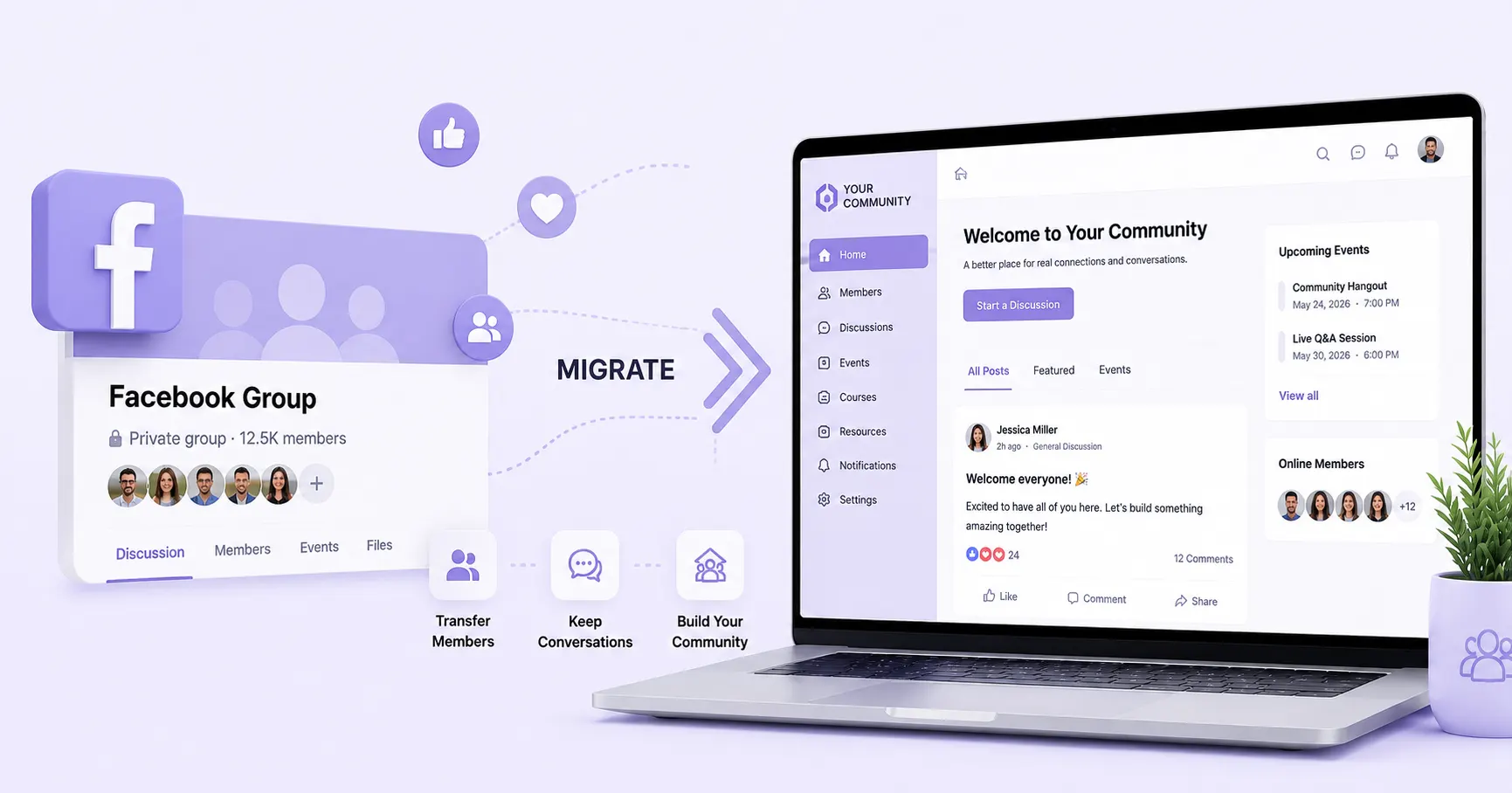
Migrating a Facebook group takes six steps: export what Facebook allows, invite members to the new space, move the content worth keeping, announce the move with a stated reason, run both platforms in parallel, then archive the group. Expect the process to be governed by member response rather than by technical work.
| Step | What it involves | Typical duration |
| 1. Export | Retrieve content, inventory what does not export | A day |
| 2. Invite | Individual outreach first, then the group at large | Ongoing from week one |
| 3. Move content | Rebuild pinned resources as structure | Two to three days |
| 4. Announce | State the change, the date and the reason | Repeated weekly |
| 5. Run parallel | New activity in the new space only | Thirty to sixty days |
| 6. Archive | Close posting, leave a signpost | An hour |
The technical part is small. The recruitment part is the whole job.
Step 1: Export What You Can from Facebook
Establish exactly what leaves with you, because it determines the shape of everything after. Generally an admin can retrieve group content such as posts and files, and generally cannot retrieve member contact records. Confirm both against current documentation before proceeding.
What you reconstruct by hand is more valuable than what exports automatically. Work through the group and record:
- The regulars: Members who post rather than lurk. Usually a few dozen, and the whole migration depends on them.
- The recurring questions: Whatever gets asked every few weeks. These become your first structured content.
- The referenced threads: Anything people link back to months later.
- The overlap: Where else you already hold contact details for these people: newsletter, customer database, past event registrations.
That last item is the portion of the audience you can reach without Facebook’s permission. It is who you invite first.
Step 2: Import Members and Send Personalised Invites
Members move by choosing to, not by being transferred. There is no import path from a Facebook Group, so the mechanism is invitation, in three waves.
- The regulars, individually. Twenty or thirty people, by direct message or email, asked to be there before anyone else is. This is load-bearing rather than polite: a new community with nobody in it fails on arrival.
- The group at large, through the group itself, which remains your only broadcast channel to most members.
- Every other list you own, including people who left the group years ago and might return for something better.
Switching note: The invitation that works names something the new space has and the group cannot: a member directory, a jobs board, a searchable archive, an events calendar. The invitation that does not work asks people to move because you would prefer it.
Step 3: Migrate Pinned Content and Key Resources
Move this. The rules and welcome post. Pinned resources and files. The three or four answers people ask for constantly. Any recurring event or ritual the group runs.
Leave this. Conversation history. Comment threads. Old announcements. Anything whose value was in the moment it happened.
Then rebuild the first list as structure rather than as posts. A resource that lived as a pinned post becomes a page. A recurring question becomes a searchable entry. A monthly event becomes a calendar item. This is where the new space starts being better rather than merely different, and members notice immediately.
Step 4: Announce the Move with a Clear Reason Why
Tell members what is changing, when, and why, in that order, and give a reason that is about them.
A weak announcement: We are moving to a new platform. Please join us at this link. It describes an inconvenience being imposed and gives no reason to click.
A working one names the failure members have already experienced. Nobody can find the answers we posted last year, and the group has no way to run events properly. The new space fixes both. Here is where it is, and here is what is there already.
If you need to build that reason from scratch, what a Facebook Group actually costs to run is the internal version of the same argument, and the four costs it names are usually the ones your members have felt too.
Post it more than once. Ranked distribution means the first announcement reaches a minority of the group, so plan on repeating it weekly through the parallel period rather than treating it as a single event.
Did you know? Ranked feeds are why announcements need repetition. The categories underneath this, owned versus rented channels, were defined by Forrester’s Sean Corcoran in a report published on 16 December 2009, and the constraint he described is the same one that makes a single migration announcement insufficient today.
Step 5: Run Both Platforms in Parallel for 30 to 60 Days
Run both, and make them different. A parallel period where identical content appears in two places gives nobody a reason to move, and the group wins by default because members are already there.
Put new material in the new space. Answer questions there, hold events there, and keep answering people in the group while pointing each answer at where the fuller version lives.
Measure rather than hope. Three numbers, weekly:
| What to track | Why it matters |
| New members joining, by week | Tells you whether to extend or close the parallel period |
| Share of them who post at least once | Distinguishes arrivals from participants |
| Which invitation channel produced them | Tells you where the remaining effort should go |
Those numbers are specific to your community, which no published benchmark will be.
Common mistake: Closing the Facebook Group as soon as the new platform launches. The group is your only broadcast channel to the members who have not moved yet, and shutting it removes your ability to invite exactly the people you still need.
Step 6: Archive or Close the Facebook Group
Close it when arrivals from it have slowed to near zero, not on a date decided in advance. That is visible in your own numbers, usually somewhere after the first month.
Archiving beats deletion. Set the group to prevent new posts, pin a permanent notice pointing to the new space, and leave it in place so members who return later find a signpost rather than nothing. Some members will not move, which is a normal outcome: the people who joined for a single answer three years ago were never going to relocate.
How to Keep Members Engaged During the Transition
Moving a community off Facebook succeeds or fails on engagement continuity, not on migration mechanics. A member who arrives at a quiet space during week one does not usually return for week two, so the first month has to feel inhabited before it can afford to feel complete.
The problem is specific. In the group, activity came from a large membership at a low participation rate. In the new space you have a small membership and need a high one.
This is where a white-label community platform has a structural advantage over a rented one, because a member who opens a branded app has already decided to visit you, and intent is the resource in shortest supply during the first month.
Incentivise Early Movers with Rewards or Badges
Recognition works better than discounts, because the people you need first are motivated by standing in the community rather than by price. Founding member status, a visible badge, or early access to something all mark the people who moved before it was obvious.
It also solves a practical problem. Arrivals in week three can see who was there in week one, which tells them the space is real and gives them someone to reply to.
Use Gamification to Rebuild Engagement Quickly
- What it does: Gamification attaches visible progress to participation, through points, badges and a leaderboard. It works during a migration for a narrow reason: the behaviour you need is posting, and posting is exactly what these systems make visible.
- Where it stops: Points sustain participation while the underlying reasons to participate are still forming. They do not substitute for those reasons once the novelty passes.
Treat it as scaffolding for the first quarter. On Thrico, gamification, leaderboards and rewards are modules you switch on alongside the rest of the space rather than a separate tool to integrate, which matters during a migration when nobody has time to wire up software.
What to Look for in a Facebook Group Alternative Platform
A Facebook group alternative platform needs four things a general community tool may not have: low-friction signup, structure for the content types your group already produces, a real mobile app, and member records you can reach directly. Groups fail to migrate more often on friction than on features.
Checklist: before you pick a destination
- Can a member go from invitation to first post in under two minutes?
- Is there a real mobile app, or a website that happens to work on a phone?
- Does it have places for what your group produces: events, files, questions, jobs?
- Can you contact members directly, without the platform ranking who receives it?
- What can you export if you later decide to leave this one too?
Signup friction is the item most buyers underestimate. Every additional field between an invitation and a first post costs you members, and the ones it costs are the marginal members you were trying hardest to keep. Mobile matters more here than in most software decisions, because the behaviour you are replacing happened on a phone.
Run item three against a real module list rather than a features page, since a platform that calls events a feature and a platform that ships an events module are describing different amounts of work for you.
Why Thrico Is Worth Considering for a Facebook Group Migration
Judge any destination on those four requirements first, then on whether the space can hold what your group was already trying to do. Thrico, the community management platform built by PulsePlay Digital, is built around the second: the published module set includes events, jobs, a marketplace, a member directory, mentorship, polls and gamification as distinct parts of the space rather than posts in a feed.
That matters at migration specifically. The reason to move is usually that a feed cannot hold what the community produces, so a destination that reproduces the feed has moved the problem rather than solved it.
Being clear about the current position: Thrico has not published pricing, and there is no published migration service or import tool, which is a smaller gap than it sounds given that no import path exists from Facebook for anyone. Early access includes a fourteen-day trial with no card, which is enough to test signup friction and the mobile app with a handful of your regulars before committing the community to anything.
Decision cue: The moment to move is when you next need the group to do something it cannot: find an old answer, run a proper event, connect two members to each other. That failure is the reason your announcement needs, and it is more persuasive than anything about ownership.
FAQs
Facebook generally lets administrators export group content such as posts and files, and does not provide member email addresses or phone numbers. Export options vary by group type and change over time, so check Facebook’s current help documentation for your specific group.
The one that matches what your group already produces. If members mostly discuss, a discussion-led platform is enough. If they also want events, jobs or a directory, you need a platform with those as built-in modules rather than as integrations you assemble yourself.
It depends on how often you can reach members and how active the group is, not on technical work. Setup takes days. The parallel period during which members actually move is usually planned at thirty to sixty days and should be closed on your own arrival numbers.
Some will not follow, and there is no published data on the rate for any platform. Expect frequent posters to move first, since they have most to gain, and passive members to move least. A smaller, deliberately present community is generally worth more than a larger passive one.
Move the activity, not just the announcement. Answer questions in the new space, hold events there, and give early movers visible recognition so later arrivals find a space already inhabited. Repeat the announcement weekly rather than treating it as a single post.
Thrico has not published a migration service or import tool, and no import path from Facebook exists for any platform because member contact data is not available to admins. The fourteen-day trial is the practical way to test signup friction with a few active members first.