How a Smart Feed Boosts Engagement in Modern Social Communities
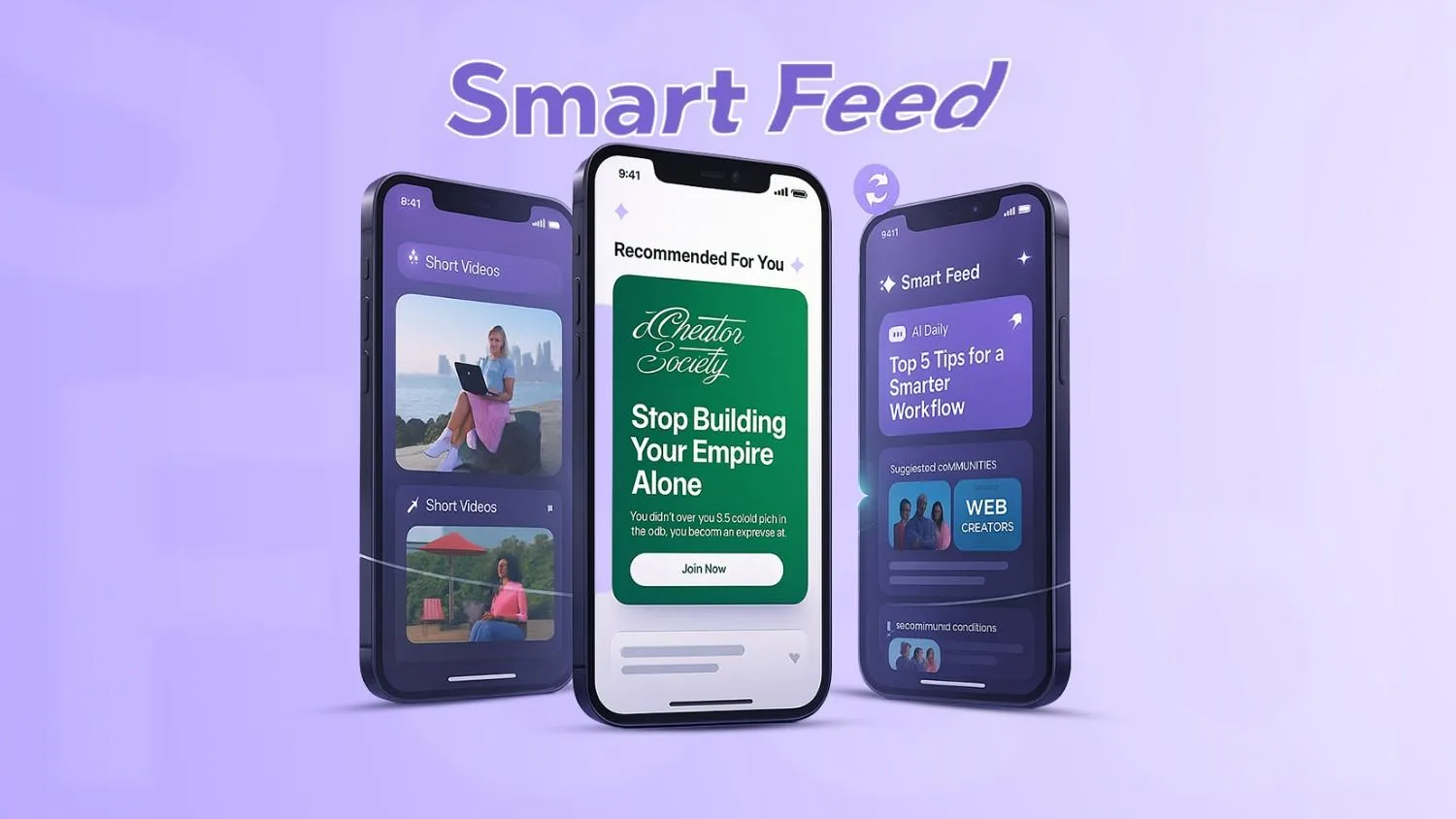
A Smart Feed is an AI-powered, personalized stream of posts that adapts to each member’s interests, behavior, and real-time context. By surfacing the most relevant updates first, a smart, personalized feed dramatically increases social community engagement—more clicks, longer sessions, and richer conversations. In this guide, we’ll unpack how an AI feed feature works, why a community feed algorithm matters, and how you can use it to grow a thriving, sticky community.
What Is a Smart Feed?
A Smart Feed is a dynamic, machine-learning–driven feed that curates content for every user. Rather than showing everything in strict chronology, it prioritizes items based on predicted relevance and member intent. That shift—away from “latest first” to “most valuable first”—is what makes it genuinely smart.
Key characteristics:
● AI-powered curation: The feed evaluates posts, comments, and updates through a relevance model tuned to user actions and preferences.
● Relevance-first visibility: Users see relevant updates, trending topics, and personalized insights at the top of their feed.
● Adaptive and dynamic: The stream dynamically updates with every action—likes, comments, reads, skips—so the experience improves over time.
● Context-aware: It can factor in time of day, device type, session length, and social signals to decide which content to show and when.
Result: Members find what matters faster, discover more creators, and feel a stronger connection to the community.
How a Smart Feed Works
A smart feed is more understandable than it seems. At a high level, it’s a loop:
● Data collection: Gathers signals such as declared interests, topics followed, past clicks, dwell time, reactions, comments, shares, saves, hides, and even negative feedback.
● AI relevance scoring: Uses machine learning to estimate how likely a user is to engage with a post (e.g., click, like, reply) right now.
● Content ranking: Orders the candidate posts by predicted value, balancing freshness, diversity, and community priorities.
● Real-time updates: Re-scores and re-ranks as the user interacts or as new posts arrive.
● Continuous learning: Models update as behavior evolves—improving personalization automatically, with minimal manual tuning.
This “observe → predict → rank → learn” loop is what gives Smart Feeds its compounding power.
Benefits of a Smart Feed for Social Communities
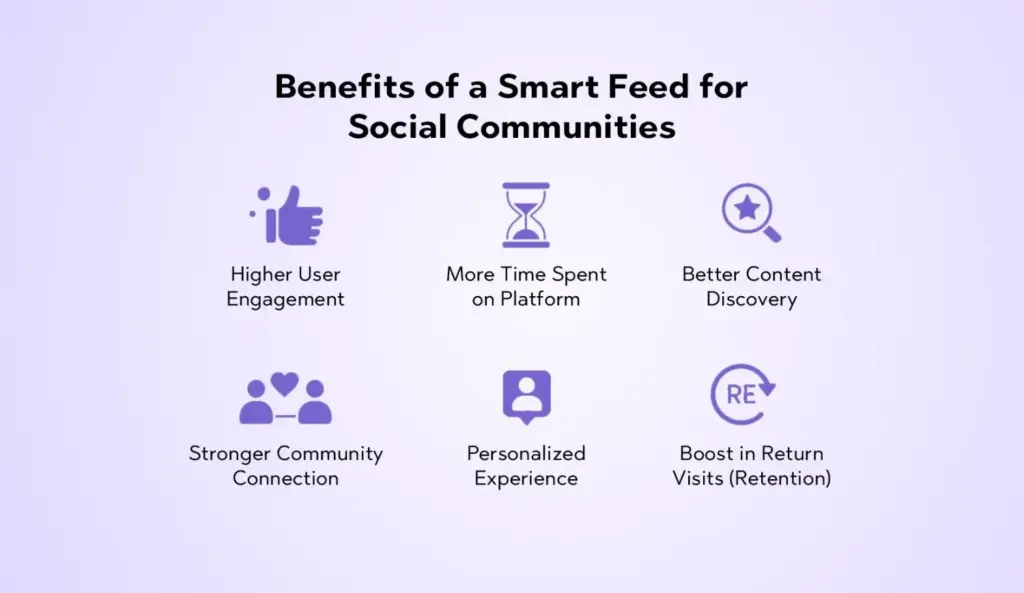
1) Higher User Engagement
When users see content aligned with their interests, they naturally click, react, and comment more. A Smart Feed reduces the guesswork—surfacing posts that are both timely and meaningful. Engagement climbs across the board: likes, replies, saves, and shares.
2) More Time Spent on Platform
Relevance propels retention. If each scroll yields something personally useful, members linger. Over weeks, this compounds into significantly more time spent per session, per day, and per month—fueling stronger creator economies and healthier network effects.
3) Better Content Discovery
Chronological feeds bury gems almost immediately. Smart Feeds elevate high-quality and trending content for each user—keeping long-tail posts alive longer and helping new members discover must-follow creators, topics, and conversations.
4) Stronger Community Connection
Seeing the “right” posts at the “right” moments nurtures a connection between creators and members. It amplifies shared interests while ensuring diverse points of view still surface—strengthening the social fabric.
5) Personalized Experience
Personalization makes your platform feel tailored to each member. The personalized feed adapts in real time to learning styles, professional needs, and leisure interests—creating an experience that feels uniquely “theirs.”
6) Reduction in Irrelevant Content
Low-relevance or repetitive posts move down the feed automatically. That reduces content overload and frustration, keeping the stream clean, focused, and rewarding.
7) Boost in Return Visits (Retention)
Habit loops form when users repeatedly find value quickly. A smart community feed algorithm builds those loops by reliably delivering posts users care about—leading to more return visits and stronger daily/weekly active usage.
Why Smart Feeds Matter in Modern Social Platforms
● Rising competition among communities: Users join multiple communities; winning attention requires first-class personalization.
● Need for personalized delivery: Relevance drives satisfaction, which drives growth. Personalization is no longer “nice to have.”
● Shrinking attention spans: Members decide in seconds whether to stay. Smart ranking makes those seconds count.
● Shift toward algorithmic discovery: Algorithms help uncover niche content and new voices—beyond what follows alone can surface.
● Better user satisfaction & stickiness: When users feel understood, they’re more likely to contribute and keep coming back.
Key Features of a Smart Feed
Below are table-stakes elements for a modern AI feed feature—and the building blocks we recommend prioritizing:
● Personalized content stream: Post ordering that adapts per-user based on interests, history, and real-time context.
● Trending community highlights: Snapshots of what’s buzzing—topics, threads, or creators gaining momentum.
● Recommended posts: Suggestions that connect users to high-value content outside their current bubble.
● Topic-based suggestions: Curated lanes (e.g., “Design,” “Growth,” “DevOps”) that help members dive into specific interests.
● Creator highlights: Spotlights on rising and relevant creators to widen discovery and build creator-member bonds.
● Real-time updates: The feed refreshes as new posts land or as members interact—keeping it lively and current.
● Engagement triggers: Gentle prompts to like, comment, or share; inline replies; quick reactions; and follow suggestions.
Want to equip your community with first-class personalization and discovery? Explore Thrico’s community-building tools to see how smart feeds fit into a modern growth stack.
How a Smart Feed Boosts Engagement
● Shows users exactly what they care about: Smart ranking prioritizes posts aligned to interests, recent activity, and session context—making relevance the default.
● Encourages users to interact more: When content resonates, users reply more often, react more freely, and join threads earlier.
● Reduces content overload: Filtering and diversification prevent the “wall of noise,” encouraging deeper, focused engagement.
● Makes the platform feel active and relevant: Real-time refresh and trending highlights keep the community feeling alive—especially during peak hours.
● Enhances connection between creators and members: More relevant exposure leads to more meaningful interactions and loyal follow relationships.
● Drives discussions around trending topics: Timely surfacing of hot conversations increases participation and cross-pollination between sub-groups.
● Builds habit loops (daily usage): Consistent value delivery creates routines—morning check-ins, lunchtime scrolls, evening catch-ups.
Smart Feed vs Traditional Feed (Comparison Table)
| Feature | Smart Feed | Traditional Feed |
| Personalization | High | Low |
| Relevance | Strong | Random / Chronological |
| Engagement | Higher | Lower |
| User Retention | Strong | Weak |
| Content Discovery | Smart (context-aware) | Limited (follows & recency) |
Who Can Benefit From a Smart Feed?
● Online community platforms: Private networks, member clubs, hobby groups, and niche forums.
● Social media apps: Consumer or prosumer apps that need sticky, daily engagement.
● Creators & influencers: Personalized reach to the right audience at the right moment.
● Brands with active communities: Owned communities that support product education, advocacy, and loyalty.
● Educational & professional networks: Cohorts, alumni groups, guilds, and peer-learning spaces.
● Customer forums: Support hubs and product communities where timely, relevant answers matter.
Tips to Optimize Your Community Feed for Maximum Engagement
- Use AI-driven content ranking: Start with a baseline ranking model (e.g., logistic regression or gradient boosting) and iterate toward deep learning as data grows.
- Promote fresh and interactive posts: Freshness boosts perceived liveliness; interactions (polls, questions) accelerate replies.
- Segment users by interest: Map members to interest clusters (topics, roles, skill levels) to personalize recommendations.
- Encourage creator participation: Feature creator highlights, offer badges, and make it easy to reply and follow.
- Highlight trending posts: Elevate cross-community threads that attract discussion; add a lightweight “Why am I seeing this?” context.
- Show personalized recommendations: Use “Because you follow X” or “Related to Y” explainer tags to build transparency and trust.
- Regularly refresh the feed algorithm: Revisit weights, retrain models, and A/B test ranking variations. Watch for bias drift and echo chambers.
Deep Dive: Under the Hood of a Community Feed Algorithm
While each platform’s stack differs, most modern community feed algorithms share common layers:
1) Signal Collection
● Explicit signals: Follows, likes, comments, shares, saves, hides, topic subscriptions, mute/block.
● Implicit signals: Dwell time, hover, scroll depth, read completion, bounce, revisit frequency.
● Context signals: Device, location (coarse), time-of-day, session length, referral source.
● Content signals: Text embeddings, keyword density, topic vectors, media type, creator reputation, and freshness.
2) Candidate Generation
Before complex ranking, generate a candidate set:
● Network-based: Posts from followed creators, groups, and topics.
● Content-based: Semantically similar posts to the user’s historic interests.
● Trending-based: Posts with fast-rising engagement velocity.
● Diversity injection: Ensure representation from different topics/creators to avoid filter bubbles.
3) Relevance Modeling
Estimate probabilities such as:
● P(click | user, post, context)
● P(reply | user, post, context)
● P(long dwell | user, post, context)
● P(retention uplift | user, session)
Blend short-term and long-term models: short-term captures immediate intent; long-term captures enduring interests.
4) Multi-Objective Ranking
Balance competing goals:
● User relevance vs. freshness
● Engagement vs. well-being (healthy conversation)
● Personalization vs. diversity
● Creator fairness vs. network growth
Use re-ranking to apply diversity constraints, safety filters, and community policies.
5) Feedback & Learning
● Continuous retraining: Periodically update models with fresh data to reduce staleness.
● Human-in-the-loop: Allow moderators or community managers to pin highlights, feature creators, and correct drift.
● Transparency cues: “Because you follow X” or “Popular near you” increases trust and comprehension.
Practical Playbook: Rolling Out a Smart Feed Without Overwhelm
Metrics That Prove It’s Working
Track these KPIs to validate impact:
● Engagement rate: Likes + comments + shares per impression.
● Dwell time: Average time per post and per session.
● Reply depth: Median comments per thread, ratio of multi-turn conversations.
● Retention: D1 / D7 / D30 return rates, weekly active to monthly active (WAU/MAU).
● Discovery: % of impressions from recommended or trending posts; new creators followed per user.
● Quality signals: Hide/mute rates, spam reports, sentiment of replies.
Tie metrics to your business goals—education completion, product adoption, or support deflection.
Ethical and Design Considerations
Smart Feeds are powerful. Use them responsibly:
● User control: Offer toggles (e.g., “Latest” vs. “For You”), mutes, and topic management.
● Transparency: Provide short “why” labels for recommendations.
● Well-being: Avoid purely maximizing time-on-site; optimize for healthy engagement.
● Fairness: Ensure diversity in exposure; don’t let large accounts dominate by default.
● Privacy: Collect only necessary data; honor user preferences and applicable regulations.
Example Smart Feed Layout (UX Sketch-in-Words)
● Top bar: “For You” (default) and “Latest” tabs.
● Composer strip: Lightweight prompt with attachment options and draft-saving.
● Priority card: A single “Must-See Today” item (e.g., AMA announcement, milestone).
● Mainstream: Personalized posts with inline actions, skim-friendly previews, and “why am I seeing this?” tags.
● Right rail: Trending topics, creator highlights, and quick-follow suggestions.
● Footer: Infinite scroll with “You’re all caught up” moments and backfill recommendations.
This structure merges personalization with clarity and control—maximizing satisfaction and discoverability.
Implementation Roadmap
- Phase 1 — Instrumentation & Data Model
○ Define events and schemas: impressions, clicks, dwell, replies, hides, and follows.
○ Create content embeddings and topic taxonomies.
- Phase 2 — Candidate Generation
○ Build follow-based, topic-based, and trending-based candidate pools.
○ Add diversity sampling and safety filtering.
- Phase 3 — First Ranking Model
○ Train a baseline model to predict CTR or reply probability.
○ Launch a simple personalized feed with transparency tags.
- Phase 4 — Multi-Objective Re-Ranking
○ Add freshness, diversity, creator fairness, and safety constraints.
○ Introduce session-aware features (time of day, recency).
- Phase 5 — Feedback Loops & A/B Testing
○ Set up continuous retraining on rolling windows.
○ Test variants: different weights, decay functions, and exploration policies.
- Phase 6 — Growth & Creator Tools
○ Add creator analytics, recommended posting times, and highlight slots.
○ Integrate with onboarding flows to map users to interests faster.
Conclusion
Modern communities thrive on relevance. A Smart Feed—powered by an adaptive community feed algorithm—delivers the right content to the right member at the right time, creating a virtuous cycle of discovery, conversation, and return visits. It reduces content overload, elevates creators, and accelerates engagement while giving users control and clarity. If you want a living, breathing community that compounds value daily, a Smart Feed isn’t optional—it’s foundational.
Ready to upgrade your platform? Explore Thrico’s community-building tools to see how smart feed capabilities fit into your engagement strategy.
FAQs
A Smart Feed is an AI-driven, personalized stream that prioritizes posts based on predicted relevance to each member, updating in real time as behavior changes.
By showing content aligned to a user’s interests and context, a personalized feed drives more clicks, comments, and shares—turning passive scrollers into active participants.
Common components include event tracking, content embeddings, candidate generation pipelines, machine learning models for relevance prediction, and re-ranking layers for freshness, diversity, and safety.
Because competition for attention is fierce. AI feed features help surface the most valuable content quickly, improving satisfaction, retention, and growth.
Consistent relevance builds habits. When users repeatedly find value fast, they visit more often (D1/D7/D30 retention rises) and form stronger ties with creators and peers.
Chronological feeds show the newest items first. Smart Feeds show the most relevant items first—balancing freshness with predicted value and diversity.
Brands with communities can elevate product education, support, and advocacy by highlighting timely, high-quality posts and connecting members with the right experts and resources.
Yes. It bubbles up trending topics, new creators, and long-tail gems that a purely chronological or follows-only view would miss.
They analyze explicit and implicit signals—follows, clicks, dwell, replies, topic preferences—to predict which posts each user will value most at that moment.
Key features include personalized ranking, recommended posts, trending highlights, creator spotlights, real-time updates, and engagement triggers—all wrapped with user controls and transparency.