If you’ve ever watched a thriving online community stall after a wave of bots, spam, or toxic replies, you know this truth: no engagement strategy can outrun poor security and weak moderation. As more of our professional networking, learning, and collaboration shifts online, online community security isn’t a “nice to have”—it’s the foundation that keeps your space welcoming, resilient, and worth returning to.
Growing risks in online communities
Today’s communities face an evolving mix of threats: credential stuffing attacks that try recycled passwords; AI-generated spam that slips past brittle filters; coordinated brigading that floods threads; harassment and hate speech that silence voices; and misinformation that corrodes trust. At scale, even small communities attract opportunists who test boundaries—and your safeguards.
Why moderation is essential for trust & engagement
Modern members evaluate communities on two axes: value (is the content helpful?) and safety (will I be respected and protected?). When moderation tools work, you get both. Clear rules, fast response times, transparent enforcement, and a blend of automation and human review create a climate where people feel comfortable contributing. That translates directly into higher retention and richer discussions.
Focus areas in this guide
We’ll cover the pillars that matter most:
Spam and abuse prevention: Automated and manual techniques to keep content quality high.
User safety: Guidelines, escalation pathways, and de-escalation skills that protect members.
Policy enforcement: Practical frameworks to set expectations and apply consequences fairly.
Data protection: Login security, encryption, and privacy-first practices that safeguard member information.
The aim is simple: equip you with community moderation tools and processes that create digital community safety by default.
What Is Community Security & Moderation?
Definitions: platform safety + content control
Security protects the infrastructure and accounts: authentication, permissions, data privacy, and anti-bot defenses.
Moderation governs content and conduct: how posts are reviewed, flagged, removed, or escalated; how policies are communicated and enforced.
Together, they determine whether good conversations can flourish without being drowned out by bad actors.
Types of risks to anticipate
Spam: Low-effort promos, link farms, mass DM blasts, and AI-spun posts.
Abuse & harassment: Insults, dogpiling, hate speech, doxxing, and threats—public or private.
Fake accounts & bots: Sockpuppets that upvote, astroturf, or manipulate sentiment; automated scripts that post at scale.
Misinformation: Inaccurate or deceptive content that can harm members or derail topics.
Scams & fraud: Phishing links, crypto/financial schemes, and impersonation.
Content risks: NSFW content where it doesn’t belong; malware-laced files.
Roles: admins, moderators, and automated systems
Admins set policy, choose tooling, and oversee incident response.
Moderators apply rules, review edge cases, and handle member-facing communication.
Automated systems (AI filters, keyword alerts, behavior scoring) scale your reach, route the right items to humans, and reduce response times.
How Security Protects Online Communities
1) Prevents fraud and harmful content
Effective filters and workflows reduce the volume of spam, scams, and dangerous posts that ever reach the feed. That saves moderators’ time for the nuanced stuff.
2) Ensures a positive member experience
Safety features—like block/mute, rate limits, and reporting—signal that you value members’ wellbeing. Newcomers sense it quickly.
3) Builds trust and credibility
Consistent enforcement is a trust engine: when members know the rules, see them applied fairly, and can appeal decisions, they lean in rather than lurk.
4) Protects user data and privacy
Security isn’t only about visible behavior. Strong authentication, encryption, and data minimization protect the information members share with you—profiles, messages, and more.
Key Moderation Strategies That Work
1. Automated Moderation Tools
AI filters & keyword alerts: Modern systems can analyze text, images, and even behavior patterns. Use them to score risk, quarantine suspicious posts, and auto-hide obvious spam. Maintain transparent override controls so human moderators can restore falsely flagged content.
Spam & bot detection:
Velocity & frequency checks: Flag accounts that post or message too quickly.
Link & domain scoring: Penalize shady referrers, shorteners, and repeat spam destinations.
Device fingerprinting & IP reputation: Detect multi-account farms and known abusers.
Account age & reputation: Weigh posts from brand new accounts differently from long-standing members.
Automation should be assistive, not absolute. Tune thresholds, keep a human in the loop for appeals, and review false positives/negatives weekly.
2. Community Guidelines & Policies
1. Clear rules for behavior: Write rules that ordinary humans can understand. Use examples: “No personal attacks (e.g., ‘you’re an idiot’)” communicates better than vague language. Scope them to your mission: a learning community might restrict off-topic debates more tightly than a social group.
2. Transparency in enforcement: Publish how reports are triaged, the range of actions (warning → temp mute → ban), and how to appeal. Share periodic moderation summaries (“we resolved X reports this month”) to build confidence.
3. Human Moderators for Sensitive Content
1. Review escalations: AI can triage; humans should decide on nuanced cases—context, satire, reclaimed slurs, or culturally specific references that machines misread.
2. Context-based decisions: A rule is only as good as its application. Train moderators to consult context (thread history, prior behavior) and to document reasoning in the internal log for accountability and learning.
4. Verified Accounts & Role-Based Access
1. Reduce fake profiles: Offer optional verification for public figures or top contributors to reduce impersonation. For larger communities, consider phone/email verification gates for new accounts.
2. Controlled permissions: Use role-based access control (RBAC): give moderators scoped powers, limit mass-delete to senior staff, and lock high-risk actions behind confirmations or MFA.
5. Flagging System for Community Reporting
1. Empower members to report abuse: A one-click Report button, category menus (harassment, spam, misinformation), and optional notes help you gather evidence.
2. Faster response to issues: Route high-severity categories to humans immediately; low-severity cases can be batch-processed with automation. Always close the loop with the reporter (“Thanks—here’s what we did”).
Security Best Practices for Online Platforms
Multi-factor authentication (MFA): Require it for admins/mods; strongly encourage it for members. Support authenticator apps and passkeys.
Activity monitoring dashboards: Track logins by geography/device, spikes in DM volume, and sudden changes in posting frequency. Alert on anomalies.
Encryption & secure login protocols: Enforce HTTPS everywhere, store passwords using strong hashing with salt, and encrypt sensitive data at rest.
Regular security audits: Quarterly permission reviews, dependency updates, and penetration testing. Document findings and fixes.
Rate limiting & cooldowns: Slow down potential abuse (e.g., new accounts can’t post more than N links per hour).
Attachment scanning & sandboxing: Virus-scan uploads and restrict executable files.
Privacy by design: Minimize data collection, provide clear consent flows, and honor deletion requests promptly.
Backups & recovery drills: Practice incident response: if you must lock down posting for 30 minutes, what’s the plan?
How to Handle Conflicts & Negative Behavior
1. Warning system
Start with specific, actionable warnings: cite the rule, quote the issue, and suggest a fix (“Please remove the personal insult and keep debate on ideas”). Use templates to ensure consistency.
2. Temporary or permanent bans
Temp mutes/suspensions give space to cool off.
Permanent bans are for sustained or severe harm (credible threats, targeted harassment, coordinated spam).
Keep an audit trail explaining the decision and make ban evasion difficult (IP/device heuristics, re-verification).
3. Encourage constructive interaction
Promote norms: “Assume good intent,” “Disagree with ideas, not people,” and “Use evidence.” Reward members who de-escalate, cite sources, or offer helpful guidance.
4. De-escalation communication
Train moderators to:
Acknowledge feelings (“I hear your frustration”)
Restate rules neutrally
Offer forward motion (“Here’s a thread where this topic is on-topic”)
Avoid sarcasm or public shaming—use private channels when possible
Tools & Technologies That Improve Community Security
AI-powered content scanning: Classify toxicity, hate, self-harm, sexual content, and spam likelihood in real time.
Automated spam detection: Honeypots, link throttling, and posting thresholds that evolve with abuse patterns.
Age filters & user access controls: Gate mature content; apply stricter review for minors’ spaces.
Moderation dashboards: Unified inbox for reports, queue prioritization, audit logs, and analytics on resolution times and false positives.
RBAC & workflow automation: Assign queues by expertise (e.g., misinformation team), auto-assign reports by language or timezone.
Member safety features: Block/mute, private profiles, DM requests, content warnings, and easy screenshot/URL evidence capture.
Want an integrated stack that brings these ideas together? Explore Thrico’scommunity building tools to see how moderation workflows, roles/permissions, and AI-assisted scanning can plug directly into your engagement strategy.
Measuring Moderation Success (KPIs)
If you can’t measure it, you can’t improve it. Track these indicators to understand whether your spam and abuse prevention is working:
Reduced spam rate: % of posts/comments flagged or removed as spam over time. Aim for downward trends without over-filtering legitimate content.
Complaint resolution time: Median/95th percentile time from report to decision. Faster, consistent handling builds trust.
Member satisfaction score: Pulse surveys after resolved reports; NPS-style prompts embedded in help centers.
Drop in harmful/flagged content: Monitor toxicity and harassment indicators per 1,000 posts.
Retention improvement after safety measures: Compare 30/60/90-day retention and new member activation before/after key changes (e.g., introducing MFA or verified roles).
False positive/negative rates: How often are good posts hidden (false positives) or bad posts missed (false negatives)? Tune models and rules accordingly.
Appeal outcomes: If too many moderation decisions are overturned, training or policy clarity may need work.
Legal & Compliance Considerations
1. Data privacy regulations
Depending on your audience, you may be subject to frameworks such as GDPR (EU), CCPA/CPRA (California), DPDPA (India), or other regional privacy laws. Core principles recur: lawfulness, transparency, data minimization, purpose limitation, and user rights (access, correction, deletion). Offer a clear privacy policy and a straightforward data request process.
2. Protection of minors
If minors are present, adopt heightened safeguards: verifiable parental consent where required, limited data collection, stricter visibility controls, and proactive grooming/harassment detection. Avoid features that enable unsolicited contact without consent.
3. Transparency reporting
At scale, publish periodic transparency reports: number and type of content removals, government or legal requests, and policy updates. This demonstrates accountability and helps stakeholders understand your stance.
Note: This guide provides general information, not legal advice. Consult counsel for requirements in your jurisdiction.
Real Examples of Strong Moderation
Discord moderation bots: Community-run servers often use layered bots for auto-mod (link limits, word filters), role assignment, and escalation to human mods. Roles and channel permissions enable fine-grained control.
Reddit subreddit rules: Many subreddits maintain pinned posts with clear, example-heavy rules and use automoderator workflows to filter low-quality submissions before a human ever sees them.
Facebook reporting & blocking features: Ubiquitous tools let users report posts, block harassers, and control who can message or tag them—illustrating how user-side controls complement platform moderation.
These patterns—automation + human judgment + member controls—scale to communities of every size.
Conclusion
A safe community isn’t just quieter; it’s more vibrant. People ask bolder questions, share unfinished work, and give generous feedback when they know harassment, spam, and scams will be handled quickly and fairly. That confidence fuels long-term engagement, stronger relationships, and better content.
Winning playbooks combine proactive automation (AI filters, risk scoring, verification), clear and fair policies, and skilled human moderators who can interpret context and communicate with empathy. Start with your highest-leverage risks, ship a minimal but comprehensive ruleset, and iterate with data.
If you’re ready to operationalize the ideas in this guide, explore Thrico’scommunity building tools to see how security, moderation, and engagement features can work together in one streamlined system.
Bonus: A Practical Implementation Checklist
Map risks: List your top five threats (e.g., spam links, harassment in DMs) and the member segments most affected.
Define rules: Draft a one-page policy with examples; run it past a diverse set of members.
Set permissions: Implement RBAC; require MFA for admins/mods.
Automate what you can: Turn on AI filters, keyword/URL lists, and rate limits with humane defaults.
Train moderators: Provide de-escalation scripts, context checklists, and an appeals process.
Launch safety features: Block/mute, DM requests, verified roles for top contributors.
Monitor & iterate: Track KPIs—spam rate, resolution time, member satisfaction—and tune weekly.
Communicate: Publish monthly moderation summaries and remind members how to stay safe.
Review compliance: Schedule quarterly audits for privacy/security and refresh documentation.
Ready to turn these best practices into a working system? Thrico’scommunity building tools help you combine AI-driven moderation, role-based access, reporting workflows, and analytics—so your community stays safe and engaged.
Every thriving community—whether it’s a customer hub, a learning network, a creator space, or a private member forum—stands on the same foundation: meaningful participation. People don’t return to communities because they’ve been told to; they return because they feel heard, helpful, and connected. The right community engagement tools make those feelings repeatable and scalable.
This guide digs into the best community engagement features, focusing on discussions, feedback tools, and community polls and voting features. You’ll learn how each piece works, how they complement one another, and how to deploy them in a way that boosts participation without overwhelming your members or your team. Along the way, we’ll highlight configuration tips, UX patterns, moderation basics, analytics ideas, and common pitfalls to avoid.
If you’re comparing platforms or planning an upgrade, you can implement everything in this article with modern community-building tools like those available with Thrico. Let’s get practical.
What Are Community Engagement Features?
Community engagement features are purpose-built tools that invite members to interact with each other and your brand. They transform a static content feed into a participatory experience. In practice, this means:
Tools that encourage user interaction: posting, replying, reacting, voting, asking questions, sharing use cases, suggesting improvements, and celebrating wins.
Spaces to share opinions, ideas, and questions: threads, Q&A blocks, polls, surveys, suggestion boxes, and structured feedback workflows.
Systems that improve platform activity, retention, and trust: notifications, recognition (badges, levels), moderation controls, and transparency features (e.g., public roadmaps for accepted suggestions).
A strong engagement stack turns a one-way broadcast channel into a flywheel: members contribute, their contributions are acknowledged, and that acknowledgment invites more contribution. That’s the loop you’re building.
Why Community Engagement Matters
1. Boosts user participation
When you offer easy ways to converse and vote, more members cross the threshold from reading to contributing. Low-friction mechanics like emoji reactions and single-click polls are powerful on-ramps.
2. Creates loyal communities
Participation changes identity: people who have posted, answered, or helped others begin to see themselves as members, not visitors. That shift is the seed of loyalty.
3. Helps platforms gather insights
Every reply, vote, and suggestion is a signal. With the right analytics, you can spot emerging topics, pain points, feature requests, and power users—without sending another email survey.
4. Increases content visibility and brand trust
Active discussions lift discoverability inside your community and across channels. Transparent feedback loops—“you said X, we built Y”—build credibility that marketing alone can’t buy.
Best Community Engagement Features
Below is a practical look at the core features you should prioritize, complete with configuration tips, UX guidance, and common pitfalls. Use this as a blueprint when implementing with your platform or while evaluating vendors like Thrico.
1. Discussion Forums
What it is: Topic-based threads where members start conversations, share knowledge, and collaborate asynchronously.
Why it works: Forums create structured knowledge. Unlike a chat stream, threads are easy to find later and encourage thoughtful, evergreen contributions.
Must-have capabilities
Topic categories and tags: Categories act as neighborhoods; tags make cross-topic discovery easier.
User replies & nested comments: Nesting keeps context clear, especially in technical or educational threads.
Rich text & attachments: Formatting, code blocks, images, and files turn a post into a useful mini-guide.
Moderation tools: Flagging, shadow bans, merge/split threads, moving posts to relevant categories, and templated moderator replies.
Search & surfacing: Smart search, “related threads,” and auto-suggest while typing a new post to avoid duplicates.
Permissions & roles: Private areas for beta testers or mentors; read-only categories for announcements.
2. Configuration tips
Start with a simple category taxonomy (3–6 top-level categories). Expand only when volume and topics demand it.
Publish posting guidelines pinned at the top: how to ask for help, how to title a thread, what to include.
Seed each category with anchor threads (FAQs, starter kits, best practices) to demonstrate quality.
Pitfalls
Too many categories too early.
Allowing unresolved threads to languish—use “accepted answer” or “solution” markers.
Over-moderating tone; under-moderating spam. Aim for clear, consistent standards.
3. Real-Time Comments
What it is: Live, inline commenting on posts, articles, videos, events, or updates—often with rapid page-less updates.
Why it works: Instant feedback creates momentum. Members feel like they’re in the room together—even when they’re asynchronous across time zones.
Must-have capabilities
Live commenting: Comments appear without reload; users see “someone is typing” indicators.
Reaction emojis: Quick, low-effort sentiment. Great for celebrating wins and acknowledging contributions.
Tagging & mentions: Pull the right person into the conversation; reduce orphaned questions.
Threaded replies: Avoids chaotic stacks; keeps discussions tidy on long posts.
Configuration tips
Encourage comment prompts at the end of posts (“What would you add?” “Where did you get stuck?”).
Add rate limits and spam heuristics to protect quality without blocking legitimate bursts of activity.
Use lightweight badges like “First Comment” or “Top Comment” to nudge shy members.
Pitfalls
Comment fatigue under announcements; switch to Q&A mode for high-volume events.
Leaving questions unanswered—establish a moderator SLA (e.g., triage within 24 hours).
4. Feedback Tools
What it is: Intuitive systems for capturing opinions, suggestions, and evaluations—ranging from simple reactions to structured proposals.
Why it works: Feedback tools convert vague sentiment into actionable input without demanding long surveys.
Must-have capabilities
Like/dislike or upvote/downvote buttons: Clear signals with minimal friction.
Rating systems: 1–5 stars or 0–10 scales for resources, events, or product features.
Suggestion boxes/idea boards: Members submit ideas, upvote others, and track status (e.g., “Under Review,” “In Progress,” “Shipped”).
Feedback templates: Prompt users for use cases, impact, and alternatives to improve the quality of suggestions.
Configuration tips
Tie feedback statuses to public updates. Even a simple “we’re exploring this” maintains trust.
Reward quality, not volume: highlight well-articulated proposals with badges or staff picks.
Bundle feedback with context: allow attachments, screenshots, or short videos.
Pitfalls
Black-hole feedback—members never see outcomes.
Low-signal voting (bandwagoning). Consider weighted votes from contributors with a track record.
5. Polls & Voting
What it is: Lightweight, time-bound questions with visible results that help you prioritize and learn preferences.
Why it works: People love being asked—and love seeing the outcome. Polls deliver fast insights and spark conversation.
Must-have capabilities
Single-choice & multi-choice polls: Use single choice for prioritization; multi-choice for feature interest.
Quick voting options: One click to answer, optional comments for context.
Instant or scheduled results: Choose whether to reveal in real time or only after voting closes to prevent bias.
Anonymous mode: Encourage honesty on sensitive questions.
Recurring pulse polls: Track sentiment over time (e.g., monthly NPS-style check-ins).
Configuration tips
Always include an “Other” + comment field; it surfaces ideas you didn’t anticipate.
Wrap polls in discussion prompts (“Why did you pick this?”) to collect qualitative insights.
Pair polls with follow-up actions: office hours, roadmap updates, or documentation sprints.
Pitfalls
Polling for everything; decision fatigue is real.
Leading questions. Keep wording neutral and options balanced.
6. Q&A Sections
What it is: Structured spaces where members ask questions and the best answers float to the top.
Why it works: Q&A captures tacit knowledge and reduces repetitive support tickets.
Must-have capabilities
Accepted answers & upvotes: Surface the most helpful content quickly.
Duplicate detection: Suggest existing threads as members type.
Expert tagging: Empower recognized contributors (e.g., mentors) to validate answers.
Snippet library: Convert great answers into reusable knowledge base entries.
Configuration tips
Introduce topic experts with profile badges; rotate “Office Hours” or “Ask Me Anything” to seed high-quality answers.
Close the loop by linking Q&A to product updates or documentation improvements.
Pitfalls
Letting old answers go stale. Periodically review and refresh high-traffic Q&A items.
Rewarding speed over accuracy. Weight acceptance and upvotes more than first-response time.
7. User Profiles & Badges
What it is: A light layer of gamification where reputation and milestones become visible.
Why it works: Recognition fuels participation. Profiles and badges make contributions legible.
Must-have capabilities
Reputation system: Points or levels for verified contributions (solutions, accepted feedback, event hosting).
Role badges & achievements: “Moderator,” “Mentor,” “Beta Cohort,” plus “100 Helpful Replies,” “Top Pollster,” etc.
Profile completeness meter: Nudges members to add skills and interests, which improves recommendations.
Configuration tips
Tie badges to real privileges (posting in advanced categories, early feature access).
Make the first few levels easy to reach; increase thresholds gradually.
Pitfalls
Badge inflation—too many, too easy.
Rewarding quantity alone; always balance with quality signals.
8. Content Sharing Options
What it is: Tools that make it easy to distribute content inside the community and, when appropriate, to external channels.
Why it works: Sharing increases reach and brings in fresh perspectives.
Must-have capabilitiesInternal resharing: “Share to channel/group,” “Recommend to a member,” or “Pin to category.”
External share controls: For public communities, allow link sharing to social platforms; for private ones, support invite-only share with expiring links.
Embeds & previews: Clean, accessible link cards and inline media.
Configuration tips
Offer a weekly digest that curates top discussions, accepted answers, and active polls.
Pitfalls
Encourage members to summarize why they’re resharing (“This helped me solve X.”).
Spammy resharing; add cooldowns and quality filters (e.g., only threads with accepted answers or staff picks).
9. Notification System
What it is: Alerts that bring members back at the right time for the right reason.
Why it works: Timely notifications reduce missed replies, increase participation in polls, and sustain conversation momentum.
Must-have capabilities
Mentions, replies, likes: The basics, delivered via in-app, email, or mobile push.
Follow & subscribe options: Members choose which threads, categories, or authors to follow.
Smart quiet hours: Respect time zones and preferences.
Configuration tips
Set sane defaults: enable replies and mentions; batch likes into digests.
Offer a one-click “unsubscribe or tune settings” in every notification.
Pitfalls
Over-notifying; members tune out or churn.
Under-notifying; threads stall and questions go unanswered.
Use Cases of Engagement Features
These patterns are versatile. Here’s how different communities benefit when they combine discussion forum features, feedback tools for communities, and community polls and voting features.
1. E-learning communities
Discussion forums for course topics and project critiques.
Q&A sections to clarify assignments and share solutions.
Pulse polls to gauge confidence levels each week and adapt instruction.
Badges for peer mentors and consistent contributors.
2. Brand support forums
Q&A with accepted answers reduces ticket load.
Idea boards prioritize fixes and feature requests transparently.
Notifications ensure both staff and users follow up on unresolved issues.
Digests surface resolved threads and product updates.
3. Creator communities
Live comments & AMAs energize content drops.
Polls decide topics for the next tutorial or livestream.
Badges & levels unlock backstage channels for superfans.
Feedback templates collect testimonials and use cases.
4. Gaming communities
Forums for guild recruitment, strategy sharing, and patch notes.
Event polls schedule tournaments.
Kudos & reactions celebrate wins and community art.
Moderation keeps competition healthy.
5. SaaS platforms
Discussion spaces for implementation patterns and integrations.
Roadmap voting turns customer feedback into prioritization data.
Q&A reduces repeated support questions.
Profiles & expertise tags highlight champions and partner experts.
For an integrated toolkit that covers these use cases, explore Thrico’s features.
Benefits of Using Discussions, Feedback & Polls Together
1. Increases platform activity
Discussions spark replies; polls rekindle engagement on quiet days; feedback boards give contributors a destination for ideas. Together, they create reliable participation cycles.
2. Helps understand user opinions
Polls quantify preferences; feedback boards capture context; discussions explain the why. The combination gives you both numbers and narratives.
3. Encourages meaningful conversations
Poll results kick off debates. Feedback ideas evolve through threaded critique. Accepted answers set quality bars. Members don’t just speak—they build on each other.
4. Builds a loyal user base
Visibility of impact fuels belonging: “My vote influenced this roadmap.” “My answer helped 30 people.” Recognition and outcomes create long-term attachment.
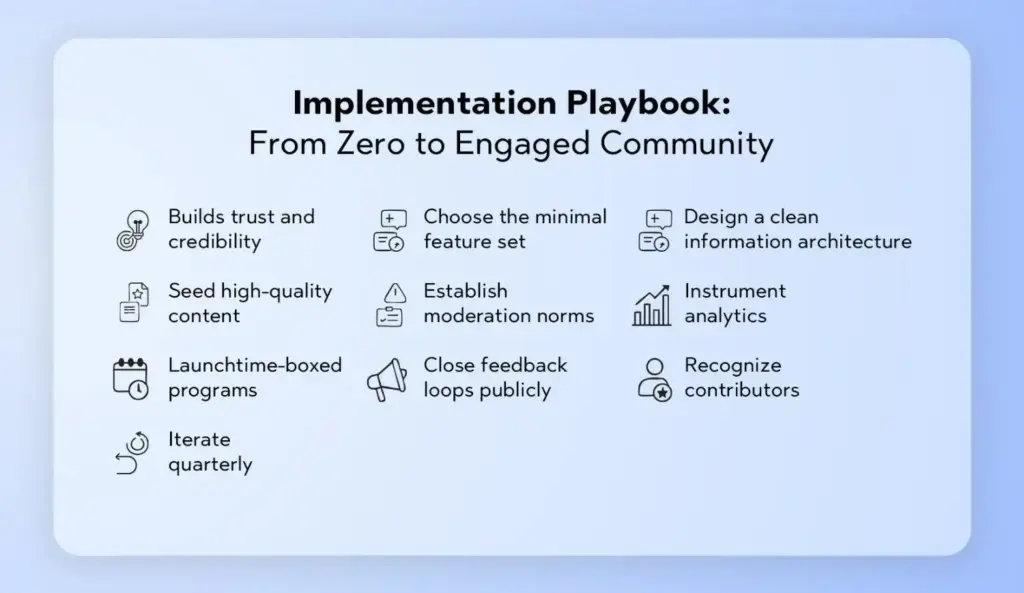
Implementation Playbook: From Zero to Engaged Community
Define your engagement thesis. What behaviors matter most? Example: “We want more accepted answers, more peer mentorship, and faster feedback loops.”
Choose the minimal feature set. Start with forums + Q&A + polls + notifications. Layer in feedback boards and badges once your basics hum.
Design a clean information architecture. Limit categories, standardize naming, and create shortcuts: “Start a question,” “Share an idea,” “Vote on priorities.”
Seed high-quality content. Publish exemplary threads, starter polls, and model feedback posts. Invite internal experts to answer quickly for the first two months.
Establish moderation norms. Clear guidelines, escalation paths, and friendly templates (“Thanks for posting! Here’s how to add logs/screenshots.”).
Instrument analytics. Track topic participation, solution rates, time to first reply, poll response rates, and conversion from reader → contributor.
Launch time-boxed programs. Themed weeks, AMAs, voting windows, and learning sprints create urgency and predictable beats.
Close feedback loops publicly. Highlight shipped ideas, summarize poll insights, and celebrate accepted answers in a weekly digest.
Recognize contributors. Profiles, badges, shoutouts, and privileges (e.g., access to beta groups) turn activity into identity.
Iterate quarterly. Retire low-value mechanics, re-weight points, refresh categories, and introduce new interactive formats.
You can implement this end-to-end with flexible community engagement tools like those offered by Thrico.
UX Patterns That Elevate Engagement (and Reduce Friction)
The “compose anywhere” pattern: A global “New Post” button that opens a composer with context (category, template) preselected.
Inline question prompts: At the end of articles or videos, show “Ask a question” with your Q&A composer inline.
Smart defaults: Auto-follow threads you start or comment on; enable mention notifications by default; batch reactions into a daily digest.
Gentle gamification: A subtle progress bar toward your next badge, plus a nudge—“One accepted answer away from Community Helper.”
Contextual polls: Embed quick polls inside relevant threads rather than isolating them in a separate area.
Resolution workflows: “Mark as solved,” “Request more info,” and “Convert to knowledge base” buttons that keep threads moving.
Accessibility by design: Keyboard navigation, alt text fields, clear contrast, and text alternatives for emoji-heavy UIs.
Mobile-first interactions: Tap-friendly reactions, long-press quick-reply, and simplified poll responses.
Governance, Safety, and Moderation: Building Trust at Scale
Engagement without safety collapses. Protect members and keep conversations constructive with a blend of policy, people, and product.
Clear community guidelines: Tone expectations, prohibited content, and consequences. Pin them and reference them in moderator messages.
Role-based moderation: Tiered permissions for staff, trusted members, and external experts.
Proactive tooling: Keyword alerts, rate limiting, link reputation checks, and first-post review for new accounts.
Fair enforcement: Use templated explanations and an appeal channel. Err on the side of teaching first, punishing second.
Privacy controls: Anonymous polls, private categories, and granular notification settings.
Transparency: Monthly “trust & safety” notes summarize actions taken and policy tweaks.
Platforms like Thrico include moderation primitives you can tailor to your community’s culture and risk profile.
Measurement: The Metrics That Matter
To know whether your best community engagement features are working, track signals across four layers:
1. Reach & Activation
New members who make a first post/comment within 7 days
Poll participation rate on first visit
Profile completion percentage
2. Engagement Quality
Ratio of replies to original posts
Accepted answers rate (Q&A)
Average feedback post quality (staff-scored or community-scored)
3. Conversation Health
Time to first reply and time to accepted answer
Moderator interventions per 100 posts (lower is better after launch)
% of threads that receive at least one reaction or reply
4. Outcomes & Retention
28-day and 90-day returning contributors
Ideas moved to “In Progress” and “Shipped”.
Churn vs. active rate among members who received recognition
Build a monthly engagement review where you correlate campaigns (AMAs, polls, releases) to these metrics and decide what to tweak next.
Common Mistakes to Avoid
No moderation control: Without clear rules and tools, discussions degrade. Put guardrails in place from day one.
Complex user flow: Too many steps to post or vote kills momentum. Aim for one-click starts.
Overcrowded UI: Resist the urge to display every widget. Prioritize clarity; hide advanced controls behind “More” menus.
Lack of notifications: A community without reminders is a ghost town. Provide thoughtful defaults and easy tuning.
Ignoring user feedback: If ideas disappear into silence, members will, too. Always acknowledge and update.
Ritual posts: “Wins of the Week,” “What I Learned,” “Wishlist Wednesday.”
End-of-month summaries: Close loops on polls and feedback; preview next month’s theme.
With the right platform (see Thrico’s features), you can template these rituals and automate reminders.
Accessibility, Inclusion, and Global Reach
Healthy engagement includes everyone. Bake inclusion into your features:
Accessible design: Keyboard-navigable components, proper ARIA roles, alt text prompts, and readable contrast.
Language awareness: Glossaries for jargon; clear labels for voting options; avoid idioms in polls.
Time-zone fairness: Keep polls open for several days; rotate live events; provide recordings and written recaps.
Multiple contribution paths: Some people write; others vote, react, or share screenshots. Value all forms.
Psychological safety: Provide anonymous modes for sensitive topics and visible escalation paths for harassment reports.
Long-Term Governance: Keeping Quality High as You Scale
Evolve categories as volume grows; archive dead areas to reduce noise.
Rotate moderators to avoid burnout and broaden perspectives.
Refresh badges and levels annually to keep them meaningful.
Retrospectives each quarter on moderation incidents, policy updates, and tooling gaps
Sunset features that don’t earn their keep; replace them with focused experiments.
Final Thoughts and Next Steps
You don’t need every feature under the sun. Start with discussion forums, real-time comments, feedback tools, polls, and notifications—then iterate. Anchor your system in clarity (simple UX), trust (moderation and transparency), and recognition (profiles and badges). Use analytics to double down on what works and sunset what doesn’t.
Ready to assemble these best community engagement features without stitching together a dozen tools? Explore how Thrico’s community-building tools give you discussions, feedback, polls, Q&A, notifications, and recognition features in a cohesive, scalable package—so you can focus on cultivating the conversations that make your community indispensable.
What Is a Customer Success Community?
A customer success community is a dedicated digital space where customers actively engage with a brand and each other to solve problems, learn best practices, and get more value from the product or service. Unlike generic social channels, a success community is purpose-built to improve outcomes across the customer lifecycle—onboarding, adoption, expansion, and advocacy.
Definition and purpose At its core, a successful community helps customers succeed. It enables them to:
Ask questions and find answers faster.
Share real-world tactics and templates with peers.
Access curated resources—playbooks, webinars, product tutorials—at any time.
Give product feedback that informs the roadmap.
Celebrate wins, milestones, and certifications.
Difference between support forums and success communities A traditional support forum is reactive: customers report issues, and agents resolve them. A successful community is proactive and holistic. It includes troubleshooting, yes, but it also nurtures skill-building, product mastery, and networking. You’ll find user groups, role-based spaces, challenges, and customer-led sessions—all designed to drive outcomes, not just close tickets.
Challenges Brands Face in Building Communities
Even the best-intentioned community initiatives struggle without the right foundation. The most common hurdles include:
1. Low engagement
Communities falter when content is generic, navigation is confusing, or interactions feel one-sided. If members don’t see immediate value—answers, connections, or recognition—they won’t return.
2. Scattered customer conversations
When discussions happen across email, social platforms, disparate forums, and internal tools, it’s impossible to sustain momentum or measure impact. Members have to hunt for answers, and teams duplicate effort.
3. Lack of insights and measurement
Without analytics, brands can’t tell which topics resonate, who’s influential, or how community activity correlates with product adoption and retention. That makes it hard to secure executive support and budget.
Unified Community Platform by Thrico
Thrico solves these challenges with a unified community platform designed for modern customer success teams. It centralizes the member journey while giving admins the control and visibility they need to scale.
1. Centralized discussions, events, and resources
With Thrico, discussions, knowledge bases, polls, and various other value-based modules live in one place. Members can move fluidly between a how-to article, an open discussion thread, and a sign-up for an upcoming workshop—no context switching, no broken links.
Members expect consumer-grade usability. Thrico’s intuitive navigation, powerful search, and responsive design keep the community accessible from any device. Whether a CSM shares a link during a call or a customer checks a thread on the train, the experience remains consistent and fast.
Engagement-Driven Features That Boost Participation
A thriving community doesn’t happen by accident; it’s engineered. Thrico includes engagement mechanics that reward contribution, make real-time collaboration effortless, and keep the calendar lively.
1. Gamification (points, badges, leaderboards)
Recognition is a magnet for participation. Thrico’s gamification lets you:
Assign points for valuable behaviors—answering questions, likes or shares, publishing jobs, or hosting events.
Award badges for skill milestones, certifications, and community roles (e.g., “Product Pro,” “Adoption Ace”).
Show leaderboards that celebrate top contributors weekly, monthly, and all-time.
This system encourages repeat visits, surfaces trustworthy voices, and turns product champions into visible role models.
2. Real-time chat and discussions
Beyond asynchronous threads, Thrico supports real-time chat for quick wins: “Is anyone using the new API?” “Can someone share their workflow?” It’s a low-friction on-ramp that often leads members to deeper resources and events.
3. Events and webinars
Calendars and registration are built in. Host onboarding workshops, feature Q&As, customer panels, or certification prep. Event videos can be made available in the community, turning every session into long-tail content that keeps delivering value.
Knowledge Sharing & Self-Support Enablement
Empowered customers are loyal customers. Thrico structures knowledge for discovery and encourages peer-to-peer support, which reduces time to value and support workload.
1. Discussion forums and knowledge bases
Threads organize around topics, personas, and product areas. Accepted answers and “best reply” markers guide readers to trusted solutions. Knowledge base articles can embed videos, images, and code snippets to meet users where they are.
2. Peer-to-peer support
Members often prefer advice from practitioners who’ve been there. Thrico makes it easy to tag experts, invite them into threads, and reward them for contributions. Over time, the community cultivates a bench of MVPs who spread best practices organically.
3. Reduced support ticket load
When customers find answers on their own (or with peer help), fewer cases reach your agents. Repetitive “how do I” questions shift from the queue to the community, where one accepted answer can help hundreds. Your support and success teams can then focus on complex, high-impact work.
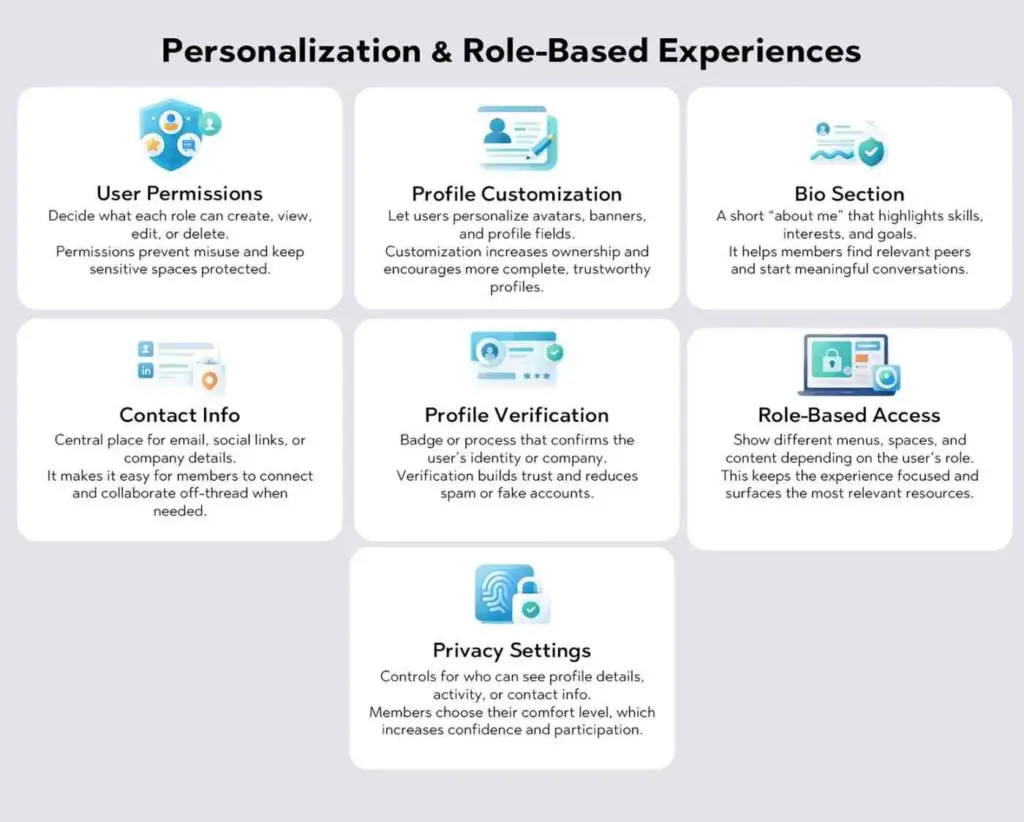
Personalization & Role-Based Experiences
Generic portals feel noisy. Thrico helps you deliver tailored journeys that match each member’s role, goals, and stage in the lifecycle.
1. User Permissions
Decide what each role can create, view, edit, or delete. Permissions prevent misuse and keep sensitive spaces protected.
2. Profile Customization
Let users personalize avatars, banners, and profile fields. Customization increases ownership and encourages more complete, trustworthy profiles.
3. Bio Section
A short “about me” that highlights skills, interests, and goals. It helps members find relevant peers and start meaningful conversations.
4. Contact Info
Central place for email, social links, or company details. It makes it easy for members to connect and collaborate off-thread when needed.
5. Profile Verification
A badge or process that confirms the user’s identity or company. Verification builds trust and reduces spam or fake accounts.
6. Role-Based Access
Show different menus, spaces, and content depending on the user’s role. This keeps the experience focused and surfaces the most relevant resources.
7. Privacy Settings
Controls for who can see profile details, activity, or contact info. Members choose their comfort level, which increases confidence and participation.
Communities create a goldmine of insight. Thrico turns raw activity into clear signals you can use to improve the product, your content strategy, and your customer success motion.
1. Engagement metrics
Track active members, new posts, replies, time to first response, accepted answers, event registrations, and watch-time on recordings. Trends and cohort analysis help you spot what’s working and where to course-correct.
2. Member behavior tracking
Understand which topics attract different segments, which articles drive repeat visits, and who is influencing peers. Identify rising champions, at-risk accounts with declining activity, and content gaps that need closing.
3. Feedback and sentiment signals
Surface recurring themes across threads—praise, pain points, requests—and quantify sentiment over time. Share these insights with product and marketing to prioritize roadmap items and messaging that truly resonates.
Scalable & Secure Infrastructure
As your community grows, so do the stakes. Thrico is built to keep your brand safe, your members protected, and your team efficient.
1. Moderation tools
Set clear guidelines and enforce them with configurable moderation: keyword filters, flagged content queues, role-based approvals, and audit trails. Empower trusted champions as volunteer moderators with scoped permissions.
2. Privacy and data security
Protect member data with robust access controls and strong authentication. Granular permissions ensure the right people see the right spaces. Compliance-ready practices help you meet organizational and regional requirements.
3. Enterprise-ready scalability
From hundreds to hundreds of thousands of members, the platform scales with you. As engagement and content volume rise, Thrico maintains performance and reliability so your experience remains responsive and consistent.
Learn more about admin controls and infrastructure safeguards in Thrico’s feature set.
Long-Term Business Impact
When communities are integral to the customer journey, they become a durable growth engine. Thrico helps translate participation into measurable outcomes.
1. Improved customer retention
Members who get rapid answers, learn from peers, and feel recognized are less likely to churn. The community reduces friction during onboarding, surfaces quick wins, and creates a sense of belonging that keeps customers engaged.
2. Increased product adoption
Role-based guides, event series, and expert-led threads expand usage into advanced features and new modules. Customers discover use cases they wouldn’t have tried alone, leading to higher lifetime value.
3. Stronger brand advocacy
Leaderboards, badges, and spotlight stories encourage champions to share successes publicly. Advocacy earns trust in the market, shortens sales cycles, and feeds a pipeline of peer references and customer speakers.
Summary of Thrico’s value for customer success Thrico brings together everything you need to build a high-impact customer success community: centralized content and conversations, event management, gamification, personalization, and analytics. The result is a cohesive member experience that makes customers more capable, connected, and committed.
Why communities are critical to brand growth In an era where products evolve quickly and buying committees expect proof of value, communities are a strategic advantage. They scale expertise, compress time-to-value, and turn your best customers into the teachers your next customers need. With Thrico, you launch not just a forum but a flywheel for engagement, adoption, and advocacy.
What Enterprises Need From a White-Label Community Platform
1. Full brand ownership
Enterprises don’t want a skin on top of someone else’s product; they want a space that feels like their own. White-label software should put your identity front and center—logos, typography, color systems, navigation patterns, and even your domain and email branding—to maintain trust and consistency everywhere the member interacts.
2. Scalability and performance
As programs mature, audiences expand across regions, lines of business, and use cases. The platform must handle sustained activity—discussions, content, chat, and events—without degrading responsiveness, and it should support modular growth so teams can add capabilities while keeping the experience coherent.
3. Security and compliance
Enterprise requirements demand control over data and access: granular roles, audit trails, consent management, and governance that meet regional privacy expectations. This isn’t optional; it’s foundational to long-term community health and executive confidence.
4. Integration readiness
Communities become most valuable when they plug into the systems you already use—CRM, marketing automation, learning, payments, SSO—so that identity, personalization, and reporting flow cleanly across the stack.
Complete White-Label Customization With Thrico
1. Custom domain and branding
Thrico’s approach to white-labeling centers on brand integrity. You bring your domain and identity assets; the platform ensures those choices show up consistently across UI elements, components, and communications, so the environment looks and feels like an owned property rather than a third-party network.
2. UI/UX flexibility
Beyond colors and logos, enterprises need navigation and layout control to map their content strategy—spaces, collections, and surface areas aligned with how their audience learns, collaborates, and takes action. Thrico emphasizes flexible layouts and component-level controls that keep the experience on-brand while letting product and program teams iterate quickly.
3. Brand-consistent member experience
From first click to daily habit loops, consistency reduces cognitive load. Thrico ties theming to the practical touchpoints members see—cards, badges, buttons, profile surfaces, and email white-labeling—so every interaction reinforces who you are and why the community exists.
Enterprise-Grade Scalability and Performance
1. High-traffic handling
Communities thrive when conversation, content, and events compound. The underlying model in Thrico brings together profiles, forums, groups, and real-time chat—designed to support long-form knowledge, quick coordination, and programmatic events at scale, without forcing teams to juggle separate systems.
2. Global user access
Enterprises often run regional programs, alumni hubs, partner networks, and customer communities simultaneously. Thrico’s focus on cohesive web and mobile experiences ensures members can participate wherever they are, with responsive interfaces and familiar patterns that travel across devices.
3. Modular architecture
As needs evolve, teams can introduce new modules (e.g., events, learning flows, or enhanced moderation) and reorganize information architecture—spaces, tags, collections—while keeping the brand layer intact. That modularity is key to sustainable scale.
Advanced Security, Privacy, and Access Control
1. Role-based permissions
Enterprise governance requires well-defined roles—admins, moderators, editors, contributors, champions—each with clear creation and publishing rights. Thrico highlights granular admin roles and auditability, letting teams set boundaries that match internal policies and external expectations.
2. Moderation tools
Healthy conversation doesn’t happen by luck. Thrico pairs structured forums and group chats with moderation features like reporting, muting, and filters, helping teams protect discourse quality while empowering trusted champions to participate in stewardship.
3. Data protection and compliance readiness
Controlling where data lives and who can access it is non-negotiable at the enterprise level. The white-label approach described by Thrico prioritizes governance—consent management, export options, and role-based oversight—so your brand can meet evolving privacy standards.
Engagement-Focused Community Features
1. Discussions, chat, and events
Thrico combines topic-based forums (for durable knowledge, accepted answers, and best practices) with real-time group chats for fast coordination. Program teams can then anchor momentum with a calendar of webinars, office hours, and cohort sessions—each feeding a content library members can return to later.
2. Gamification and rewards
Power users and everyday contributors both respond to recognition. Thrico’s philosophy emphasizes points, badges, and leaderboards as repeatable nudges that turn participation into habit—helpful for activation, retention, and surfacing trustworthy voices in crowded spaces.
3. Content and knowledge sharing
A native CMS streamlines publishing—posts, articles, announcements, and updates—organized by categories, tags, and collections. Editorial workflows like scheduling and role-based publishing help large teams keep a consistent cadence without bouncing between tools.
Built-In Analytics and Actionable Insights
1. Engagement tracking
Measuring what matters is essential for executive buy-in. Thrico encourages tracking user activation, response times, content contribution distribution, event attendance and replays, and cohort retention—practical indicators of whether programs are working.
2. Member behavior analysis
Understanding which spaces, formats, and topics resonate—then iterating your programming accordingly—turns community management into a product practice. Thrico’s guidance stresses reviewing dashboards regularly and adjusting prompts, office hours, and champion programs to improve outcomes.
3. Community performance metrics
Use activation rate, 30/60/90-day retention, and advocacy signals (UGC, referrals, case studies) to quantify momentum and guide investment. Treat these as north-star metrics for programs like onboarding cohorts, expert AMAs, and progressive challenges.
Seamless Integrations With Enterprise Tech Stacks
1. CRM, marketing, and support tools
A modern community platform should connect to CRM and automation systems so member activity can inform lifecycle journeys and reporting. Thrico calls out alignment with CRM and email tools, plus SSO options for a frictionless, secure experience.
2. APIs and automation workflows
Enterprises often need exports, data pipelines, and automation to move insights into executive dashboards. Thrico’s selection criteria include API access and analytics export so teams can extend the platform with their own workflows and governance standards.
Multi-Use Case Support for Enterprises
1. Customer success communities
SaaS and product-led organizations can centralize knowledge, capture durable answers in forums, and host events that accelerate onboarding and adoption—tying engagement to measurable retention.
2. Partner ecosystems
Partners benefit from shared spaces, structured knowledge, and announcements that live right next to discussion and chat. With role-based access, vendors can offer enablement content while protecting sensitive areas.
3. Internal employee communities
Enterprises use white-label platforms to foster knowledge-sharing and collaboration within the organization, creating searchable documentation and peer networks that survive org changes and time zones.
Faster Deployment and Lower Total Cost of Ownership
1. Quick setup and onboarding
Thrico positions white-labeling as a way to launch quickly—configuring identity, spaces, roles, and content flows without heavy engineering. The result is faster time-to-value with a clear, iterative rollout path anchored in early cohorts and programming rhythms.
2. Reduced development and maintenance costs
Instead of building a community layer from scratch, teams rely on Thrico’s modules for profiles, discussions, CMS, events, gamification, and analytics—reducing integration overhead and ongoing maintenance while preserving brand control.
Long-Term Strategic Value for Enterprises
1. Improved retention and loyalty
By owning the relationship (rather than renting it from third-party networks) and by designing on-brand experiences, enterprises can cultivate durable member habits that translate into loyalty and lifetime value.
2. Stronger brand advocacy
Communities create space for collaboration and co-creation—beta groups, feedback loops, and UGC—that convert engaged members into champions and references over time.
3. Sustainable community growth
With the right analytics, cadence, and integration to the business stack, programs become repeatable and scalable. Thrico outlines a phased playbook—strategy, architecture, launch, iteration, monetization—to keep growth sustainable and measurable.
Conclusion
Recap why Thrico stands out Thrico brings the pillars enterprises expect in a white-label community platform: deep brand customization (domain, theme, components), robust engagement modalities (forums, chat, events, CMS, gamification), analytics that track real outcomes, and integrations and SSO that tie the community to the broader tech stack. Governance—roles, audits, moderation—sits alongside, so security and privacy remain first-class.
Why enterprises prefer white-label community platforms When your brand controls the experience and data, you can build consistent journeys, comply with policies, and compound value across regions and programs. Thrico’s guidance and feature approach show how a branded community becomes a durable growth engine rather than another isolated channel. For a deeper tour of modules that power this, explore Thrico’s community building tools.
Community monetization is the practice of earning revenue from an engaged audience through structured value exchanges. Marketplace features—like listings, integrated payments, memberships, and digital downloads—give creators, brands, and community owners the tools to sell directly, reward participation, and scale income without leaving the platform.
What Is Community Monetization?
Community monetization means generating revenue from an engaged audience by matching valuable offerings—content, access, products, or services—to member needs. It’s not “paywall everything”; it’s designing mutually beneficial value exchanges where members willingly pay for deeper outcomes: learning, credibility, convenience, or status.
Learning platforms: cohort-based programs, private study groups, templates, and tutoring.
Niche groups: professional associations, hobbyist clubs, and local groups trading skills, equipment, and collectibles.
At its core, monetization only works when the value is real and felt. Members pay because they gain clarity, time, results, belonging, or recognition. That’s the engine of sustainable community economics.
What Are Marketplace Features in Community Platforms?
Marketplace features are native commerce tools built into a community platform. Instead of bolting on scattered apps, a marketplace consolidates the member journey—from discovery to payment to delivery—inside one trusted environment. Typical components include:
Product & service listings: Catalog items (digital or physical), services (coaching, design, audits), bundles, and limited-time offers. Rich listings show media, descriptions, inventory, and policies.
Integrated payment systems: Secure checkout, saved payment methods, tax/VAT handling, refunds, and receipts. Less friction means higher conversion.
Subscription & membership tools: Tiered access, recurring billing, trials, coupons, and upgrade/downgrade paths. Great for predictable cash flow.
Digital downloads and gated access: Files, templates, courses, libraries, and posts that unlock after purchase or membership.
Seller and buyer profiles: Ratings, reviews, verification, and portfolios that signal quality and build trust.
Because the marketplace lives where conversation happens, members move from discussion → discovery → purchase without context switching—one of the biggest killers of conversion.
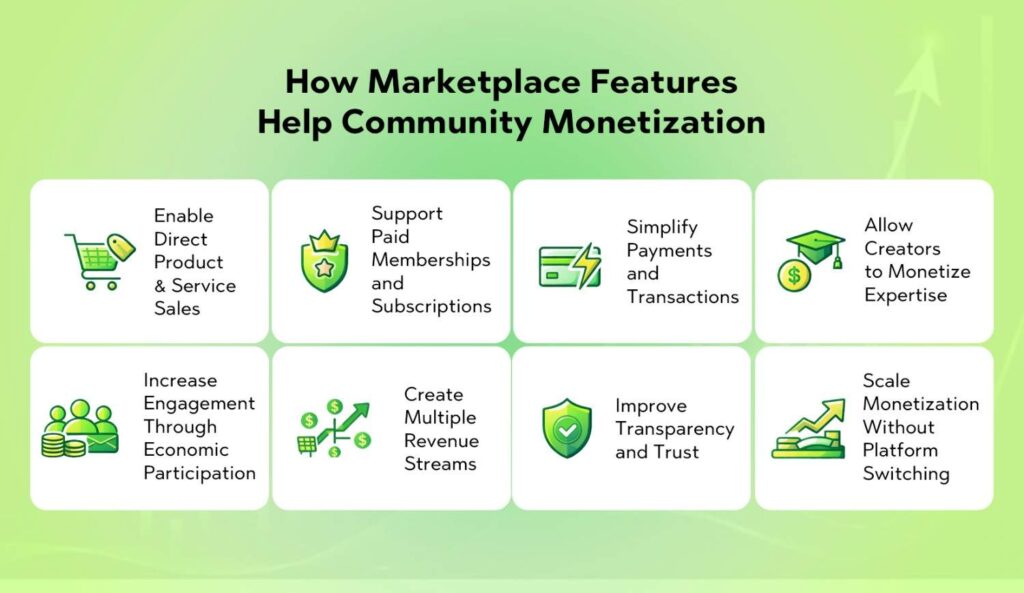
How Marketplace Features Help Community Monetization
1. Enable Direct Product & Service Sales
Marketplace listings let members sell digital products (templates, presets, e-books, mini-courses, sound packs) and physical goods (merch, kits, art prints) alongside services (coaching, critiques, audits, design sprints). This removes dependency on third-party storefronts where fees, algorithms, and policies can change overnight.
Why it matters:
Less leakage: Members aren’t pushed off-platform, which preserves session momentum and reduces drop-off.
Higher trust: Buyers already know the seller from community interactions; the platform’s reputation carries over to purchases.
Faster iteration: Creators test offers quickly, gather feedback in comments, and ship updates that members can immediately see.
Example play: A design community hosts “Critique Fridays.” Sellers offer 45-minute review slots directly in the marketplace. The event drives attention; the listing converts that attention into paid outcomes.
2. Support Paid Memberships and Subscriptions
Membership tiers convert passive readers into committed supporters and learners. The marketplace handles recurring billing, proration, trials, and one-click upgrades, while the community logic controls gated channels and role-based permissions.
Why it matters:
Predictable revenue: Recurring income stabilizes operations and funds better programming.
Value layering: Offer tiers (Starter, Pro, VIP) with escalating benefits—private channels, AMAs, templates, or office hours.
Clear progression: Members can “level up” their involvement, mirroring gamification benefits like points, badges, and levels that reward deeper participation.
Quick framework:
Tier 1—Supporter: community access + monthly digest.
Built-in checkout, invoicing, and payouts remove friction. Members prefer the path of least resistance; saved cards, local currencies, tax-inclusive pricing, and instant receipts raise conversion and reduce support tickets.
Why it matters:
Higher trust: Transactions occur inside the environment where relationships already exist.
Cleaner records: Unified analytics make ROI obvious—no spreadsheet archaeology.
Pro tip: Default to inclusive pricing (tax and fees clear up front) and provide a transparent refund policy pinned in marketplace guidelines.
4. Allow Creators to Monetize Expertise
A marketplace can productize knowledge beyond static content:
Coaching & consulting: bookable slots with automated reminders.
Workshops & cohorts: scheduled events with capped seats and waitlists.
Office hours & clinics: group Q&A monetized as “one-to-many” leverage.
Templates & playbooks: repeatable systems that scale infinitely.
Why it matters: Creators move from a time-for-money ceiling to semi-passive or one-to-many models that compound. The community itself becomes a lead qualifier, making sales warmer, shorter, and more ethical.
5. Increase Engagement Through Economic Participation
When members buy and sell, they stop being lurkers and start being stakeholders. Commerce becomes an engagement loop: discussion sparks an idea → listing launches → buyers give feedback → improvements ship → more discussion.
We can enhance this loop with gamification strategies and user engagement techniques, such as:
Points for first purchase, first sale, reviews left, or helpful replies on listing pages.
Badges for verified sellers, “Top Helper,” or “Launch Streak” (four consecutive monthly drops).
Levels that unlock higher listing limits, boosted visibility, or fee discounts.
Engagement loops: notification nudges (“3 people saved your product”), progress meters (“5 sales to reach Silver Seller”), and time-limited quests (“Review 3 purchases this week to unlock a coupon”).
These levers reinforce positive behavior and compound gamification benefits—motivation, recognition, and social proof—without cheapening the community.
6. Create Multiple Revenue Streams
Marketplace ecosystems diversify income:
Courses & cohorts: premium learning tied to community accountability.
Events: virtual summits, sprints, hackathons, and meetups with ticketing.
Digital products: libraries of assets that sell 24/7.
Services: “done-with-you” or “done-for-you” offerings for members who want speed.
Sponsorship slots: tasteful, relevant partners showcased in a marketplace-adjacent area (not interruptive).
Job board & gigs: paid listings that circulate talent inside the community.
Diverse streams reduce reliance on ads—often a mismatched incentive that pushes volume over value—and insulate revenue from sudden platform changes.
Verified profiles: identity or portfolio checks for sellers.
Clear dispute flows: defined timelines, evidence requirements, and platform mediation.
Public policies: shipping, refund, and turnaround expectations standardized at the platform level.
Transparency doesn’t just prevent problems—it increases conversion. When members see consistent standards, they buy with confidence, and sellers commit to excellence.
8. Scale Monetization Without Platform Switching
Context switching kills momentum. With marketplace features:
Everything is managed in one ecosystem: content, chat, listings, payments, fulfillment, analytics.
Unified UX: shared design language and navigation reduce cognitive load.
Retention gains: members return for conversations and stay to buy—or vice versa.
Operating inside one stack creates a compounding flywheel: the more you ship, the better your insights; the better your insights, the better your offers; the better your offers, the stronger the community.
Benefits of Marketplace-Driven Community Monetization
Sustainable revenue growth: Recurring memberships plus evergreen digital products provide baseline stability, while launches and events create spikes.
Stronger community loyalty: Members invest financially and emotionally, which increases belonging and lifetime value per user.
Better creator and member retention: Sellers stay for demand; buyers stay for access, updates, and reputation effects (e.g., badges and levels).
Data-driven monetization insights: Unified analytics reveal top categories, conversion bottlenecks, cohort retention, and CLV by tier.
Fair value distribution: Revenue pathways for both hosts and members align incentives and reduce burnout.
Who Can Benefit Most From Marketplace Features?
Creator-led communities: writers, filmmakers, musicians, photographers, and streamers who want to own their audience and margins.
Learning and coaching platforms: educators who can package knowledge as courses, playbooks, office hours, and certifications.
Professional and niche networks: designers, developers, data scientists, marketers, or collectors—any group where peer-to-peer value exists.
Brand-owned communities: consumer brands with superfans eager for early access, limited drops, or co-created products.
SaaS and Web3 communities: tool makers and protocol communities monetizing templates, plugins, verified services, or governance-enabled perks.
If your community can teach, fix, build, curate, or certify, a marketplace is a natural fit.
Challenges to Consider When Monetizing Communities
Over-monetization risks: If every interaction becomes a sales pitch, trust erodes. Keep community-first spaces free and vibrant.
Quality control of listings: Require minimum standards (clear descriptions, fulfillment times, example deliverables), and curate featured items.
Payment compliance and fees: Understand tax/VAT, chargebacks, and payout timing. Be transparent about platform fees.
Community trust and moderation: Enforce codes of conduct, anti-fraud measures, and conflict-of-interest policies for moderators who also sell.
Mitigate these risks with clear guidelines, graduated seller privileges (levels), and transparent enforcement.
Best Practices for Monetizing Communities With Marketplace Features
1. Start with value before monetization Ship free, high-signal content and rituals first (weekly threads, show-and-tells). Monetization should feel like a natural extension of value, not a pivot.
2. Offer clear pricing and benefits Use simple plans with 2–3 tiers. For each tier, state: Who is this for? What outcomes can they expect? What’s inside? Avoid feature bloat that confuses buyers.
3. Highlight top creators and sellers Showcase verified sellers on a home carousel. Use badges like “Editor’s Pick,” “Most Helpful,” or “Fast Responder.” Recognition is a core user engagement technique.
4. Use analytics to optimize offerings Track: free-to-paid conversion, average order value, churn by tier, time-to-first-sale, review velocity, and search term trends. Iterate your marketplace taxonomy around real demand.
5. Keep transactions community-first Bake in engagement loops that reward feedback and helpfulness: points for reviews, levels that unlock perks, and monthly community picks chosen by vote.
6. Design trustworthy policies Post clear refund windows, dispute processes, and fulfillment SLAs. Require sellers to acknowledge policies at listing submission.
7. Reduce friction at checkout Support local currencies, one-click renewals, and simple receipts. Offer coupons sparingly; overuse trains people to wait for discounts.
8. Protect quality with curation Approve new sellers via a lightweight review. Gate higher listing limits and boosted placement behind seller levels based on ratings and fulfillment history.
9. Onboard sellers with playbooks Provide listing templates, pricing heuristics, and fulfillment checklists. Offer a seller Q&A channel for rapid feedback.
10. Integrate gamification thoughtfully Use points, badges, and levels to reinforce pro-social behaviors: helpful reviews, on-time delivery, and resource sharing. Avoid pay-to-win mechanics that distort trust.
Want a primer on engagement mechanics? Seegamification basics for an overview of points, badges, levels, and the psychology of motivation.
Future of Community Monetization With Marketplaces
Creator economy growth: More individuals will build portfolio incomes from audiences they own—memberships plus productized services.
Integrated commerce + community models: Chat, content, courses, and checkout will live together. The “platform” becomes the product.
AI-driven recommendations: Personalization will match members to offers based on behavior, outcomes, and peer networks—without being creepy.
Decentralized and niche marketplaces: Tokenized access, provenance for digital goods, and micro-communities with deep expertise.
The through-line: trust plus convenience. Communities that combine both will outcompete generic marketplaces and algorithmic feeds.
Practical Blueprint: Turn Conversations Into Commerce (Step-by-Step)
Phase 1 — Foundation (Weeks 1–2)
Map member jobs-to-be-done: What outcomes do they hire the community for?
Define 2–3 membership tiers and a single flagship offer (course, clinic, or template).
Publish marketplace guidelines, refund policy, and listing standards.
Phase 2 — Pilot (Weeks 3–4)
Recruit 5–10 trusted members as founding sellers.
Launch with limited inventory to learn quickly.
Add engagement loops: points for first purchase, reviews, and launch feedback.
Phase 3 — Scale (Weeks 5–8)
Introduce seller levels (Bronze, Silver, Gold) tied to on-time delivery and ratings.
Expand categories based on search and sales data.
Layer in badges (Top Helper, Rising Star) and seasonal “market days.”
Phase 4 — Optimize (Ongoing)
Run monthly audits of conversion drop-offs.
Spotlight high-ROI use cases as case studies.
Tune pricing and bundles by cohort behavior and LTV.
Example Monetization Map (for Inspiration)
Free layer: weekly office hours, public challenges, curated reading list.
Ethical Monetization: Keep the Soul of Your Community
Monetization should amplify your mission, not warp it. A few grounding principles:
Value before virality: Resist the temptation to inflate promises to juice sales. Sustainable communities win on trust.
Transparency over tricks: Price clearly. Avoid dark patterns (fake scarcity, hidden fees).
Recognition over rivalry: Gamify prosocial behavior—helpfulness, reliability, and mentorship.
Consentful data: Use analytics to improve relevance, not to pressure or manipulate.
Access pathways: Offer scholarships or community-earned paths to premium tiers so contribution—not just cash—unlocks opportunity.
Final Thoughts
A marketplace isn’t just a way to “collect payments”—it’s a participation engine. When commerce happens inside the conversation, you unlock loops that deepen engagement, reward contribution, and compound revenue. Combine native marketplace tools with gamification strategies—points, badges, levels, and purposeful engagement loops—and you’ll create a community economy that serves everyone: hosts, creators, and members.
Ready to explore modules that support listings, payments, memberships, and engagement mechanics? Check out gamification basics to see how the right building blocks accelerate sustainable growth.
2026 is shaping up to be the year communities get smarter, more diverse, and more profitable. White-label community platforms—software that lets organizations host branded, members-only spaces under their own domain and apps—sit at the center of this shift. Brands, educators, and enterprises are investing in them to own their audience, data, and revenue streams. In this article, we’ll unpack the 2026-ready trends to watch and the adoption signals leaders should track.
Why White-Label Community Platforms Are Growing
The growth isn’t hype; it’s a pragmatic response to how digital engagement, privacy norms, and brand economics are changing.
Ownership of audience & data: Third-party networks decide who sees your posts and what gets measured. With a white-label platform, you control the database, consent records, and member insights—without fighting an algorithm for reach.
Brand control vs. social media dependency: Social networks are great for discovery, not for durable relationships. White-label spaces let you craft the experience: navigation, visual identity, content architecture, and even tone.
Need for private, secure digital communities: From alumni groups to product cohorts and customer advisory boards, many interactions are better in invitation-only or paid spaces with verified accounts and policy-driven moderation.
Monetization & engagement opportunities: Paid memberships, gated courses, events, and sponsorships work best where the brand sets pricing, packaging, and analytics—not a third party. White-label platforms make those levers native.
Key Trends Shaping White-Label Community Platforms in 2026
1. AI-Powered Community Moderation & Insights
1. Automated moderation. Expect more precise, context-aware moderation that goes beyond profanity filters. Modern AI can interpret intent (e.g., spam vs. honest mistakes), flag harassment in nuanced ways, and escalate only the edge cases to human moderators. The result? Safer spaces at scale, without burning out community managers.
2. Sentiment analysis. AI will synthesize member sentiment across posts, replies, DMs, and surveys to spot momentum or malaise in near real-time. Think heat maps of “topics that energize” and “threads that frustrate,” plus alerts when sentiment dips among power users or key cohorts.
3. Engagement recommendations. Recommendation engines will propose content formats (polls, AMAs, challenges), timing (e.g., “Post at 10:15 AM IST; engagement peaks then”), and suggested prompts to revive quiet segments. They’ll also surface members at risk of churn and propose re-engagement flows (DMs, nudges, or targeted perks).
2. Deeper Personalization & Member Journeys
1. Role-based access. No more one-size-fits-all feeds. White-label systems will let you define roles (e.g., customer, partner, mentor, internal) and map them to default spaces, permissions, and perks. This keeps mixed communities coherent without “gatekeeping” friction.
2. Personalized feeds & notifications. Members should see what they value most—events in their timezone, threads from their cohort, and content matched to their skill level. Notifications will get smarter: bundling low-priority pings, surfacing “missed highlights,” and letting members tune frequency by category.
3. Behavioral targeting. Journey logic will adapt to signals like “read three onboarding posts but never introduced themselves” or “attended two events but skipped the last three.” Expect auto-prompts (“Say hi to your cohort”), unlocks (bonus modules after milestones), and dynamic offers (trial extensions for near-inactive members).
3. Built-In Monetization Features
1. Paid memberships. Tiered memberships—starter, pro, enterprise—will be easier to configure with free trials, regional pricing, coupon logic, and instant upgrades/downgrades. Crucially, member value will be proven via in-product dashboards: “content consumed, events attended, peers connected,” not vanity metrics.
2. Courses & gated content. Communities won’t send learners to yet another LMS. Instead, course modules, lesson drip schedules, certificates, and cohort forums will live where the conversations already are. Expect templated learning paths, embedded quizzes, and automated completion nudges.
3. Event & subscription management. Webinars, office hours, masterminds, and local meetups will tie directly to membership tiers. Think: integrated ticketing, waitlists, capacity limits, calendar sync, and post-event auto-publishing of replays to the right roles.
4. Integration With Business & Marketing Tools
1. CRM, marketing automation. Your community should enrich contact records with intent signals: topics of interest, activity streaks, and purchase triggers. Bidirectional sync with CRM and marketing automation ensures sales sees community champions, and marketing nurtures leads with relevant artifacts (threads, guides, case studies).
2. Analytics dashboards. Native dashboards should go beyond DAU/MAU. Look for cohort health, content-to-conversion paths, topic momentum, retention by tier, activation funnel (discover → join → engage → contribute → advocate), and LTV uplift among community participants vs. non-participants.
3. Payment gateways. Choose platforms with global payment support (cards, UPI, wallets, invoices), tax handling, and trials/refunds that don’t require manual gymnastics. Revenue data should roll into analytics so you can measure ROI per program (e.g., “Cohort A yields 25% higher expansion revenue”).
4. Mobile-First & App-Like Experiences
1. Progressive web apps. PWAs now rival native apps for speed, push support, and offline behavior. For many communities, a PWA offers the right balance: discoverable on the web, installable on home screens, and easier to update than multiple app-store builds.
2. Push notifications. Push will shift from “megaphone” to “assistant.” Expect batched digests, context-aware prompts (e.g., “Your thread has 5 new replies—reply now?”), and quiet hours that actually stick. For global communities, timezone-aware scheduling is a must.
3. Offline & low-bandwidth optimization. Videos with adaptive bitrates, cached lessons, and text-first modes keep engagement inclusive—especially valuable for learners and field teams with limited connectivity.
5. Stronger Data Privacy & Compliance
1. GDPR & regional compliance. Cross-border communities need consent logs, data-subject request workflows, and regional data residency options. In 2026, compliance isn’t a checkbox; it’s a design principle that shapes how you collect, store, and process community data.
2. First-party data ownership. With third-party cookies fading, community interactions are a goldmine of first-party data—earned transparently via value exchange. Make sure your platform clarifies ownership and portability in contracts and admin controls.
3. Secure user authentication. SSO (SAML/OIDC), MFA, social logins (where appropriate), and device/session policies are now baseline. Granular admin roles and audit logs help enterprises satisfy security reviews without slowing down community ops.
How White-Label Platforms Will Replace Traditional Social Communities
The shift isn’t about abandoning social networks; it’s about moving the center of gravity to owned spaces.
1. Algorithm control vs. owned platforms
Social networks: Your reach fluctuates with opaque algorithm changes.
Owned platforms: You set the rules—what’s pinned, who sees which spaces, and how onboarding unfolds.
Long-term engagement vs. reach-only metrics
Social networks: Great for impressions, weak for structured progress.
Owned platforms: Members move through defined journeys—onboarding, learning paths, mentorships—producing measurable outcomes (skills, revenue, adoption).
2. Brand trust & authenticity
Social networks: Ads, trolls, and random content erode trust.
Owned platforms: Verified members, clear codes of conduct, and consistent brand voice build psychological safety. That’s what encourages contributions, referrals, and advocacy.
Bottom line: In 2026, expect smart brands to treat social channels as top-of-funnel discovery while the relationship, value, and revenue live inside their white-label community.
Who Should Invest in White-Label Community Platforms in 2026?
1. Brands & D2C companies. Own the post-purchase relationship. Turn customers into loyalists with onboarding tracks, drop-in Q&A, and user-generated content that compounds SEO and social proof. Premium tiers can bundle VIP support, early access, and private events.
2. Coaches & educators. Cohort courses, masterminds, and membership academies thrive when learning and discussion coexist. Integrated curricula, progress tracking, and certificates raise completion rates—and lifetime value—without scattering students across apps.
3. SaaS & B2B communities. Drive product adoption with role-based spaces (admins, end users, champions). House feature updates, templates, and office hours in one place. Map community engagement to expansion and retention by syncing with your CRM.
4. Enterprises & internal teams. Internal communities reduce email clutter and surface expertise. Knowledge bases stay alive through discussions, and cross-functional guilds accelerate innovation. SSO, audit trails, and data residency keep IT happy.
What to Look for in a Future-Ready White-Label Community Platform
Scalability: Handles thousands of concurrent users, global traffic, and media without lag; supports multi-workspace or multi-tenant setups.
Custom branding: Full control of domains, theming, navigation, and UI components to match your design system.
AI & analytics: Built-in moderation, sentiment, journey automation, and dashboards that tie engagement to outcomes.
Security & integrations: Enterprise SSO/MFA, audit logs, role granularity, plus connectors for CRM, marketing automation, data warehouses, and ubiquitous payment gateways.
The Road Ahead for White-Label Community Platforms
By late 2026, the most successful communities will be owned, intelligent, and adaptable. Owned—because trust and economics require controlling your member experience and data. Intelligent—because AI will power moderation, journeys, and insights that compound over time. Adaptable—because platforms will flex across devices, roles, and regional rules without sacrificing speed or security. Keep your strategy focused on value creation, not vanity engagement—and the technology will serve your members, not the other way around.
Modern brand communities aren’t side projects or social add‑ons—they’re revenue engines that also deepen relationships. A brand community is a dedicated space where customers, prospects, partners, and advocates gather to learn, collaborate, and get value that goes beyond the product. In this guide, we break down exactly how community revenue and brand loyalty reinforce each other—showing practical monetization paths while strengthening trust over the long term.
Why Communities Matter for Revenue & Brand Loyalty
Communities concentrate attention, relationships, and data into an owned environment. That combination makes them unusually effective for both income and affinity.
Direct access to engaged audiences. You’re speaking to people who actively opted in. That means lower noise, richer feedback loops, and far better conversion on announcements, launches, and campaigns.
First‑party data ownership. Interactions, preferences, and behavior live in your system—not a rented social feed. With consent and transparency, that first‑party data powers smarter personalization and better offers.
Lower customer acquisition costs (CAC). Peer referrals, organic discovery, and member‑led content reduce paid media dependency. Communities reuse the same effort across many members—think replays, threads, and playbooks that keep paying off.
Stronger emotional brand connection. Humans don’t bond with banner ads; they bond with people and progress. When members feel seen, helped, and celebrated, loyalty grows—and so does their willingness to buy, renew, and advocate.
How Communities Generate Revenue
Healthy communities monetize by creating value first and then packaging access, service, or outcomes. Here are the most reliable levers.
1. Paid Memberships & Subscriptions
Paid programs work when they deliver ongoing value that members can’t get elsewhere.
Tiered access. Offer Starter → Pro → Enterprise (or Student → Practitioner → Leader) with increasing privileges: private channels, office hours, templates, early access, or concierge support. Tiers let you match value to willingness‑to‑pay while keeping the public face accessible.
Exclusive content & features. Ship research digests, benchmarks, cohort circles, or library access behind the paywall. For product‑led brands, consider feature flags or “members‑only” betas.
Predictable recurring revenue. Subscriptions transform sporadic launches into steady cash flow. Use annual options for cash runway and monthly for accessibility; let members upgrade/downshift without friction.
Implementation notes
1. Align each tier with clear outcomes (e.g., “publish a portfolio,” “ship your first automation,” “master admin workflows”).
2. Bundle live touchpoints (AMAs, clinics) with a consistent cadence.
3. Show progress with badges, streaks, and milestone certificates—see Communities. Generate Revenue for gamified modules that keep motivation high.
2. Courses, Events & Premium Content
Education is the fastest way to prove value and capture demand inside your community.
Workshops, masterclasses, webinars. Short, practical sessions drive spikes of engagement and act as conversion on‑ramps to memberships or higher‑touch programs.
Certification programs. Role‑based tracks (Admin, Analyst, Coach, Creator) provide signaling power for members and a strong moat for brands. Certified members become advocates who lift your reputation.
Community‑exclusive launches. Release templates, toolkits, or micro‑products to members first. The combination of scarcity + privilege lifts conversion and creates a hero experience for your core audience.
Packaging ideas
Drip lessons to maintain momentum and reduce overwhelm.
Offer cohort‑based versions of flagship courses to drive peer accountability.
Bundle seat licenses for teams; price by cohort size or outcome (e.g., “deploy in 30 days”).
3. Product & Service Upsells
Community surfaces intent you won’t see in ads or email alone—making upsells feel helpful, not pushy.
Early access to new products. Turn your members into a living beta group. They get perks and a voice; you get signal and velocity.
Community‑only offers. Target bundles or upgrades at members who’ve hit milestones (e.g., 3 events attended; 10 helpful replies). Personalize the pitch using first‑party data.
Feedback‑driven product improvements. Use “feature councils” and “design partner” programs inside your community. When people co‑create, they buy more, renew faster, and refer others.
Practical playbook
Tag conversations by feature and segment: adoption risk, expansion interest, friction.
Automate warm handoffs to sales or success when engagement crosses a threshold.
Publish transparent changelogs and roadmap updates to close the loop.
4. Sponsorships & Partnerships
If your community has attention and trust, aligned partners will pay to access it—without polluting the experience.
Brand collaborations. Co‑branded events, guides, or kits that genuinely help members can create net positive value (new expertise, discounts, reach). Vet partners for culture fit.
Sponsored challenges or content. Run themed sprints, case‑study series, or AMAs with clear labeling. Keep editorial control and ensure sponsors contribute real know‑how.
Value‑aligned partnerships. Think tools that integrate with your product, recruiters who understand the craft, or marketplaces your members already use. Take a revenue share while elevating outcomes for members.
Guardrails
Cap frequency and maintain a strict code of conduct.
Post a public sponsor policy and keep ads out of private support spaces.
Measure member sentiment after sponsored moments and iterate.
5. Marketplace & Peer‑to‑Peer Opportunities
Communities become economic networks when members can hire, trade, and collaborate.
Member services. Enable freelancers and agencies to list offers (implementation, audits, coaching). Take a small platform fee and highlight top‑rated providers.
Job boards. Curate roles that match your craft. Charge employers, offer members early looks or referral bonuses, and measure placement rates as a community KPI.
Creator monetization. Give power users a path to earn (premium threads, templates, office hours). Shared upside increases contribution quality and retention.
Operations tips
Use verified profiles, reputation signals, and dispute guidelines.
Provide template contracts and payment rails.
Celebrate success stories prominently to boost flywheel momentum.
How Communities Build Long‑Term Brand Loyalty
Revenue follows trust. Here’s how community mechanics cultivate loyalty that lasts.
Two‑way communication. Unlike broadcast channels, communities let members ask, challenge, and co‑create. Transparent roadmaps and open AMAs show that the brand listens—and acts.
Peer‑to‑peer validation. People believe people. Reviews, case studies, and “show‑your‑work” threads reduce risk and nudge fence‑sitters to commit.
Emotional investment through participation. When members teach, mentor, or ship projects together, identity forms around the brand’s mission. That emotional glue outlasts discounts.
Recognition & belonging. Badges, shout‑outs, and “member spotlights” tap intrinsic motivation. Belonging turns passive customers into active advocates who recommend, defend, and build with you.
The Flywheel Effect: Engagement → Loyalty → Revenue
A well‑run community compounds because each stage feeds the next.
4. Revenue funds better community experiences. More moderators, better content, stronger events—fueling fresh engagement and restarting the loop at a higher level.
How to measure the flywheel
Track activation (first post, first event), contribution rate, renewal/upgrade rate, and referral velocity.
Compare LTV and NRR for community participants vs. non‑participants.
Instrument cohorts by join month to visualize lift over time.
Community‑Led Growth vs Traditional Marketing
Community‑led growth doesn’t replace marketing; it re‑centers it around customer outcomes.
Paid ads vs owned audiences. Ads rent attention; communities own it. Ads are still great for acquisition—but the compounding value lives where you control experience, data, and pacing.
Short‑term conversions vs lifetime value. Launch spikes are exciting; LTV pays the bills. Communities turn one‑time buyers into multi‑year advocates whose feedback shapes the roadmap.
Broadcast messaging vs conversations. Emails and posts shout; communities converse. Conversation is where objections surface and are resolved, making selling feel like helping.
Play nicely together
Use paid to bring the right people to your welcome path.
Nurture with community artifacts—member stories, template libraries, recorded clinics.
Graduate qualified members to customer advocacy programs and case‑study pipelines.
What Types of Communities Monetize Best?
Some shapes of community are naturally closer to value—and therefore to revenue.
Brand communities (D2C, SaaS). Home bases for customers and fans: product tips, launch previews, and peer support. Monetize with memberships, add‑ons, and certification programs.
Professional & creator communities. Skills‑driven groups where members trade playbooks and gigs. Monetize with job boards, marketplaces, sponsor content, and cohort courses.
Education & coaching communities. Cohorts, academies, and masterminds where progress is the product. Monetize with tiered curricula, office hours, and alumni networks.
Enterprise & customer communities. Internal guilds, partner portals, and customer advisory boards. Monetize indirectly through expansion revenue, reduced churn, and lower support costs.
Fit check
Can your audience benefit from repeat interactions?
Does your product or expertise create ongoing, compounding value?
Can members help each other in ways you can’t scale 1:1?
Best Practices for Monetizing Communities Without Losing Trust
Trust is the moat. Monetize with care and intention.
Lead with value, not sales. Ship free, practical value before asking for payment: quick wins, templates, and relevant intros. Teach people how to succeed first.
Transparent pricing. Publish what’s included, who it’s for, and how to cancel. Offer scholarships or regional pricing to maintain inclusivity.
Member‑first monetization. Make offers that advance member goals. Avoid intrusive upsells in private help spaces and keep sponsored items clearly labeled.
Long‑term focus over quick wins. Optimize for renewals, referrals, and outcomes—not just launch day revenue. Maintain healthy moderator ratios and community guidelines that protect safety and signal quality.
Governance checklist
Codify a clear code of conduct and enforcement process.
Create opt‑in notification bundles to prevent fatigue.
Publish sponsor and affiliate policies.
Establish data use/consent flows that members can understand at a glance.
Final Takeaway
When thoughtfully designed, a community is both a profit center and a loyalty engine. Engagement creates trust; trust unlocks loyalty; loyalty compounds into revenue that you can reinvest to create even more member value. Brands that operationalize this loop—supported by the right modules, governance, and measurement—win on both community revenue and brand loyalty.
Many businesses use the terms community management and social media marketing interchangeably. While both focus on engaging audiences online, they serve different purposes and contribute to business growth in unique ways.
Social media marketing is primarily about attracting attention, increasing brand awareness, and generating leads. Community management, on the other hand, focuses on building lasting relationships, encouraging conversations, and creating loyal brand advocates.
Understanding the difference between these two strategies helps businesses allocate resources effectively, improve customer experiences, and achieve sustainable growth. In this guide, we’ll compare community management and social media marketing, explore their benefits, discuss when to use each approach, and explain why combining both often delivers the best results.
Community Management vs Social Media Marketing at a Glance
Feature
Community Management
Social Media Marketing
Primary Goal
Build relationships
Increase visibility and leads
Focus
Engagement & retention
Awareness & acquisition
Audience
Existing customers and members
Prospects and broader audiences
Communication Style
Two-way conversations
Brand-led communication
Success Metrics
Retention, engagement, satisfaction
Reach, clicks, conversions
Ownership
Owned communities
Third-party social platforms
What is Community Management?
Definition
Community management is the process of building, nurturing, and managing relationships with customers, members, employees, or partners within an online or offline community.
Primary Objectives
The main objective is to create meaningful engagement that strengthens trust, loyalty, and long-term customer relationships.
Key Responsibilities
Community managers welcome members, moderate discussions, answer questions, encourage participation, gather feedback, and maintain a positive environment.
What is Social Media Marketing?
Definition
Social media marketing involves using platforms like Facebook, Instagram, LinkedIn, X, and TikTok to promote a brand, engage audiences, and drive business goals.
Primary Objectives
The primary focus is increasing brand awareness, driving traffic, generating leads, and supporting sales campaigns.
Key Responsibilities
Social media marketers create content, schedule posts, run paid advertising campaigns, monitor analytics, and optimize campaign performance.
Examples of Social Media Marketing
Product launch campaigns
Influencer collaborations
Paid social advertising
Promotional videos
Seasonal marketing campaigns
Community Management vs Social Media Marketing: Key Differences
Purpose
Community management focuses on nurturing relationships, while social media marketing aims to attract and convert audiences.
Communication Style
Community management encourages ongoing, two-way conversations. Social media marketing is often centered on broadcasting content and promotional messaging.
Audience Relationship
Community managers engage with existing customers and members, whereas marketers primarily target new audiences and potential customers.
Content Strategy
Community content emphasizes discussions, knowledge sharing, and member contributions. Social media content prioritizes campaigns, promotions, and storytelling.
Customer Support
Community platforms often become self-service support hubs where members help one another. Social media mainly provides quick responses and directs users to support channels.
Brand Building
Both strengthen brands, but community management builds trust over time, while social media marketing expands brand visibility.
Customer Retention
Community management plays a significant role in improving customer retention through continuous engagement.
Lead Generation
Social media marketing is generally more effective for attracting new prospects and generating qualified leads.
Sales Focus
Marketing campaigns directly support revenue generation, while community management influences sales indirectly through loyalty and advocacy.
Success Metrics
Community managers track engagement, retention, and member satisfaction, whereas marketers focus on impressions, traffic, leads, and conversions.
Detailed Comparison Table
Aspect
Community Management
Social Media Marketing
Goal
Build loyalty
Generate awareness
Audience
Existing members
New and existing audiences
Content
Discussions & education
Campaigns & promotions
Communication
Two-way
Primarily one-to-many
KPIs
Retention, engagement
Reach, conversions
Platforms
Communities, forums
Social media networks
ROI
Long-term loyalty
Campaign performance
Team Responsible
Community Manager
Marketing Team
Time Horizon
Long-term
Short to medium-term
Why Community Management Matters
Builds Long-Term Relationships
Consistent engagement creates stronger emotional connections with customers.
Improves Customer Retention
Active communities increase customer satisfaction and reduce churn.
Creates Brand Advocates
Engaged members naturally recommend brands to friends and colleagues.
Encourages User-Generated Content
Communities inspire reviews, discussions, tutorials, and customer success stories.
Reduces Customer Support Costs
Members often answer each other’s questions, reducing the burden on support teams.
Why Social Media Marketing Matters
Increases Brand Awareness
Social media introduces brands to wider audiences through organic and paid content.
Generates Leads
Targeted campaigns help attract qualified prospects.
Drives Website Traffic
Social channels become important traffic sources for websites and landing pages.
Supports Product Launches
Social campaigns create excitement before and after product releases.
Increases Sales Opportunities
Promotions, retargeting, and paid advertising help move prospects through the buying journey.
Can Community Management and Social Media Marketing Work Together?
How They Complement Each Other
Social media attracts new audiences, while communities convert those audiences into loyal members.
Example Workflow
A user discovers your brand through Instagram, downloads a resource, joins your branded community, participates in discussions, attends events, and eventually becomes a long-term customer.
Benefits of Combining Both Strategies
Using both approaches creates a complete customer journey—from discovery to advocacy—resulting in stronger engagement and higher customer lifetime value.
Which Strategy is Right for Your Business?
Choose Community Management If…
Customer retention is a priority.
You need ongoing product feedback.
You want to build loyal customer relationships.
Choose Social Media Marketing If…
You need greater brand awareness.
Lead generation is your main objective.
You’re launching new products or entering new markets.
Invest in Both If…
You want sustainable growth by attracting new customers while strengthening relationships with existing ones.
Industries That Benefit Most
Industry
Community Management
Social Media Marketing
Startups
Customer success
Lead generation
Enterprise
Loyalty programs
Promotions
Academia
Student engagement
Course marketing
Associations
Member engagement & networking
Membership growth & event promotion
Creators
Audience loyalty & paid communities
Audience growth & content promotion
Essential Skills Required
Community Manager Skills
Relationship building
Conflict resolution
Customer support
Communication
Community moderation
Social Media Marketer Skills
Content creation
Copywriting
Paid advertising
Analytics
Campaign management
Popular Tools
Community Management Tools
Thrico
Circle
Discord
Slack
Discourse
Hivebrite
Bettermode
Social Media Marketing Tools
Buffer
Hootsuite
Sprout Social
Meta Business Suite
Canva
Google Analytics
Common Mistakes to Avoid
Avoid these common pitfalls:
Treating community members like social media followers
Focusing only on promotional content
Ignoring customer feedback
Measuring the wrong KPIs
Engaging inconsistently
Successful brands prioritize conversations over constant promotions.
Best Practices
Build stronger engagement by:
Developing genuine relationships
Encouraging member participation
Publishing valuable content consistently
Responding quickly to questions
Measuring engagement regularly
Future Trends
Businesses are increasingly investing in:
AI-powered community management
Private branded communities
Social commerce
Community-led growth (CLG)
Personalized customer experiences
These trends combine technology with relationship-building to create more engaging customer experiences.
Community Management vs Social Media Marketing at a Glance
Primary Purpose: Relationships vs. promotion
Main Audience: Existing members vs. prospective customers
Best Use Cases: Retention vs. acquisition
Key Benefits: Loyalty vs. awareness
Common Platforms: Communities vs. social networks
Typical KPIs: Engagement vs. conversions
Business Impact: Long-term growth through combined strategies
Signs Your Business Needs Community Management
You should consider investing in community management if you have:
A growing customer base
Increasing support requests
A need to improve customer loyalty
Active user discussions
Frequent product feedback
Plans for a customer advocacy program
Signs Your Business Needs Social Media Marketing
Social media marketing is essential if you’re aiming for:
Greater brand awareness
More website traffic
Successful product launches
Higher lead generation
Effective paid advertising campaigns
Expansion into new markets
Before Choosing a Strategy
Before investing, ask yourself:
What are your business goals?
Who is your target audience?
What resources does your team have?
Which KPIs will define success?
Which tools best fit your needs?
Conclusion
Community management and social media marketing are not competing strategies—they serve different but complementary purposes. Social media marketing helps businesses reach new audiences, increase visibility, generate leads, and support sales initiatives. Community management focuses on nurturing those relationships, improving customer satisfaction, encouraging advocacy, and increasing retention.
Businesses that combine both approaches create a stronger customer journey—from initial discovery to long-term loyalty. By investing in social media to attract audiences and community management to engage and retain them, organizations can build sustainable growth, stronger customer relationships, and higher lifetime value.
Building meaningful relationships with customers has become more important than simply acquiring new ones. Businesses today are increasingly investing in branded community platforms to create spaces where customers, partners, employees, and members can connect, collaborate, and grow together.
Unlike social media groups, a branded community platform gives businesses complete ownership over their audience, content, and data. It provides a dedicated digital space that reflects your brand identity while encouraging engagement, knowledge sharing, and long-term loyalty.
In this guide, you’ll learn what a branded community platform is, how it works, its essential features, business benefits, common use cases, and how to choose the right platform for your organization.
A branded community platform is an online space owned and managed by a business where members can interact, share ideas, ask questions, access resources, and build relationships around a common interest or brand.
What Makes It “Branded”?
Unlike generic social platforms, every aspect of the experience—from domain name and design to user journey and communication—is customized to reflect your brand identity.
How It Differs from Traditional Online Communities
Traditional communities on Facebook or LinkedIn operate under third-party rules and algorithms. Branded communities provide complete control over branding, member experience, data ownership, and monetization opportunities.
Why Businesses Are Investing
Organizations recognize that engaged communities improve customer retention, reduce support costs, increase product adoption, and strengthen long-term brand loyalty.
How Does a Branded Community Platform Work?
A modern community platform brings together several engagement tools in one centralized location.
Member Registration & Onboarding
New members register, create profiles, and receive guided onboarding experiences.
User Profiles & Permissions
Role-based access ensures administrators, moderators, and members have appropriate permissions.
Discussion Forums & Groups
Members participate in topic-based discussions, ask questions, and share experiences.
Content Sharing & Knowledge Base
Businesses publish articles, guides, FAQs, videos, and downloadable resources.
Community Moderation
Moderators maintain healthy discussions by removing spam, enforcing guidelines, and resolving conflicts.
Notifications & Engagement
Smart notifications encourage members to participate without overwhelming them.
Community Analytics & Reporting
Detailed dashboards help administrators track engagement, growth, retention, and content performance.
Key Features of a Branded Community Platform
A robust platform should include:
Community feed
Discussion forums
Public and private groups
Chat
Events
Member profiles
Gamification features including badges, leaderboards, rewards, and points
Content library
Advanced search and discovery
Mobile app support
Analytics dashboard
Role-based access control
These features create an engaging environment that encourages participation while simplifying community management.
Why Your Business Needs a Branded Community Platform
A dedicated community can generate measurable business value.
Increase Customer Engagement
Interactive discussions and valuable content keep members actively involved.
Build Long-Term Relationships
Communities foster trust by enabling ongoing conversations rather than one-time transactions.
Improve Customer Retention
Engaged customers are more likely to remain loyal and continue purchasing.
Reduce Customer Support Costs
Peer-to-peer support and searchable knowledge bases reduce repetitive support tickets.
Increase Product Adoption
Educational resources, tutorials, and discussions help users maximize product value.
Collect Customer Feedback Faster
Communities provide direct access to customer opinions, feature requests, and pain points.
Encourage User-Generated Content
Members naturally contribute reviews, tutorials, discussions, and success stories.
Turn Customers into Brand Advocates
Satisfied community members often become your strongest promoters.
Increase Organic Referrals
Active communities generate word-of-mouth marketing and referral opportunities.
Benefits for Different Types of Businesses
Business Type
Primary Benefits
SaaS
Product adoption, customer success
E-commerce
Loyalty and repeat purchases
Education
Student collaboration
Healthcare
Patient communities
Enterprise
Employee collaboration
Nonprofit
Volunteer engagement
Coaches & Creators
Paid memberships
Branded Community Platform vs Social Media Group
Feature
Branded Community Platform
Facebook/LinkedIn Groups
Brand Ownership
✔
✖
Data Ownership
✔
Limited
Custom Branding
✔
Limited
SEO Visibility
✔
Minimal
Analytics
Advanced
Basic
Monetization
Flexible
Limited
Advertisements
None
Platform Ads
Customer Data
Fully Owned
Restricted
Common Use Cases
Branded community platforms support various business needs, including:
Startups
Enterprise
Academia
Creators
Associations
Essential Features to Look for Before Choosing a Community Platform
Before selecting a solution, evaluate whether it offers:
Easy user management
Enterprise-grade security and compliance
Mobile-friendly experience
Complete brand customization
API integrations
Community moderation tools
SEO-friendly pages
Analytics and reporting
Automation capabilities
Scalability for future growth
How to Choose the Right Branded Community Platform
Selecting the right platform starts with understanding your business needs.
Define your business objectives.
Understand your audience’s expectations.
Compare available features.
Evaluate pricing and long-term costs.
Review security standards.
Test the user experience.
Request a live demo before making a decision.
Common Challenges and Their Solutions
Challenge
Solution
Low Member Engagement
Gamification and live events
Member Retention
Personalized content
Spam & Fake Accounts
Strong moderation
Low Community Growth
Referral programs
Content Overload
Categories and advanced search
Best Practices for Building a Successful Community
To keep your community active:
Welcome every new member.
Publish valuable content consistently.
Encourage discussions instead of one-way communication.
Host regular live events.
Reward active contributors.
Collect member feedback frequently.
Monitor analytics to optimize engagement.
Keep community guidelines updated.
Common Mistakes to Avoid
Avoid these common pitfalls:
Launching without a clear strategy
Ignoring member feedback
Excessive product promotion
Weak moderation practices
Poor onboarding experiences
Inconsistent content publishing
Successful communities focus on creating value before promoting products.
Metrics to Measure Community Success
KPI
Why It Matters
Active Members
Community health
Daily Active Users (DAU)
Engagement
Monthly Active Users (MAU)
Growth
Retention Rate
Loyalty
User-Generated Content
Participation
Event Attendance
Engagement
Customer Satisfaction (CSAT)
User experience
Net Promoter Score (NPS)
Brand advocacy
Future Trends in Branded Community Platforms
The future of online communities is increasingly powered by AI and personalization.
Emerging trends include:
AI-powered community management
Personalized member experiences
Community commerce
Creator-led communities
Hybrid online and offline events
Advanced analytics
AI-driven content recommendations
These innovations will help businesses deliver more engaging and scalable community experiences.
Signs Your Business Needs a Branded Community Platform
You may be ready to launch a community if you have:
A rapidly growing customer base
High customer support volume
Increasing customer churn
A need for stronger customer engagement
Frequent product updates
A long-term vision for customer loyalty
Before You Invest in a Community Platform
Before implementation, consider the following:
Set clear business objectives.
Estimate expected community size.
Plan community management resources.
Define measurable success metrics.
Evaluate integration requirements.
Review security and compliance needs.
Proper planning significantly increases the chances of long-term community success.
Branded Community Platform Decision Checklist
Before making your final decision, ensure the platform can:
Support complete brand customization
Scale with community growth
Deliver a mobile-responsive experience
Integrate with your CRM
Connect with email marketing tools
Provide detailed analytics
Include moderation features
Offer reliable customer support
Fit your budget
Conclusion
A branded community platform is far more than a discussion forum—it’s a strategic business asset that strengthens customer relationships, improves engagement, increases retention, and creates long-term brand loyalty.
Unlike social media groups, a branded platform gives you complete ownership of your audience, data, and brand experience while enabling sustainable growth through meaningful interactions. Whether you’re a SaaS company, educational institution, enterprise, creator, or e-commerce business, investing in your own community helps build a loyal ecosystem that continues delivering value over time.
Before choosing a platform, clearly define your goals, understand your audience, and prioritize features that support scalability, security, engagement, and seamless integrations. With the right strategy and technology, a branded community can become one of your most valuable channels for customer success and business growth.
Most online communities today live on rented platforms.
Facebook changes its algorithms. Discord owns your community data. Slack limits long-term scalability. WhatsApp quickly becomes cluttered as conversations grow.
While these platforms are useful for getting started, they come with one major drawback—you don’t truly own your community.
A branded community changes that. Instead of building relationships on someone else’s platform, you create a professional, fully branded space under your own name, domain, and identity. Your members enjoy a seamless experience while your organization retains complete ownership of branding, member data, and engagement.
Modern white-label platforms like Thrico bring everything together in one ecosystem—from community spaces and networking to events, mentorship, gamification, marketplaces, and analytics—making it possible to launch a thriving community in minutes rather than months.
What Is a Branded Community?
A branded community is a dedicated online space owned and managed by an organization where members can connect, learn, collaborate, and engage under the organization’s own brand.
Unlike social media groups, a branded community provides:
Complete ownership of your platform
Custom branding with your logo and colors
Your own domain
Full access to member data
Personalized member experiences
A secure, private ecosystem
Branded Community vs Social Media
Social Media
Branded Community
Platform owns the audience
You own the audience
Ads compete for attention
No platform ads
Algorithm controls visibility
Direct communication
Limited branding
Fully branded experience
Limited analytics
Complete member insights
Why More Brands Are Moving Away from Social Platforms
Organizations increasingly recognize that relying solely on social platforms limits their ability to build lasting relationships.
Common reasons include:
Dependence on changing algorithms
Declining organic reach
Fragmented communication across multiple apps
The need to manage several disconnected tools
Lack of ownership over customer data
Inconsistent brand experiences
Owning your community means owning the relationship—not renting access to your audience.
Launch Your Community in 5 Minutes
Launching a branded community no longer requires months of development or technical expertise. With the right white-label platform, you can be up and running in just a few simple steps.
Step 1: Choose a White-Label Community Platform
Start with a platform that combines everything your community needs in one place.
Look for capabilities such as:
Custom branding
Member management
Discussion forums
Networking features
Mobile apps
Events management
Choosing an all-in-one solution reduces complexity and makes future growth much easier.
Step 2: Upload Your Brand Identity
Personalize your community so it feels like a natural extension of your organization.
Customize:
Logo
Brand colors
Fonts
Custom domain
A consistent visual identity helps members immediately recognize and trust your community.
Step 3: Create Community Spaces
Organize your community into dedicated spaces that make navigation intuitive.
Popular spaces include:
Announcements
General discussions
Events
Customer support
Job board
Learning hub
Marketplace
Clear organization encourages participation and keeps conversations relevant.
Step 4: Invite Members
Growing your community starts with making it easy to join.
Invite members using:
Email invitations
QR codes
Shareable invitation links
CRM integrations
Social media
A simple onboarding process leads to higher activation and engagement.
Step 5: Start Engagement
A successful community begins with activity from day one.
Encourage participation through:
Polls
Discussion threads
Leaderboards
Rewards and badges
Live events
Welcome posts
Community challenges
The earlier members participate, the more likely they are to remain active over time.
Essential Features Every Branded Community Needs
Community Feed
A central feed keeps members updated with announcements, discussions, and activities.
Events
Host webinars, networking sessions, workshops, and virtual meetups.
Member Directory
Help members discover experts, peers, and collaborators.
Chat
Enable real-time conversations through direct and group messaging.
Discussion Forums
Create organized spaces for meaningful conversations.
Gamification
Boost participation using points, badges, and leaderboards.
Rewards
Recognize valuable contributions and encourage continued engagement.
Networking
Facilitate professional and peer-to-peer connections.
Marketplace
Allow members to buy, sell, or promote services and opportunities.
Analytics
Track engagement, participation, retention, and community growth.
Moderation
Maintain a safe, welcoming, and productive environment.
Mobile App
Keep members connected anytime with a fully branded mobile experience.
Who Should Launch a Branded Community?
Branded communities create value across industries and use cases.
They are ideal for:
Creators
Universities
Startups
Professional associations
Nonprofits
Industry networks
Customer communities
Employee communities
Alumni networks
Enterprise organizations
Whether your goal is education, networking, customer success, or collaboration, a branded community strengthens relationships and drives engagement.
Benefits of Launching Your Own Community
Brand Benefits
Stronger brand awareness
Increased customer loyalty
Greater trust and credibility
Business Benefits
Better lead generation
Improved customer retention
Lower customer acquisition costs
Member Benefits
Professional networking
Continuous learning
Peer collaboration
Revenue Benefits
Membership subscriptions
Paid events
Marketplace opportunities
Sponsorship revenue
Mistakes to Avoid
Many communities struggle because of avoidable mistakes.
Watch out for these common pitfalls:
Relying solely on Facebook Groups
Neglecting member onboarding
Launching without an engagement strategy
Creating too many community categories
Ignoring moderation
Failing to collect actionable member data
Overlooking the mobile experience
A successful launch is just the beginning—consistent engagement is what drives long-term growth.
How Thrico Makes Community Launch Easy
Launching a community shouldn’t require multiple tools, complicated integrations, or months of implementation.
Thrico brings everything together in one platform, helping organizations launch branded communities quickly while delivering an engaging experience for members.
Instead of stitching together separate solutions for discussions, networking, events, jobs, mentorship, rewards, gamification, and analytics, Thrico provides an integrated ecosystem with more than 20 powerful modules designed to work seamlessly together.
The result is a faster launch, stronger member engagement, simplified community management, and a scalable foundation that grows with your organization. From the first member invitation to ongoing engagement and analytics, every interaction stays within your own branded environment—giving you complete ownership without sacrificing ease of use.
Conclusion
Launching your own branded community is no longer a complex or time-consuming process. With a modern white-label platform, you can create a professional, fully branded space in minutes while maintaining complete ownership of your audience, data, and member experience.
More importantly, you’re building a long-term asset that supports engagement, collaboration, customer loyalty, and sustainable growth—without relying on changing social media algorithms or fragmented communication tools.
Ready to launch your own branded community in minutes? Discover how Thrico helps organizations build fully branded, engagement-driven communities with networking, events, gamification, mentorship, marketplaces, and analytics—all from a single, scalable platform.