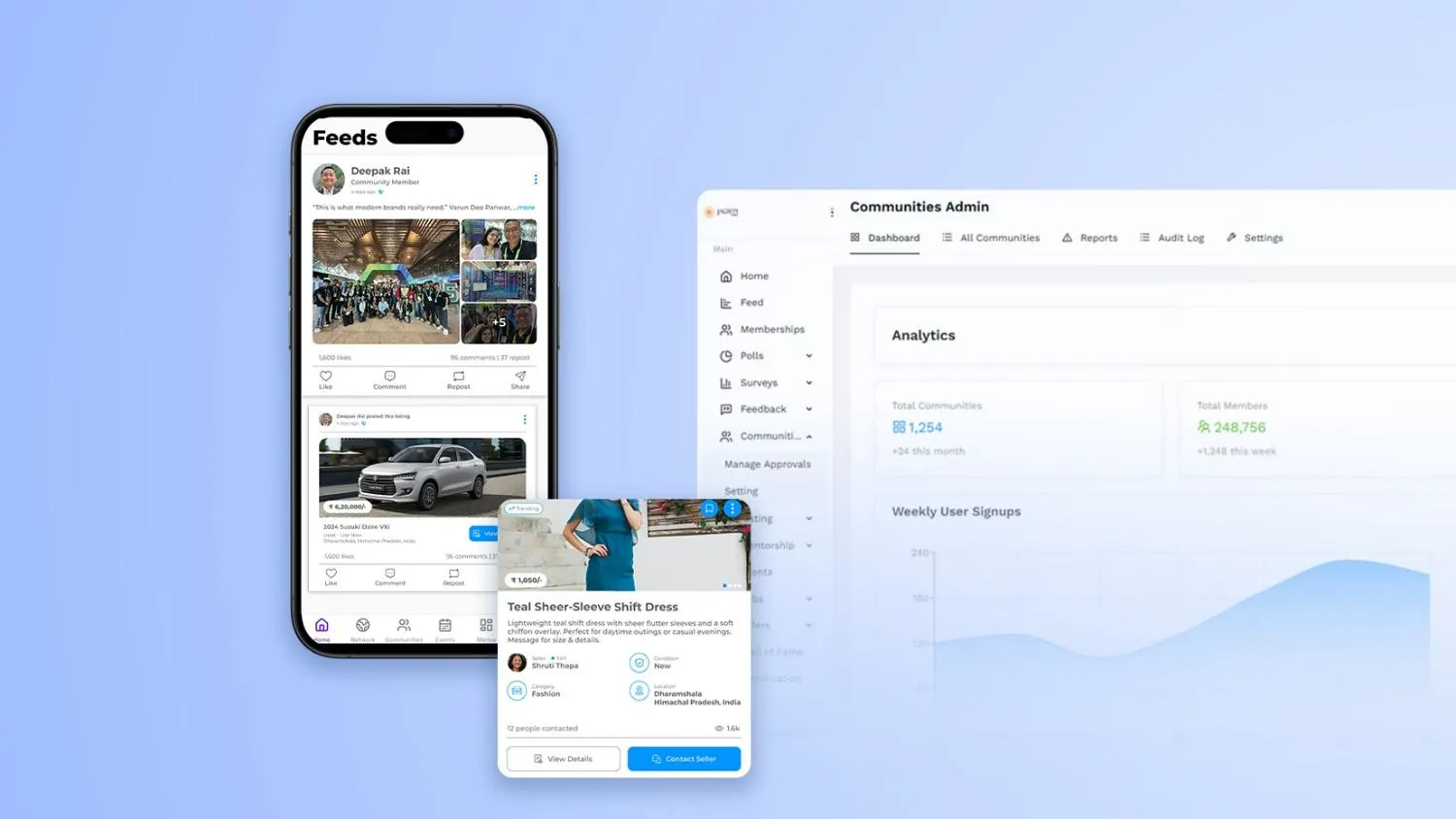
Best Community Engagement Features: Discussions, Feedback & Polls
Every thriving community—whether it’s a customer hub, a learning network, a creator space, or a private member forum—stands on the same foundation: meaningful participation. People don’t return to communities because they’ve been told to; they return because they feel heard, helpful, and connected. The right community engagement tools make those feelings repeatable and scalable.
This guide digs into the best community engagement features, focusing on discussions, feedback tools, and community polls and voting features. You’ll learn how each piece works, how they complement one another, and how to deploy them in a way that boosts participation without overwhelming your members or your team. Along the way, we’ll highlight configuration tips, UX patterns, moderation basics, analytics ideas, and common pitfalls to avoid.
If you’re comparing platforms or planning an upgrade, you can implement everything in this article with modern community-building tools like those available with Thrico. Let’s get practical.
What Are Community Engagement Features?
Community engagement features are purpose-built tools that invite members to interact with each other and your brand. They transform a static content feed into a participatory experience. In practice, this means:
● Tools that encourage user interaction: posting, replying, reacting, voting, asking questions, sharing use cases, suggesting improvements, and celebrating wins.
● Spaces to share opinions, ideas, and questions: threads, Q&A blocks, polls, surveys, suggestion boxes, and structured feedback workflows.
● Systems that improve platform activity, retention, and trust: notifications, recognition (badges, levels), moderation controls, and transparency features (e.g., public roadmaps for accepted suggestions).
A strong engagement stack turns a one-way broadcast channel into a flywheel: members contribute, their contributions are acknowledged, and that acknowledgment invites more contribution. That’s the loop you’re building.
Why Community Engagement Matters
1. Boosts user participation
When you offer easy ways to converse and vote, more members cross the threshold from reading to contributing. Low-friction mechanics like emoji reactions and single-click polls are powerful on-ramps.
2. Creates loyal communities
Participation changes identity: people who have posted, answered, or helped others begin to see themselves as members, not visitors. That shift is the seed of loyalty.
3. Helps platforms gather insights
Every reply, vote, and suggestion is a signal. With the right analytics, you can spot emerging topics, pain points, feature requests, and power users—without sending another email survey.
4. Increases content visibility and brand trust
Active discussions lift discoverability inside your community and across channels. Transparent feedback loops—“you said X, we built Y”—build credibility that marketing alone can’t buy.
Best Community Engagement Features
Below is a practical look at the core features you should prioritize, complete with configuration tips, UX guidance, and common pitfalls. Use this as a blueprint when implementing with your platform or while evaluating vendors like Thrico.
1. Discussion Forums
What it is: Topic-based threads where members start conversations, share knowledge, and collaborate asynchronously.
Why it works: Forums create structured knowledge. Unlike a chat stream, threads are easy to find later and encourage thoughtful, evergreen contributions.
Must-have capabilities
● Topic categories and tags: Categories act as neighborhoods; tags make cross-topic discovery easier.
● User replies & nested comments: Nesting keeps context clear, especially in technical or educational threads.
● Rich text & attachments: Formatting, code blocks, images, and files turn a post into a useful mini-guide.
● Moderation tools: Flagging, shadow bans, merge/split threads, moving posts to relevant categories, and templated moderator replies.
● Search & surfacing: Smart search, “related threads,” and auto-suggest while typing a new post to avoid duplicates.
● Permissions & roles: Private areas for beta testers or mentors; read-only categories for announcements.
2. Configuration tips
● Start with a simple category taxonomy (3–6 top-level categories). Expand only when volume and topics demand it.
● Publish posting guidelines pinned at the top: how to ask for help, how to title a thread, what to include.
● Seed each category with anchor threads (FAQs, starter kits, best practices) to demonstrate quality.
Pitfalls
● Too many categories too early.
● Allowing unresolved threads to languish—use “accepted answer” or “solution” markers.
● Over-moderating tone; under-moderating spam. Aim for clear, consistent standards.
3. Real-Time Comments
What it is: Live, inline commenting on posts, articles, videos, events, or updates—often with rapid page-less updates.
Why it works: Instant feedback creates momentum. Members feel like they’re in the room together—even when they’re asynchronous across time zones.
Must-have capabilities
● Live commenting: Comments appear without reload; users see “someone is typing” indicators.
● Reaction emojis: Quick, low-effort sentiment. Great for celebrating wins and acknowledging contributions.
● Tagging & mentions: Pull the right person into the conversation; reduce orphaned questions.
● Threaded replies: Avoids chaotic stacks; keeps discussions tidy on long posts.
Configuration tips
● Encourage comment prompts at the end of posts (“What would you add?” “Where did you get stuck?”).
● Add rate limits and spam heuristics to protect quality without blocking legitimate bursts of activity.
● Use lightweight badges like “First Comment” or “Top Comment” to nudge shy members.
Pitfalls
● Comment fatigue under announcements; switch to Q&A mode for high-volume events.
● Leaving questions unanswered—establish a moderator SLA (e.g., triage within 24 hours).
4. Feedback Tools
What it is: Intuitive systems for capturing opinions, suggestions, and evaluations—ranging from simple reactions to structured proposals.
Why it works: Feedback tools convert vague sentiment into actionable input without demanding long surveys.
Must-have capabilities
● Like/dislike or upvote/downvote buttons: Clear signals with minimal friction.
● Rating systems: 1–5 stars or 0–10 scales for resources, events, or product features.
● Suggestion boxes/idea boards: Members submit ideas, upvote others, and track status (e.g., “Under Review,” “In Progress,” “Shipped”).
● Feedback templates: Prompt users for use cases, impact, and alternatives to improve the quality of suggestions.
Configuration tips
● Tie feedback statuses to public updates. Even a simple “we’re exploring this” maintains trust.
● Reward quality, not volume: highlight well-articulated proposals with badges or staff picks.
● Bundle feedback with context: allow attachments, screenshots, or short videos.
Pitfalls
● Black-hole feedback—members never see outcomes.
● Low-signal voting (bandwagoning). Consider weighted votes from contributors with a track record.
5. Polls & Voting
What it is: Lightweight, time-bound questions with visible results that help you prioritize and learn preferences.
Why it works: People love being asked—and love seeing the outcome. Polls deliver fast insights and spark conversation.
Must-have capabilities
● Single-choice & multi-choice polls: Use single choice for prioritization; multi-choice for feature interest.
● Quick voting options: One click to answer, optional comments for context.
● Instant or scheduled results: Choose whether to reveal in real time or only after voting closes to prevent bias.
● Anonymous mode: Encourage honesty on sensitive questions.
● Recurring pulse polls: Track sentiment over time (e.g., monthly NPS-style check-ins).
Configuration tips
● Always include an “Other” + comment field; it surfaces ideas you didn’t anticipate.
● Wrap polls in discussion prompts (“Why did you pick this?”) to collect qualitative insights.
● Pair polls with follow-up actions: office hours, roadmap updates, or documentation sprints.
Pitfalls
● Polling for everything; decision fatigue is real.
● Leading questions. Keep wording neutral and options balanced.
6. Q&A Sections
What it is: Structured spaces where members ask questions and the best answers float to the top.
Why it works: Q&A captures tacit knowledge and reduces repetitive support tickets.
Must-have capabilities
● Accepted answers & upvotes: Surface the most helpful content quickly.
● Duplicate detection: Suggest existing threads as members type.
● Expert tagging: Empower recognized contributors (e.g., mentors) to validate answers.
● Snippet library: Convert great answers into reusable knowledge base entries.
Configuration tips
● Introduce topic experts with profile badges; rotate “Office Hours” or “Ask Me Anything” to seed high-quality answers.
● Close the loop by linking Q&A to product updates or documentation improvements.
Pitfalls
●Letting old answers go stale. Periodically review and refresh high-traffic Q&A items.
● Rewarding speed over accuracy. Weight acceptance and upvotes more than first-response time.
7. User Profiles & Badges
What it is: A light layer of gamification where reputation and milestones become visible.
Why it works: Recognition fuels participation. Profiles and badges make contributions legible.
Must-have capabilities
● Reputation system: Points or levels for verified contributions (solutions, accepted feedback, event hosting).
● Role badges & achievements: “Moderator,” “Mentor,” “Beta Cohort,” plus “100 Helpful Replies,” “Top Pollster,” etc.
● Profile completeness meter: Nudges members to add skills and interests, which improves recommendations.
Configuration tips
● Tie badges to real privileges (posting in advanced categories, early feature access).
● Make the first few levels easy to reach; increase thresholds gradually.
Pitfalls
● Badge inflation—too many, too easy.
● Rewarding quantity alone; always balance with quality signals.
8. Content Sharing Options
What it is: Tools that make it easy to distribute content inside the community and, when appropriate, to external channels.
Why it works: Sharing increases reach and brings in fresh perspectives.
Must-have capabilities
● Internal resharing: “Share to channel/group,” “Recommend to a member,” or “Pin to category.”
● External share controls: For public communities, allow link sharing to social platforms; for private ones, support invite-only share with expiring links.
● Embeds & previews: Clean, accessible link cards and inline media.
Configuration tips
● Offer a weekly digest that curates top discussions, accepted answers, and active polls.
Pitfalls
● Encourage members to summarize why they’re resharing (“This helped me solve X.”).
● Spammy resharing; add cooldowns and quality filters (e.g., only threads with accepted answers or staff picks).
9. Notification System
What it is: Alerts that bring members back at the right time for the right reason.
Why it works: Timely notifications reduce missed replies, increase participation in polls, and sustain conversation momentum.
Must-have capabilities
● Mentions, replies, likes: The basics, delivered via in-app, email, or mobile push.
● Follow & subscribe options: Members choose which threads, categories, or authors to follow.
● Digest modes: Daily/weekly summaries prevent overload.
● Smart quiet hours: Respect time zones and preferences.
Configuration tips
● Set sane defaults: enable replies and mentions; batch likes into digests.
● Offer a one-click “unsubscribe or tune settings” in every notification.
Pitfalls
● Over-notifying; members tune out or churn.
● Under-notifying; threads stall and questions go unanswered.
Use Cases of Engagement Features
These patterns are versatile. Here’s how different communities benefit when they combine discussion forum features, feedback tools for communities, and community polls and voting features.
1. E-learning communities
● Discussion forums for course topics and project critiques.
● Q&A sections to clarify assignments and share solutions.
● Pulse polls to gauge confidence levels each week and adapt instruction.
● Badges for peer mentors and consistent contributors.
2. Brand support forums
● Q&A with accepted answers reduces ticket load.
● Idea boards prioritize fixes and feature requests transparently.
● Notifications ensure both staff and users follow up on unresolved issues.
● Digests surface resolved threads and product updates.
3. Creator communities
● Live comments & AMAs energize content drops.
● Polls decide topics for the next tutorial or livestream.
● Badges & levels unlock backstage channels for superfans.
● Feedback templates collect testimonials and use cases.
4. Gaming communities
● Forums for guild recruitment, strategy sharing, and patch notes.
● Event polls schedule tournaments.
● Kudos & reactions celebrate wins and community art.
● Moderation keeps competition healthy.
5. SaaS platforms
● Discussion spaces for implementation patterns and integrations.
● Roadmap voting turns customer feedback into prioritization data.
● Q&A reduces repeated support questions.
● Profiles & expertise tags highlight champions and partner experts.
For an integrated toolkit that covers these use cases, explore Thrico’s features.
Benefits of Using Discussions, Feedback & Polls Together
1. Increases platform activity
Discussions spark replies; polls rekindle engagement on quiet days; feedback boards give contributors a destination for ideas. Together, they create reliable participation cycles.
2. Helps understand user opinions
Polls quantify preferences; feedback boards capture context; discussions explain the why. The combination gives you both numbers and narratives.
3. Encourages meaningful conversations
Poll results kick off debates. Feedback ideas evolve through threaded critique. Accepted answers set quality bars. Members don’t just speak—they build on each other.
4. Builds a loyal user base
Visibility of impact fuels belonging: “My vote influenced this roadmap.” “My answer helped 30 people.” Recognition and outcomes create long-term attachment.
Implementation Playbook: From Zero to Engaged Community
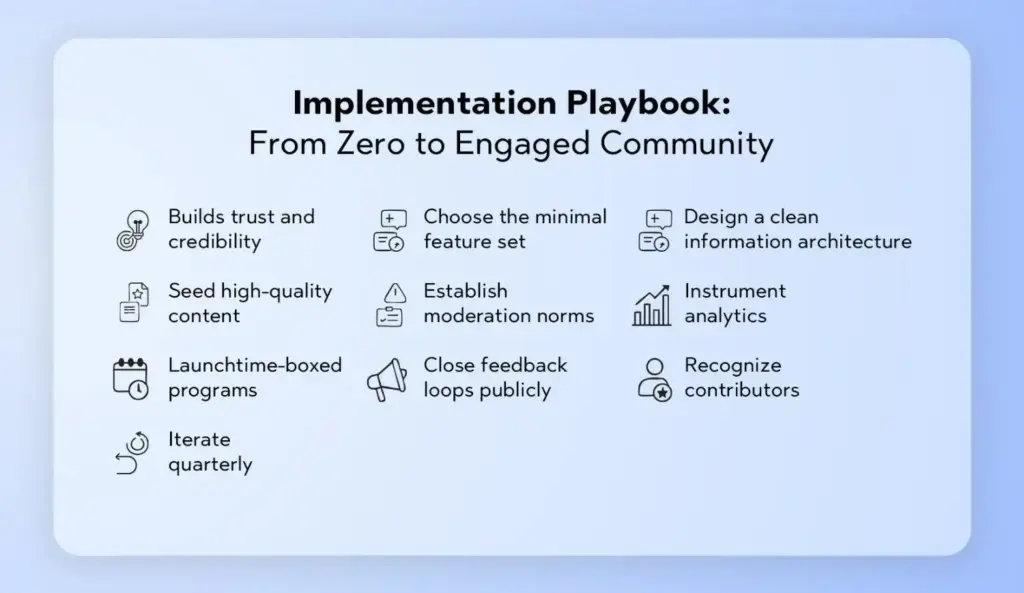
- Define your engagement thesis. What behaviors matter most? Example: “We want more accepted answers, more peer mentorship, and faster feedback loops.”
- Choose the minimal feature set. Start with forums + Q&A + polls + notifications. Layer in feedback boards and badges once your basics hum.
- Design a clean information architecture. Limit categories, standardize naming, and create shortcuts: “Start a question,” “Share an idea,” “Vote on priorities.”
- Seed high-quality content. Publish exemplary threads, starter polls, and model feedback posts. Invite internal experts to answer quickly for the first two months.
- Establish moderation norms. Clear guidelines, escalation paths, and friendly templates (“Thanks for posting! Here’s how to add logs/screenshots.”).
- Instrument analytics. Track topic participation, solution rates, time to first reply, poll response rates, and conversion from reader → contributor.
- Launch time-boxed programs. Themed weeks, AMAs, voting windows, and learning sprints create urgency and predictable beats.
- Close feedback loops publicly. Highlight shipped ideas, summarize poll insights, and celebrate accepted answers in a weekly digest.
- Recognize contributors. Profiles, badges, shoutouts, and privileges (e.g., access to beta groups) turn activity into identity.
- Iterate quarterly. Retire low-value mechanics, re-weight points, refresh categories, and introduce new interactive formats.
You can implement this end-to-end with flexible community engagement tools like those offered by Thrico.
UX Patterns That Elevate Engagement (and Reduce Friction)
● The “compose anywhere” pattern: A global “New Post” button that opens a composer with context (category, template) preselected.
● Inline question prompts: At the end of articles or videos, show “Ask a question” with your Q&A composer inline.
● Smart defaults: Auto-follow threads you start or comment on; enable mention notifications by default; batch reactions into a daily digest.
● Gentle gamification: A subtle progress bar toward your next badge, plus a nudge—“One accepted answer away from Community Helper.”
● Contextual polls: Embed quick polls inside relevant threads rather than isolating them in a separate area.
● Resolution workflows: “Mark as solved,” “Request more info,” and “Convert to knowledge base” buttons that keep threads moving.
● Accessibility by design: Keyboard navigation, alt text fields, clear contrast, and text alternatives for emoji-heavy UIs.
● Mobile-first interactions: Tap-friendly reactions, long-press quick-reply, and simplified poll responses.
Governance, Safety, and Moderation: Building Trust at Scale
Engagement without safety collapses. Protect members and keep conversations constructive with a blend of policy, people, and product.
● Clear community guidelines: Tone expectations, prohibited content, and consequences. Pin them and reference them in moderator messages.
● Role-based moderation: Tiered permissions for staff, trusted members, and external experts.
● Proactive tooling: Keyword alerts, rate limiting, link reputation checks, and first-post review for new accounts.
● Fair enforcement: Use templated explanations and an appeal channel. Err on the side of teaching first, punishing second.
● Privacy controls: Anonymous polls, private categories, and granular notification settings.
● Transparency: Monthly “trust & safety” notes summarize actions taken and policy tweaks.
Platforms like Thrico include moderation primitives you can tailor to your community’s culture and risk profile.
Measurement: The Metrics That Matter
To know whether your best community engagement features are working, track signals across four layers:
1. Reach & Activation
○ New members who make a first post/comment within 7 days
○ Poll participation rate on first visit
○ Profile completion percentage
2. Engagement Quality
○ Ratio of replies to original posts
○ Accepted answers rate (Q&A)
○ Average feedback post quality (staff-scored or community-scored)
3. Conversation Health
○ Time to first reply and time to accepted answer
○ Moderator interventions per 100 posts (lower is better after launch)
○ % of threads that receive at least one reaction or reply
4. Outcomes & Retention
○ 28-day and 90-day returning contributors
○ Ideas moved to “In Progress” and “Shipped”.
○ Churn vs. active rate among members who received recognition
Build a monthly engagement review where you correlate campaigns (AMAs, polls, releases) to these metrics and decide what to tweak next.
Common Mistakes to Avoid
● No moderation control: Without clear rules and tools, discussions degrade. Put guardrails in place from day one.
● Complex user flow: Too many steps to post or vote kills momentum. Aim for one-click starts.
● Overcrowded UI: Resist the urge to display every widget. Prioritize clarity; hide advanced controls behind “More” menus.
● Lack of notifications: A community without reminders is a ghost town. Provide thoughtful defaults and easy tuning.
● Ignoring user feedback: If ideas disappear into silence, members will, too. Always acknowledge and update.
Launch Checklist
● Define outcomes and core actions
● Map points to impact, not volume
● Create a level ladder with clear perks
● Design a badge set that tells a story
● Implement weekly/monthly leaderboards
● Add kudos and social recognition
● Plan a 30–60 day challenge calendar
● Configure analytics dashboards
● Pilot with a small group, then roll out
● Celebrate publicly and iterate quarterly
Want a single place to configure these? Review Thrico’s community building tools.
Practical Examples: Bringing Features Together
Example A: Customer Education Hub
● Kickoff poll: “Which tutorial should we build next?” → Drives early voting.
● Threaded discussion: Members share current roadblocks; product educators reply with workarounds.
● Q&A wrap-up: Top replies marked as solutions and added to a “Start Here” resource.
● Feedback loop: Suggestions tagged “Docs Request → Shipped” with a weekly summary post.
● Result: Higher course completion, fewer duplicate support tickets, and a growing library of solved posts.
Example B: Feature Launch Program
● Pre-launch pulse poll: Gauge readiness and training needs.
● Launch-day AMA: Real-time comments boost energy and adoption.
● Idea board: Collect improvements and rank them by impact.
● Recognition: “Launch Champion” badge for members who share verified implementation guides.
● Result: Faster adoption, actionable backlog, and public proof that feedback turns into outcomes.
Example C: Creator Community Season
● Season poll: Members vote on the next theme.
● Weekly discussion prompts: “Show your workflow,” “Share your process video.”
● Feedback thread: Members critique each other’s work using a simple rubric.
● Final showcase: Poll for “community favorite,” plus a highlight reel post.
● Result: Sustained participation and an archive of high-quality, community-generated content.
Content Strategy: Feeding the Engagement Engine
Your features need fuel—prompts, topics, and rituals.
● Editorial calendar: Plan weekly prompts, monthly AMAs, and quarterly feedback cycles.
● Member spotlights: Interview top contributors; invite them to host a Q&A.
● Theme months: “Integration February,” “Accessibility April,” “Performance June.”
● Ritual posts: “Wins of the Week,” “What I Learned,” “Wishlist Wednesday.”
● End-of-month summaries: Close loops on polls and feedback; preview next month’s theme.
With the right platform (see Thrico’s features), you can template these rituals and automate reminders.
Accessibility, Inclusion, and Global Reach
Healthy engagement includes everyone. Bake inclusion into your features:
● Accessible design: Keyboard-navigable components, proper ARIA roles, alt text prompts, and readable contrast.
● Language awareness: Glossaries for jargon; clear labels for voting options; avoid idioms in polls.
● Time-zone fairness: Keep polls open for several days; rotate live events; provide recordings and written recaps.
● Multiple contribution paths: Some people write; others vote, react, or share screenshots. Value all forms.
● Psychological safety: Provide anonymous modes for sensitive topics and visible escalation paths for harassment reports.
Long-Term Governance: Keeping Quality High as You Scale
● Evolve categories as volume grows; archive dead areas to reduce noise.
● Rotate moderators to avoid burnout and broaden perspectives.
● Refresh badges and levels annually to keep them meaningful.
● Retrospectives each quarter on moderation incidents, policy updates, and tooling gaps.
● Sunset features that don’t earn their keep; replace them with focused experiments.
Final Thoughts and Next Steps
You don’t need every feature under the sun. Start with discussion forums, real-time comments, feedback tools, polls, and notifications—then iterate. Anchor your system in clarity (simple UX), trust (moderation and transparency), and recognition (profiles and badges). Use analytics to double down on what works and sunset what doesn’t.
Ready to assemble these best community engagement features without stitching together a dozen tools? Explore how Thrico’s community-building tools give you discussions, feedback, polls, Q&A, notifications, and recognition features in a cohesive, scalable package—so you can focus on cultivating the conversations that make your community indispensable.
FAQ
A focused stack—discussion forums, Q&A, real-time comments, feedback tools, polls, and smart notifications—delivers the biggest gains. Layer in profiles and badges to recognize impact and digests to sustain momentum.
Discussions build institutional memory. They capture context, allow thoughtful replies, and remain discoverable—unlike fleeting chat. Over time, well-organized threads become your living knowledge base.
Polls lower the barrier to participation to a single click and provide instant gratification through results. They’re perfect for prioritization, quick sentiment checks, and sparking deeper discussion in the comments.
Feedback tools transform opinions into actionable signals. Idea boards, votes, and statuses (“Under Review,” “Planned,” “Shipped”) make members feel heard and show your team’s responsiveness.
Start simple: define outcomes, launch with forums + Q&A + polls, set clear moderation norms, send thoughtful notifications, and close feedback loops. Recognize contributors and run time-boxed programs that create rhythm.
Inline composers, mentions, reaction emojis, comment prompts, embedded polls, accepted answers, badges tied to real privileges, and weekly digests all help convert readers into contributors.
They bring people back at the right moment (a reply, a mention, a poll result) and prevent threads from stalling. Provide digests to reduce overload and let members tune their preferences easily.
Use single-choice for prioritization and multi-choice for interest mapping. Add an “Other (comment)” option, use neutral wording, and consider delayed results to reduce bias.
Consistent, fair moderation protects psychological safety and content quality. It discourages spam, guides tone, and enforces rules—allowing genuine conversation to flourish.
Yes. When members receive quick replies, see their votes influence outcomes, and earn recognition, they develop identity and attachment—the core drivers of long-term retention.