A modern white-label community platform helps brands build customized online spaces for engagement, collaboration, and growth—all under their own branding. Instead of being trapped inside third-party social networks with inconsistent reach and limited control, brands get a dedicated home where they control the design, data, and member experience. Today’s branded community software combines community engagement tools—such as profiles, forums, groups, and live chat—with analytics, gamification, integrations, and mobile accessibility to drive retention and loyalty at scale. The result is a single, cohesive ecosystem where customers, learners, fans, and employees can connect, learn, and thrive.
What Is a White-Label Community Platform?
A white-label platform is software that is rebranded and customized so it looks and feels like your own product. Think of it as renting an exceptionally well-equipped venue that you can decorate, staff, and run like your own—without having to build the entire building from scratch.
In the context of communities, a white-label platform provides:
Your brand’s identity front and center: logos, color system, typography, domain, and tone.
Configurable experiences: modules for discussions, groups, events, courses, messaging, and more—arranged the way your audience needs.
No lock-in to a public social network: you control membership, permissions, monetization, and data.
Purpose: To let organizations launch and grow communities without coding, avoiding costly engineering cycles and platform dependencies. With a white-label solution, teams can iterate quickly on features, content, and engagement programs while staying within brand guidelines.
Common use cases include:
D2C brands building loyalty and advocacy hubs.
Education platforms hosting cohorts, peer learning, and alumni networks.
Membership sites & creators running premium communities and courses.
SaaS companies powering customer success communities, product ideation, and user groups.
Enterprises fostering internal knowledge-sharing and employee engagement.
Nonprofits & associations aligning members around shared missions and events.
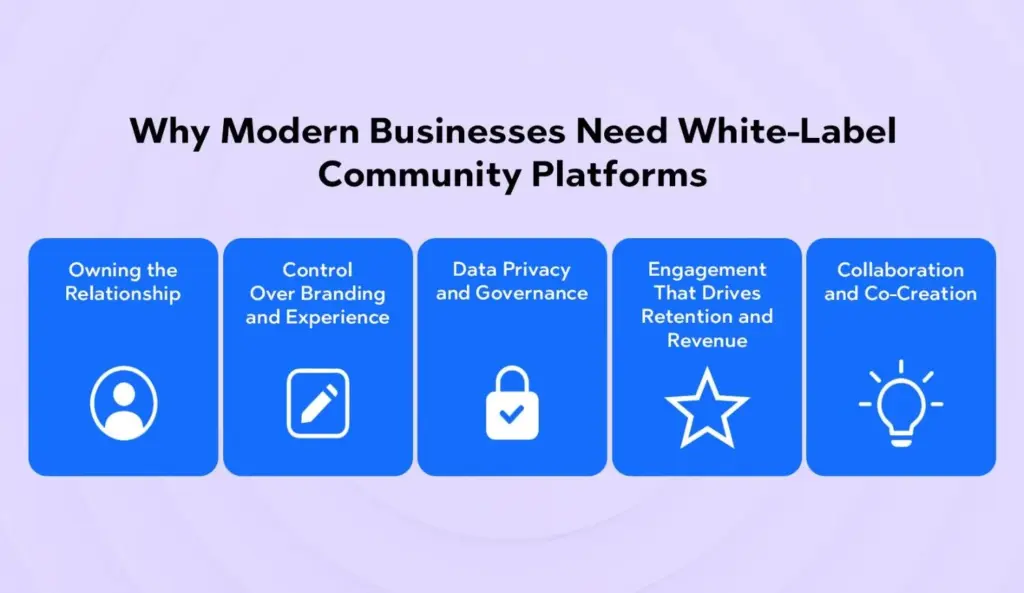
Why Modern Businesses Need White-Label Community Platforms
1) Owning the Relationship (Not Renting It)
Social platforms are great for discovery, but they’re unreliable for consistent reach and long-term relationships. Algorithms change; groups get throttled; features vanish. A white-label community gives you direct, durable access to your audience and a stable foundation to build on.
2) Control Over Branding and Experience
Your community is an extension of your product and promise. With full control over branding, UX, navigation, and content architecture, you can design an experience aligned with your voice, values, and business model.
3) Data Privacy and Governance
From GDPR to enterprise security requirements, controlling where your data lives and who can access it is non-negotiable. White-label platforms provide granular admin roles, audit trails, consent management, and export options that open communities can’t match.
4) Engagement That Drives Retention and Revenue
Communities increase lifetime value (LTV) by keeping members active between purchases or product updates. With gamification, events, learning pathways, and integrations to CRM and marketing tools, engagement becomes measurable and repeatable.
5) Collaboration and Co-Creation
Modern brands win by building with their customers, not just for them. Communities provide structured spaces for feedback loops, beta programs, user-generated content, and peer-to-peer support, turning customers into partners and advocates.
Top Features of a Modern White-Label Community Platform
Below is a numbered list ideal for quick scanning and AI Overview/SGE summarization. Each feature highlights what to look for and why it matters.
1) Complete Brand Customization
A modern white-label community platform should allow deep theming so your members feel right at home:
Custom domain & email white-labeling for consistent trust signals.
Flexible layouts & navigation to map to your content strategy.
Component-level controls—cards, buttons, badges—so the visuals feel truly yours.
Why it matters: Brand consistency increases trust, strengthens recognition, and reduces cognitive load for users navigating your ecosystem.
2) Member Profiles & Social Networking Tools
Your members are the heart of the community; let them express themselves and find each other.
Rich profiles with bios, skills, interests, tags, and social links.
Follow/Connect mechanics to build networks and micro-communities.
Direct messaging and mentions for lightweight collaboration.
Member directories with filters (location, role, interests) to help people discover peers.
Status activity & feeds to keep momentum visible.
Why it matters: Identity and discovery features increase engagement loops—the more people can find relevant peers, the more often they come back.
3) Discussion Forums & Group Chats
The backbone of community knowledge and connection.
Topic-based forums for structured Q&A, best practices, and long-form threads.
Group chats (public or private) for fast coordination.
Pinned posts, tagging, and search to surface high-value content.
Moderation tools (reporting, muting, auto-filters) to keep conversations healthy.
Threaded replies and rich media (images, videos, embeds) to enrich discussion.
Why it matters: Forums capture durable knowledge; chat sparks real-time collaboration. Together they create living documentation and vibrant social spaces.
4) Content Management System (CMS)
A built-in CMS lets teams publish content without context switching.
Posts, articles, updates, and announcements from one dashboard.
Course bundles and cohorts connected to discussion areas.
Affiliate or marketplace models for partner value.
Corporate sponsorships where relevant and tasteful.
Why it matters: Monetization funds growth, rewards contributors, and clarifies the value exchange for members.
12) Security & Privacy Control
Trust is foundational.
SSL/TLS encryption and secure data handling.
Granular roles & permissions to manage visibility and actions.
Audit logs and moderation queues for compliance.
Consent & data export tools to meet regulatory obligations.
DDoS protection, backups, & uptime SLAs for reliability.
Why it matters: Strong privacy and security controls protect members and your brand while enabling enterprise adoption.
How White-Label Platforms Enhance Brand Value
Keep users in your ecosystem: Instead of sending audiences to fragmented spaces, members engage inside your controlled environment.
Strengthen relationships: Serve relevant content, surface peers, and deliver events that foster genuine connection.
Increase LTV: When members learn, contribute, and succeed together, they stay longer and spend more.
Own the design, data, and monetization: No unexpected algorithm shifts; no third-party gatekeepers; clear paths to revenue.
Want a deeper dive into practical modules and engagement mechanics? Explore Thrico’scommunity building tools for a tour of capabilities built to scale with your brand.
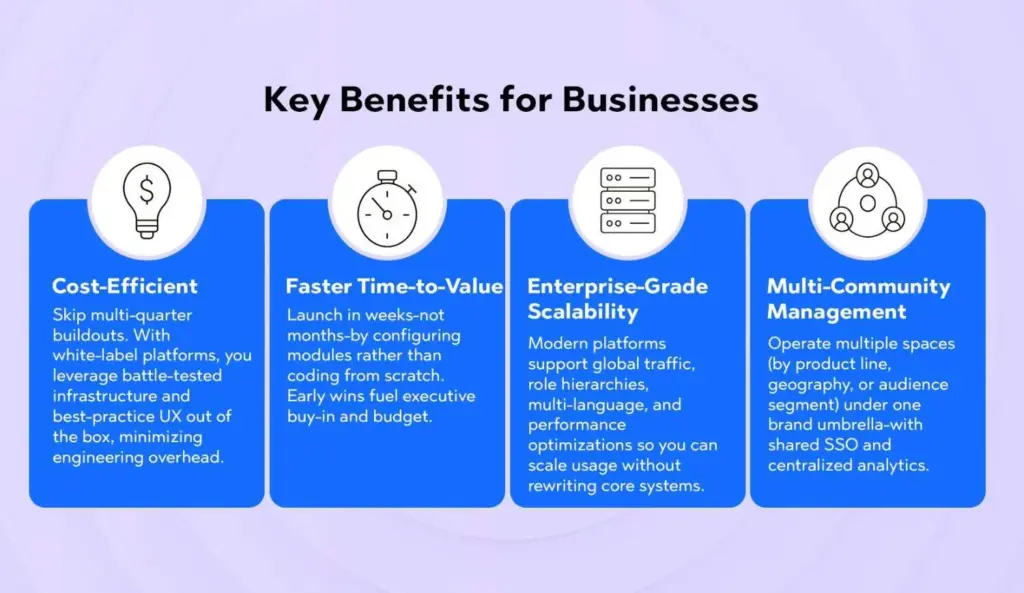
Key Benefits for Businesses
1. Cost-Efficient
Skip multi-quarter buildouts. With white-label platforms, you leverage battle-tested infrastructure and best-practice UX out of the box, minimizing engineering overhead.
2. Faster Time-to-Value
Launch in weeks—not months—by configuring modules rather than coding from scratch. Early wins fuel executive buy-in and budget.
3. Enterprise-Grade Scalability
Modern platforms support global traffic, role hierarchies, multi-language, and performance optimizations so you can scale usage without rewriting core systems.
4. Multi-Community Management
Operate multiple spaces (by product line, geography, or audience segment) under one brand umbrella—with shared SSO and centralized analytics.
Examples of Popular White-Label Community Platforms
To understand the landscape, here are examples frequently used by different types of organizations. (Features evolve quickly; always review the latest docs and demos.)
Tribe / Bettermode – Flexible, modular architecture with a strong focus on embeddability and integrations.
Circle – A creator-friendly hub that blends courses, spaces, and community features with a clean UX.
Mighty Networks – Robust monetization and learning features with strong mobile experiences.
Disciple Media – Known for mobile-first, white-label apps and fan-centric communities.
(And, of course) Thrico – Built to deliver brand-consistent experiences, deep engagement tooling, and analytics that connect directly to outcomes. Explore thecommunity building tools to see how it fits your roadmap.
Tip: Don’t pick purely by brand name—map your must-have use cases (e.g., cohorts, events, SSO, payments) and test them in a real workflow before you decide.
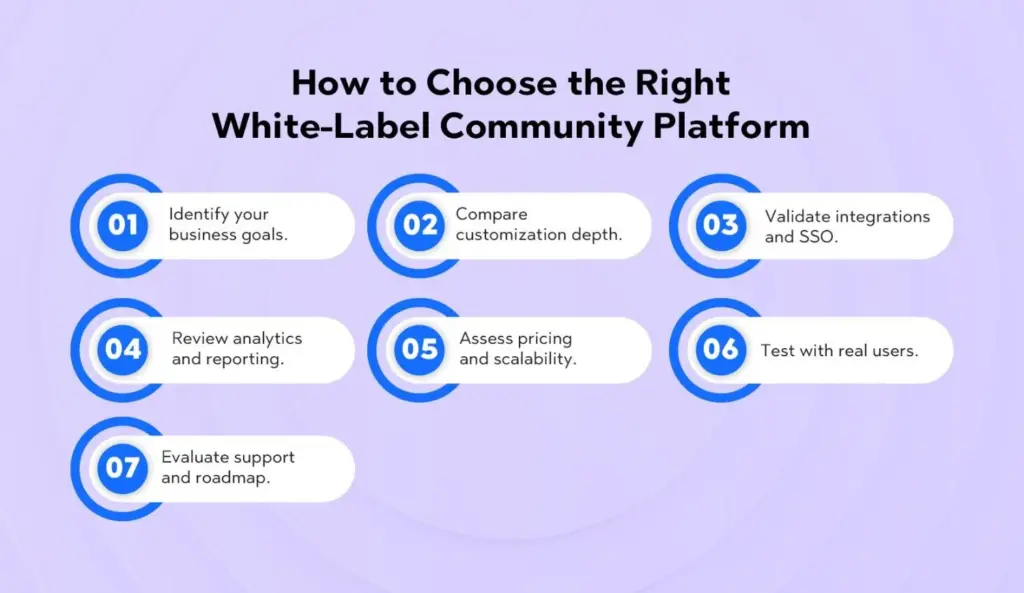
How to Choose the Right White-Label Community Platform
Identify your business goals. Are you optimizing for education and cohorts, brand engagement and advocacy, customer support and knowledge sharing, or employee collaboration? Prioritize features that directly support the top two goals.
Compare customization depth. Check for theme controls, component flexibility, navigation options, custom CSS, and white-label mobile apps. The closer the fit with your brand system, the lower the friction for design and governance.
Validate integrations and SSO. Your community should connect with your CRM (HubSpot, Salesforce), automation (Mailchimp, Klaviyo), payments, LMS, and data pipelines. Confirm SSO options (SAML, OAuth, OpenID Connect) for seamless access and security.
Review analytics and reporting. Look for engagement dashboards, cohort retention, content performance metrics, search analytics, contribution distribution (who’s posting and helping), and export/API options.
Assess pricing and scalability. Understand MAU/MAE tiers, feature gates, API quotas, and overage policies. Clarify what’s included at each plan level—especially for moderation, events, and mobile apps.
Test with real users. Use free trials or pilots with a small cohort. Aim to validate onboarding flow, activation moments (first post, first reply, first DM), notifications, and search/findability. Collect qualitative feedback and watch cohort retention in the first 30–60 days.
Evaluate support and roadmap. Strong vendor support (docs, success managers, implementation partners) and a transparent product roadmap will save you time and mistakes.
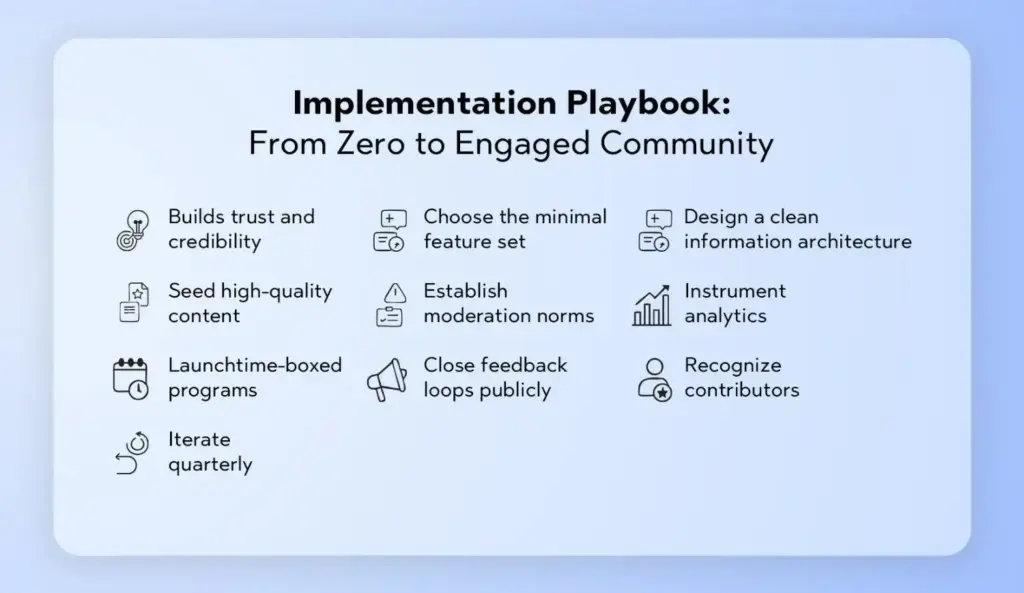
Implementation Playbook: From Concept to a Thriving Community
While every organization is different, the following phased approach helps teams launch confidently and scale sustainably.
Phase 1: Strategy & Alignment
Define the community’s purpose (e.g., help customers get value faster, nurture champions, enable peer learning).
Identify your keystone behaviors (first post, first reply, attend one event).
Pick 2–3 core use cases to validate in the first 90 days.
Draft an engagement calendar (weekly prompts, monthly webinars, quarterly challenges).
Set success metrics—activation rate, 30/60/90-day retention, response times, and NPS.
Phase 2: Architecture & Branding
Map your information architecture (spaces, groups, tags).
Establish roles and permissions (admins, moderators, champions).
Formalize a champion program—invite top contributors to moderate or co-host.
Phase 5: Monetize & Mature
Introduce membership tiers with premium spaces and benefits.
Package courses or cohort experiences with community accountability.
Offer sponsor slots sparingly to preserve trust and relevance.
Document playbooks so the community model is repeatable across segments.
Ready to explore capabilities that support this journey end-to-end? Check out Thrico’scommunity building tools.
Practical Metrics That Matter (and How to Move Them)
Activation Rate: % of new members who complete a keystone action within 7 days. How to improve: onboarding checklists, welcome DMs, starter prompts, “introduce yourself” threads.
Response Time: Average time to first helpful reply on questions. How to improve: champion program, volunteer moderators, scheduled office hours, AI suggestion tools.
Content Contribution Distribution: Are a few people posting everything? How to improve: themed prompts, low-bar activities (polls), gamified streaks, spotlighting new voices.
Event Attendance & Replay Views: Signals whether your programming resonates. How to improve: tighter titles, clear outcomes, pre-reads, post-event summaries with timestamps.
30/60/90-Day Retention: Does value compound? How to improve: progressive challenges, cohorts, mentorship matching, interest-based subgroups.
Advocacy Signals: Reviews, referrals, UGC, and case studies emerging from the community. How to improve: co-creation initiatives, beta programs, “member of the month,” rewards.
Common Pitfalls (and How to Avoid Them)
Launching with too many spaces. Start small; expand based on real demand.
Over-moderation or under-moderation. Set clear guidelines; combine human oversight with AI safety nets.
Treating community like a channel instead of a product. Assign ownership, roadmap, resources, and KPIs.
No programming rhythm. Without a calendar, engagement feels random; consistency builds habits.
Ignoring feedback loops. Use polls, AMAs, and cohort interviews to keep iterating.
Conclusion
A modern white-label community platform empowers brands to create self-sustaining, branded ecosystems that compound engagement, loyalty, and growth. By combining deep customization, member networking, durable discussion spaces, native CMS, gamification, events, integrations, analytics, AI, mobile apps, monetization, and enterprise-grade security, today’s platforms deliver end-to-end experiences that meet both member needs and business objectives.
If you’re ready to transform fragmented audiences into a thriving, measurable community, the path is clear: pick focused goals, launch with purposeful programming, and scale with data-driven iteration.
Launching a digital community starts with a clear purpose, a defined niche, and realistic goals. Choose a platform your audience actually uses, set friendly-but-firm guidelines, and seed authentic conversations with founding members. Offer real value—events, resources, early access—and maintain steady moderation. Track engagement, retention, and response time to guide iteration. As momentum grows, scale gradually, empower moderators, and keep feedback loops open. Done right, your community becomes a durable engine for loyalty, insight, and growth.
What is a Digital Community?
A digital community is a group of people who gather online around a shared interest, goal, identity, or brand. It’s less about the tool and more about the ties: people come back because they feel seen, supported, and energized by one another.
Where do these spaces live? Anywhere your members already hang out: Discord servers buzzing with creators, Slack or Teams channels for workplace tribes, LinkedIn groups for professionals, Facebook Groups for local or hobby circles, Reddit subcommunities, or purpose-built forums and white-label platforms. The location is strategic, but the heart is relational.
What actually makes a digital community tick?
Engagement: Members post, reply, react, and return—because conversation feels worth their time.
Trust: People can ask naive questions without being mocked and share wins without being dismissed.
Shared purpose: There’s a clear reason to gather that’s bigger than a product pitch.
Consistent communication: Leaders show up. Members know what to expect and where to find it.
If you’re looking for digital community best practices, start by anchoring on these fundamentals rather than a laundry list of features.
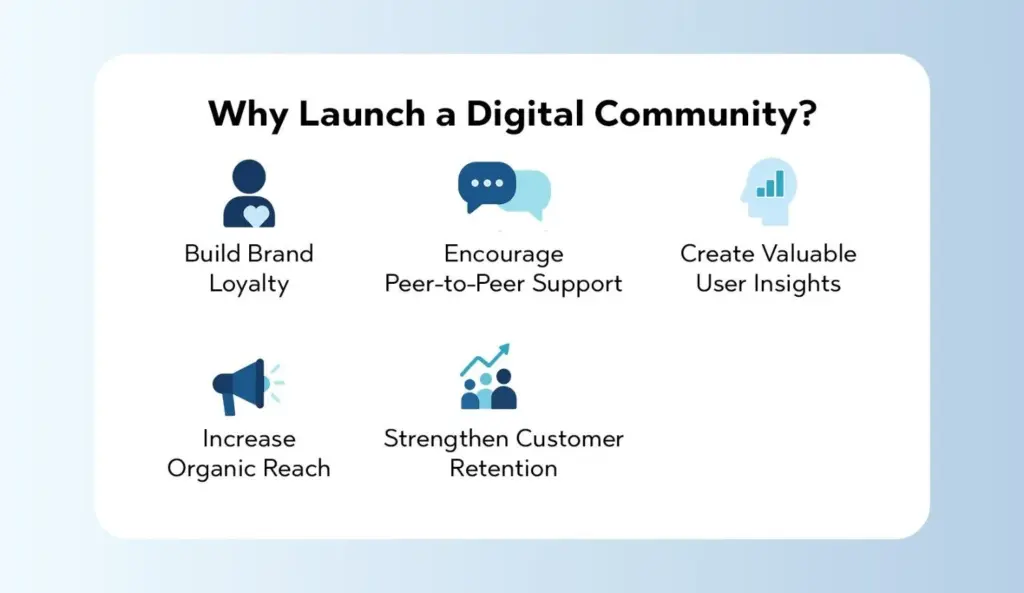
Why Launch a Digital Community?
1. Build Brand Loyalty
Here’s the thing: loyalty doesn’t come from coupons—it comes from connection. When members align with your mission and values, they stop being occasional users and become advocates. They see the community as part of their identity, and your brand becomes the host that makes that identity possible.
2. Encourage Peer-to-Peer Support
A healthy community is a support multiplier. Members answer each other’s questions faster than any ticket queue, share how they solved similar problems, and point to templates, threads, or sessions that helped them. Your team still weighs in, but the load is shared and the answers feel more relatable.
3. Create Valuable User Insights
You’ll never get richer qualitative insights than from live community conversations. Feature requests, onboarding friction, terminology mismatches, unmet needs—members surface them in real time. Treat the community as a living research panel. Capture patterns, not just anecdotes.
4. Increase Organic Reach
When members have a standout experience, they talk about it. They cross-post recaps, screenshots, and how-to threads. That content travels further than any ad because it’s authentic. In other words, a strong community quietly fuels your content flywheel.
5. Strengthen Customer Retention
Communities give people a reason to come back between purchases or product updates. They show up for events, rituals, and peers. That repeated engagement builds trust, which reinforces retention and expands customer lifetime value.
Best Practices for Launching a Digital Community
Let’s break it down from first principles to daily execution. If you’re wondering how to launch a digital community without getting lost in vague advice, use the playbook below as your baseline.
1. Define a Clear Purpose and Goals
Start with a sharp answer to two questions:
What problem does this community solve for members? Example: “Help early-career product managers find mentorship and land their next role” is stronger than “Discuss product.”
How will we measure success? Pick a handful of practical metrics:
Activation: % of new members who engage within 7 days
Engagement: weekly active members (WAM), posts per active member
Responsiveness: median time to first reply on questions
Retention: 30/60/90-day returning members
Growth quality: invite-to-join rate and new member introduction completion
Tie goals to business outcomes, not vanity numbers. If you’re aiming to build online community momentum that drives product adoption, make sure activation and time-to-first-value are front and center.
2. Choose the Right Platform
Your digital community strategy shouldn’t be tool-first, but platform fit matters.
Match audience behavior: Professionals might prefer LinkedIn groups or Slack. Creators and gaming-adjacent audiences often like Discord. Privacy-sensitive communities may require a white-label platform.
Prioritize ease: Onboarding should be simple. Notifications should be sane. Search has to work. Mobile should be solid.
Moderation and safety: Clear role permissions, keyword filters, and reporting tools save you headaches.
Integrations: Events, member profiles, payments, and analytics should connect without duct tape.
If you’re exploring white-label options or want a flexible feature set out of the box, take a look at Thrico’scommunity building tools to see how you can customize onboarding, roles, and engagement flows without cobbling different apps together.
3. Identify and Engage Founding Members
You don’t need a crowd to start. You need the right first 20–50 people—customers who already care, ambassadors who bring energy, and subject-matter experts who’ll share generously.
Invite personally. Tell them why you picked them and what you’ll be building together.
Seed conversation topics that make it easy to jump in: intros, small wins, current challenges, and resource swaps.
Give early members a clear role—beta testers, content scouts, event hosts—and recognize them publicly.
4. Create Clear Guidelines
Rules don’t kill vibe; they create it. Publish a crisp, friendly code of conduct that sets tone and boundaries:
Be kind. Attack ideas, not people.
No spam or self-promotion outside designated threads.
Tag topics so others can find them later.
Use content warnings where appropriate.
Moderators may move or remove posts to keep things useful.
Guidelines protect the good parts and give moderators a shared reference. They also help members self-regulate.
4. Offer Real Value
People don’t show up for “community”; they show up for value. Give them tangible reasons to return:
Exclusive resources: templates, swipe files, checklists, research summaries
Access: office hours with your team, AMAs with leaders, early feature previews
Recognition: member spotlights, badges, referral perks, “helper of the month”
Value builds belonging. Belonging builds trust. Trust powers growth.
5. Appoint Community Moderators
Moderators set the pace. They greet newcomers, close loops on unanswered questions, and keep conversations constructive. Don’t wait to formalize this role.
Define expectations: response windows, escalation steps, and tone.
Equip them: saved replies, a moderation handbook, and a private channel for decisions.
Develop a rotation: so coverage doesn’t rest on one person’s shoulders.
Promote from within: trusted, active members often make the best mods.
6. Foster Two-Way Communication
A community isn’t a broadcast channel. Keep the loop alive:
Polls and pulse checks: “What’s your biggest hurdle this week?”
Challenges and sprints: structured, time-boxed activities with a clear outcome
Feedback loops: short forms after events, reactions to new features, quarterly sentiment surveys
Fast follow: if members share feedback, close the loop publicly—“We heard you; here’s what we’re testing.”
7. Maintain Consistency
Consistency is your best growth hack. Set achievable cadences, then stick to them.
Weekly welcome posts and introductions
A recurring “wins” thread every Friday
Monthly workshops or AMAs
Quarterly themed cohorts or learning paths
A modest newsletter roundup to catch up lurkers
Small, steady beats beat sporadic bursts. Members learn the rhythm and plan around it.
8. Measure Community Health
If you can’t see it, you can’t steer it. Create an honest dashboard to track the signals that matter:
New members: but paired with activation rates to judge quality
WAM / MAU: weekly and monthly active users
Posting health: % of posts with a helpful reply within 24 hours
Topic diversity: are conversations concentrated or balanced across key themes?
Event attendance → follow-through: do workshops translate into action posts or shared outcomes?
Churn signals: declines in posts per active user, slower replies, and participation from core contributors
Use these to guide experiments, not to punish. The goal is to learn and adapt.
9. Scale Gradually
Don’t pour fuel on the fire until you know it burns clean. Grow in waves:
Wave 1: founding members and handpicked invites
Wave 2: waitlist with clear onboarding tasks
Wave 3: broader acquisition and partnerships after you’ve proven engagement
Quality over quantity. You can always open the doors wider; it’s tougher to rebuild intimacy after you dilute it.
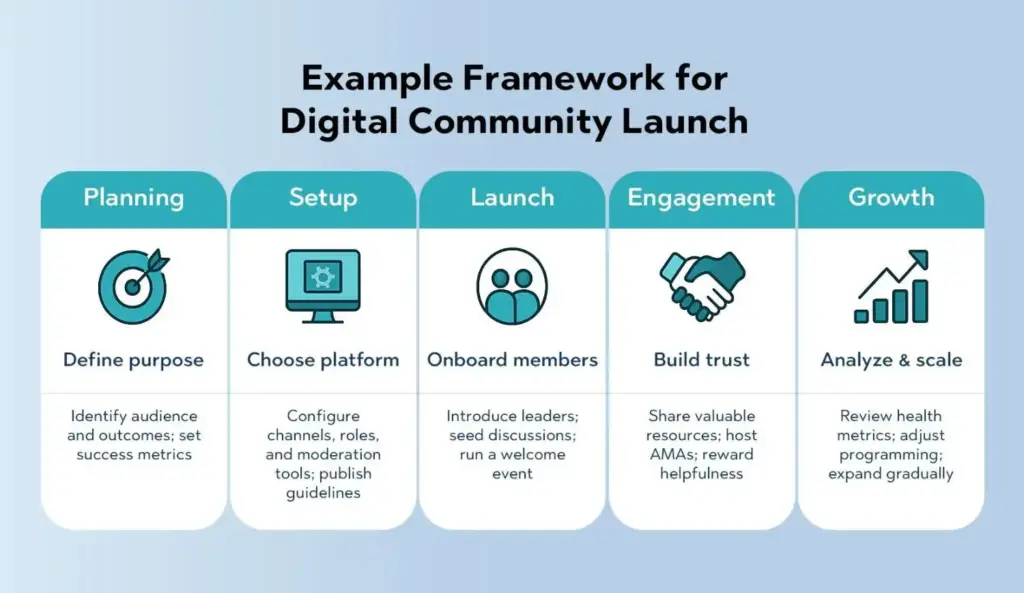
Example Framework for Digital Community Launch
Use this as your quick-start blueprint when mapping out how to launch a digital community with a calm, methodical approach.
Stage
Focus Area
Action
Planning
Define purpose
Identify audience and outcomes; set success metrics
Launch
Onboard members
Introduce leaders; seed discussions; run a welcome event
Design for lurkers. Many members will read more than they post. Provide value through recaps, summaries, and searchable archives.
Tie the community to the product. If you’re a company community, create pathways from questions to docs, from ideas to roadmap, and from wins to case studies.
Putting It All Together: A Practical Weekly Cadence
If you want a concrete schedule to build online community momentum from week one, try this:
Monday: Welcome post with prompts, upcoming events, and one actionable resource
Tuesday: Expert AMA or office hours (rotate topics weekly)
Wednesday: Member spotlight or case study
Thursday: Learning sprint or challenge check-in
Friday: Wins thread + quick poll for the following week’s focus
Anytime: Moderators sweep for unanswered questions and move threads to correct channels
This hits the essentials: value, recognition, learning, and accountability—without overwhelming your team.
Onboarding Flow That Actually Works
A clean onboarding experience can double your activation rate. Here’s a pattern that maps well to most platforms and especially to white-label setups:
Welcome screen: three lines on the purpose and what people will get.
Profile nudge: photo, short bio, role, and interests (with tags).
“Start here” checklist: post an intro, react to two posts, bookmark the resource hub, and RSVP to one event.
Guardrails: quick skim of guidelines with a checkbox acknowledgment.
First-week challenge: a small, achievable activity aligned to the community’s purpose.
Moderator hello: a personal reply or DM within 24 hours of a new member’s intro.
If you’re building on a platform that supports granular role permissions and event workflows, tools like Thrico’scommunity-building tools make this flow much easier to implement and track.
Rotate formats to keep things fresh. For example, run a three-week learning series, then switch to a two-week action sprint, followed by a community showcase. Each cycle creates a new reason to return.
Measurement, Made Simple
Let’s keep your analytics practical. Here are the handful of metrics that actually guide decisions:
Activation rate: % of newcomers who complete your “Start here” checklist in 7 days
Helpfulness coverage: % of questions with an accepted answer within 24 hours
Core contributor health: number of members who contribute weekly for 8+ consecutive weeks
Sentiment drift: monthly pulse on how valuable and welcoming the community feels
What this really means is you’re measuring the quality of participation, not just the presence of people.
Governance Without Drama
You don’t need a legal tome, but you do need clarity:
Roles: admins, moderators, and members—with clear capabilities
Escalation: what happens when a guideline is broken, step by step
Transparency: public notes on resolved incidents (lightweight, anonymized) build trust
IP and attribution: if members share templates or code, how are they credited?
Off-platform conduct: decide if and how issues outside your community space affect membership
Write this down once, revisit quarterly, and you’ll prevent most dust-ups.
Choosing Between an Open vs. Closed Community
Both models can work; the choice depends on your goals:
Open communities excel at reach and top-of-funnel education. Expect more moderate needs and lighter intimacy.
Closed or application-based communities trade reach for depth. They often show higher engagement, stronger bonds, and better peer support.
Hybrid models use public spaces for discovery and private spaces for depth (e.g., public newsletter + private membership forum).
If your goal is product adoption and meaningful peer learning, a closed or hybrid approach usually wins.
Business Benefits of a Digital Community
Let’s connect the dots to outcomes that matter:
Lower acquisition costs: member-led advocacy and referrals outperform cold outreach.
Better product decisions: real-time feedback trims guesswork and reduces build-waste.
Organic social proof: success stories, case studies, and screenshots come straight from the trenches.
Higher CLV: sustained engagement keeps customers active, informed, and loyal.
Operational leverage: peer-to-peer support and reusable resources reduce support tickets and time-to-resolution.
When you treat community as an owned asset—not just another channel—you compound value across marketing, product, and support.
A 30-Day Launch Plan (Day-by-Day Highlights)
Days 1–3: Nail the strategy Clarify purpose, audience, and success metrics. Draft guidelines. Define roles for admins and moderators.
Days 4–7: Set up the space Choose your platform. Create channels, tags, and a resource hub. Build the onboarding checklist and welcome flow. Prepare your first month of programming.
Days 8–14: Recruit founders Invite 20–50 handpicked members. Run soft-opening intros, a poll on top challenges, and a small resource swap.
Days 15–21: Launch Host a kickoff session. Publish the “Start here” post. Encourage first-week challenges. Track activation and reply times daily.
Days 22–30: Stabilize and learn Run your first AMA. Start the Friday wins thread. Survey sentiment with a 2-minute form. Adjust channel structure or tags based on early behavior. Share a public week-four recap with what’s working and what you’re changing.
Content and Event Ideas You Can Steal
Office hours: rotating topics led by your team or community experts
Tear-downs: review member work (landing pages, resumes, roadmaps) in a supportive format
Resource club: each week, members share one tool or template they actually use
Cohort sprints: two-week push toward a clear outcome, with kickoff and demo day
Show-and-tell: live or asynchronous demos of member projects
“Ask it forward” threads: answer the question above yours, then post your own
Learning paths: curated sequences of posts and events for specific goals
Accessibility and Inclusion Checklist
Make it easy for everyone to participate:
Add alt text to images and slides.
Share replays and transcripts for events.
Offer global-friendly scheduling or rotate times.
Use clear language; avoid jargon unless you define it.
Encourage pronouns in profiles.
Post codes of conduct prominently and enforce them consistently.
Inclusion isn’t a side quest. It’s how you unlock the full value of diverse perspectives.
When to Introduce Monetization
If you plan to monetize, do it after you’ve proven recurring value and trust:
Courses and cohorts: intensive learning experiences anchored in your community
Premium events: workshops with expert guests and hands-on support
Marketplace: templates, plugins, or member services
Be transparent about what’s free vs. paid. Make sure paying members get tangible, measurable benefits, not just a fancy badge.
Technical Backbone That Helps You Scale
Even if you’re platform-agnostic, set up a few essentials:
Tagging and taxonomies: make content easy to find later
Automations with a light touch: welcome DMs, reminder nudges, event follow-ups
Analytics pipeline: export basics to a sheet or BI tool for trend analysis
Single source of truth: a “Start here” hub and a “What’s new” feed
If you prefer not to glue tools together, a white-label platform with built-in events, roles, and analytics—like Thrico’scommunity building tools—can reduce maintenance and keep members in one cohesive experience.
Conclusion
Building a digital community isn’t about gathering a crowd and hoping magic happens. It’s about designing for trust, purpose, and repeated value. Start with a crisp promise to members. Choose a home that fits how they already behave. Recruit a handful of the right people to set the tone. Offer real, useful programming and respond quickly when folks raise their hand. Keep the cadence steady, measure what matters, and scale only when quality holds.
Do this, and your community becomes more than a channel. It becomes a durable, compounding asset—one that deepens loyalty, sharpens your product, and gives your members a place to grow together.
If you’ve ever joined an online community and felt, “I belong here,” chances are the leadership made things clear: what the space stands for, how decisions are made, what’s coming next, and how your voice fits in. That’s transparency in action—and it’s the foundation of community loyalty and trust.
In digital communities, people don’t have face-to-face cues. They rely on words, rituals, and consistent actions to assess credibility. When information is vague or hidden, gossip fills the gaps. When communication is open and consistent, trust compounds. Transparent communication reduces uncertainty, creates predictability, and signals respect. It tells members, “You matter enough to be informed.”
This blog breaks down what transparency means in online communities, how it strengthens loyalty, where leaders often go wrong, and the exact practices to make transparency your community’s competitive edge. If you’re a community manager, moderator, founder, or member-led leader, this is your playbook for building trust that lasts.
What Does Transparency Mean in Online Communities?
Transparency isn’t about oversharing every detail. It’s about sharing the right information at the right time in a way that builds clarity and trust.
Clear communication
Transparent communities communicate what they do, why they do it, and what members can expect. This includes the purpose of the space, expected behaviors, rules, escalation paths, and community goals. Clarity removes ambiguity and helps members self-select in or out. When people know the boundaries, they can relax into participating.
Examples of clear communication:
A pinned post describing the community’s mission, norms, and moderation scope.
A monthly update summarizing wins, challenges, and upcoming changes.
An onboarding guide that shows where to start, who to contact, and how to contribute.
Consistent and honest messaging
Consistency is the heartbeat of credibility. If the tone, rules, or enforcement changes based on who’s watching—or who’s involved—trust erodes. Transparent messaging means saying the same thing across channels, owning your misses, and explaining the trade-offs behind decisions.
Signals of consistency:
Rules apply to everyone (including moderators and VIPs).
Disagreements are addressed in the open, respectfully.
Feature delays or policy changes are acknowledged with genuine reasons—not spin.
Visibility into decisions and policies
Members may not agree with every choice, but they’ll respect clear decision-making. Transparency here means exposing the decision process—for example, what criteria were used, who was consulted, how feedback was weighted, and when the decision will be reviewed.
Ways to provide visibility:
Share a decision log: “What we decided,” “Why we chose it,” “What we rejected,” “When we’ll revisit.”
Run member polls and publish the results and next steps.
Keep a public policy page with version history and an explanation of changes.
How Does Transparency Build Trust and Loyalty in a Community?
Transparent leadership converts casual members into invested contributors. Here’s how that trust compounds across the lifecycle of a community.
1️. Why should community rules and decisions be clear?
Predictability leads to comfort & fairness. People engage more when they understand expectations and consequences. Ambiguity fosters fear of missteps; clarity encourages participation. Rules that are clearly explained, consistently enforced, and revisited publicly feel fair—even to people who don’t agree with them. Fairness is the soil in which loyalty grows.
Practical tip: Establish rules with concrete examples. Replace “Be respectful” with “Disagree with ideas, not people. No name-calling, slurs, or insults.”
2️. How does communication during conflict improve trust?
Openness reduces rumors and frustration. Conflict is inevitable in any active community. Silence during sensitive moments—bans, policy changes, heated threads—creates speculation. Transparent communication, even when information is partial (e.g., “We can’t share details due to privacy”), signals integrity. Members want to see that the process was fair, the reasoning was sound, and people were treated with dignity.
Practical tip: After a contentious moderation action, publish a process summary: “Here’s how we investigated, what policy applied, and what we’ll do to prevent similar issues.”
3️. Why is visibility of leadership important?
Real humans → more trust → stronger loyalty. When leaders show up as people—introducing themselves, admitting uncertainty, hosting live Q&As, participating in threads—members trust the system more. Faceless leadership feels cold and transactional. Community leadership with presence builds psychological safety and strengthens the social fabric.
Practical tip: Host quarterly “Meet the Mods” or “Ask the Team Anything” sessions. Rotate moderators so members learn who’s who and what each person owns.
4️. How do honest updates and announcements boost reputation?
Removes uncertainty and misinformation. Uncertainty breeds churn. Honest updates—especially about delays, deprecations, and tough trade-offs—signal that members won’t be blindsided. Over time, this reputation for candor becomes a moat. People forgive delays; they don’t forgive surprise reversals.
Practical tip: Use a predictable cadence for updates (e.g., monthly recap). Include “What shipped,” “What slipped,” and “What’s next”—and keep the archive public.
5️. Why is acknowledging mistakes better than hiding them?
Accountability increases respect. Communities don’t expect perfection; they expect accountability. Leaders who say “We got this wrong—and here’s how we’ll fix it” become more trustworthy. Cover-ups or blame-shifting, on the other hand, fracture trust and make every future message feel suspect.
Practical tip: Maintain a “postmortems” channel or document where the team publishes brief retrospectives after incidents, with action items and owners.
6. How does member-driven decision-making foster loyalty?
Participation → ownership → retention. When members influence policies, features, and priorities, they convert from audiences into co-owners. A sense of ownership raises switching costs: people stay longer, contribute more, and advocate organically.
Practical tip: Establish feedback loops with clear thresholds (e.g., “Ideas that hit 50 upvotes get a formal response,” “Top 3 roadmap items per quarter come from member polls”).
What Are the Risks of Not Being Transparent in a Community?
Failing to practice transparency doesn’t just slow growth—it actively damages it.
Loss of trust: Once trust is compromised, every communication is doubted. Members start reading between the lines and assuming the worst.
Drop in engagement: If people aren’t sure what’s okay or where things are going, they lurk instead of contributing. Lurkers don’t generate momentum.
Member exits: Confusion and frustration drive members to quieter or clearer spaces. Your most thoughtful contributors often leave first.
Negative reputation: Word spreads. Screenshots circulate. Ex-members warn others. Rebuilding a tarnished reputation is far costlier than building a transparent one from the start.
Bottom line: Transparency prevents trust debt. If you “borrow against” member trust with vague policies, surprise changes, or inconsistent enforcement, you’ll pay that debt back with interest—through churn, conflict, and brand damage.
What Are Practical Ways to Increase Transparency in Communities?
Let’s translate principles into playbooks you can implement today.
Public roadmaps
A public roadmap makes priorities, timelines, and trade-offs visible. It answers: What are we building? Why now? What’s on hold? Roadmaps reduce speculation and steer feedback toward shared goals rather than one-off asks.
How to do it well:
Three horizons: Now (committed), Next (probable), Later (exploratory).
Status tags: Planned, In progress, Delayed (with reason), Shipped.
Feedback hooks: Add voting, comments, and a “How we decide” primer.
Changelog pairing: Every shipped item links to a changelog entry and discussion thread.
Moderation policies
Moderation transparency protects both members and moderators. It keeps discussion healthy while respecting due process.
Key components:
Definitions and examples: Spell out harassment, hate speech, spam, low-effort posts, and off-topic content with examples.
Enforcement ladder: Warning → 24-hour mute → 7-day suspension → permanent ban. Include appeal windows and who reviews appeals.
Privacy boundaries: Share process, not personal details. “We took action under Section 3 (Harassment).”
Metrics you can publish: Number of actions per month, ratio of proactive vs. reported actions, median response time.
Regular Q&A sessions
Live Q&As democratize access to leadership and compress rumor cycles.
Formats that work:
Office hours: Weekly or bi-weekly 30–60 minutes. Pre-submit questions + live chat.
AMA (Ask Me Anything): Once a quarter with founders, PMs, or moderators.
Topic deep-dives: “Moderation in 2026,” “Privacy roadmap,” “New member onboarding refresh.”
Best practices:
Publish notes and timestamps.
Track open questions and commit to follow-ups.
Pair with text summaries for accessibility.
Data and privacy clarity
Members deserve to know what data you collect, why, for how long, and how it’s protected.
Checklist:
Plain-language privacy summary: One-page overview with links to full policy.
Data map: What you collect (e.g., email, usage logs), where it’s stored, retention periods.
Consent and control: Opt-in mechanisms, download/delete account options.
Incident transparency: Security incident playbook with communications timeline and responsible parties.
Member feedback loops
Feedback loops convert sentiment into action. They turn “we listen” into “we shipped because you asked.”
Tactics:
Always-on feedback: A dedicated channel or form. Tag submissions by theme.
Quarterly prioritization: Publish top themes and what got into the roadmap.
Response SLAs: “Every suggestion gets an acknowledgment within 7 days.”
Recognition: Badges or shout-outs for contributors whose ideas ship.
How Can Transparency Support Long-Term Growth?
Transparent communities aren’t just nicer—they’re measurably stronger.
Stronger internal culture
Transparency creates alignment. Team members make faster, more coherent decisions because everyone understands the “why.” New moderators ramp quickly, and burnout drops because expectations are explicit.
Cultural markers:
Written norms for how staff and mods discuss conflicts.
Shared dashboards for key health metrics (engagement, retention, safety).
Retrospectives that don’t shame but do assign owners and timelines.
Word-of-mouth advocacy
Trustworthy communities earn advocates. People recommend what makes them feel respected and informed. Transparency leads to stories worth telling: how the team handled a dispute fairly, how a member suggestion shipped, how leadership owned a mistake.
Amplifiers:
Public praise wall: highlight member contributions and impact.
Case studies showing how feedback changed the product or policy.
Referral programs that reward positive-sum growth (e.g., “invite a friend to an onboarding circle”).
Higher member lifetime value
Loyalty compounds into retention, spend (if relevant), and contribution quality. Members who feel informed and included participate more frequently, mentor newcomers, and create content that attracts more of the right people.
Moderation load vs. member-led moderation effectiveness.
NPS or sentiment by major decision or feature release.
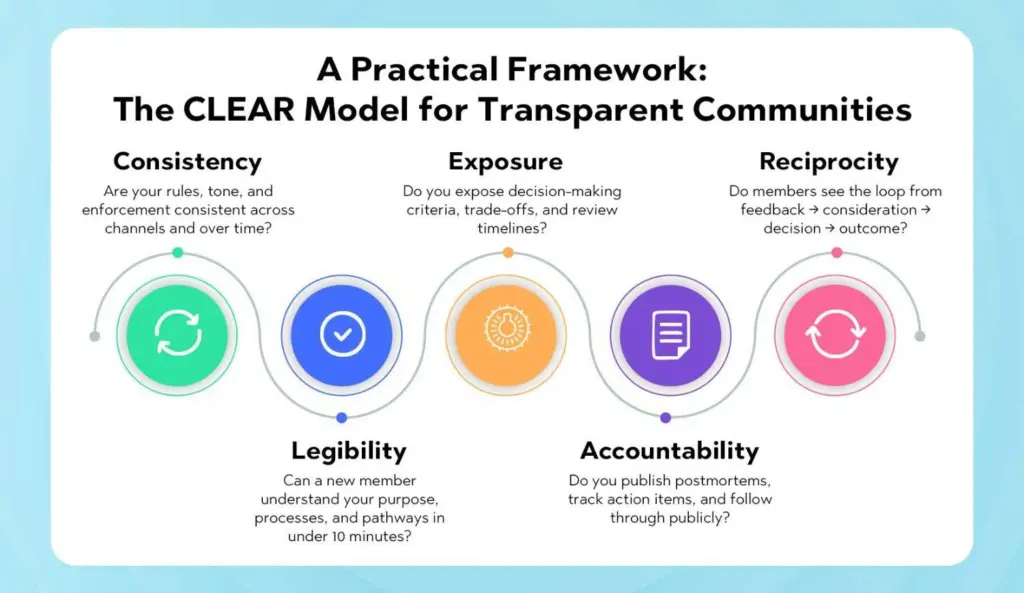
A Practical Framework: The CLEAR Model for Transparent Communities
Use this to audit your transparency practices and set quarterly targets.
C — Consistency: Are your rules, tone, and enforcement consistent across channels and over time?
L — Legibility: Can a new member understand your purpose, processes, and pathways in under 10 minutes?
E — Exposure: Do you expose decision-making criteria, trade-offs, and review timelines?
A — Accountability: Do you publish postmortems, track action items, and follow through publicly?
R — Reciprocity: Do members see the loop from feedback → consideration → decision → outcome?
Score each category 1–5, identify weak spots, and commit to one measurable improvement per category each quarter.
Playbook: 30–60–90 Day Transparency Plan
Days 1–30: Foundations
Publish or refresh the community mission, code of conduct, and enforcement ladder.
Create a public “Decision Log” with a simple template.
Launch a monthly update cadence (“What shipped, what slipped, what’s next”).
Announce a recurring office hours/Q&A slot.
Days 31–60: Feedback & Visibility
Launch a public roadmap with Now/Next/Later columns.
Open an always-on feedback form + voting board.
Share the first moderation transparency report (counts, categories, median response time).
Introduce a privacy summary page and link it in onboarding.
Days 61–90: Accountability & Rituals
Publish your first incident postmortem with action items and owners.
Run the first member-led policy discussion and vote (e.g., onboarding changes).
Celebrate contributors in a monthly “Community Spotlight.”
Review the CLEAR model scores and set Q2 targets.
Tooling That Makes Transparency Easier
The right tooling turns good intentions into repeatable habits. Consider platforms that support:
Public roadmaps and changelogs with voting and comment threads.
Role-based moderation workflows with audit trails and appeal handling.
Event and AMA scheduling with recordings and timestamped notes.
Feedback analytics that cluster themes and surface trending topics.
Privacy controls that make consent, export, and deletion a click away.
Looking for an integrated, no-fuss way to operationalize these practices? Explore Thrico’scommunity building tools—built to make transparency and trust the default, not the exception.
Common Transparency Pitfalls (and How to Avoid Them)
Pitfall: Overpromising. Fix: Use conservative timelines, add “risk flags,” and communicate trade-offs early.
Pitfall: Privacy leaks in the name of openness. Fix: Share process, not personal details; anonymize examples; document boundaries.
Pitfall: Decision paralysis due to consensus chasing. Fix: Invite input with time-boxed windows; publish criteria; decide and move.
Pitfall: Inconsistent enforcement for VIPs. Fix: Publish a moderator charter; rotate reviewers; log exceptions with justification.
Measuring the ROI of Transparency
You can’t improve what you don’t measure. Tie transparency initiatives to outcomes:
Before/after analyses: Compare engagement and retention 30–60 days before vs. after publishing a roadmap or launching monthly updates.
Time-to-clarity: Measure how quickly official answers appear after hot topics emerge.
Appeal resolution time: Track fairness perception through appeal satisfaction scores.
Sentiment by event: Tag AMA transcripts and updates; analyze positive/neutral/negative shifts.
Create a simple dashboard visible to staff and moderators. Review it in retrospectives and office hours.
Putting It All Together: A Transparent Community in Practice
Imagine a product-focused community where members join to learn, share, and influence the roadmap.
On day one, newcomers see a Welcome Guide with clear rules, a “Start Here” map, and the current Now/Next/Later roadmap.
The team posts a Monthly Update with three sections: Shipped, Slipped (and why), and Next Up. A changelog links to discussion threads.
A Moderation Transparency Report goes out quarterly with anonymized metrics and improvements.
Members submit ideas in a Feedback Hub. Items with 50+ votes trigger an official response. Top themes appear in the roadmap’s “Next” column.
Office Hours run every other Thursday, with publicly posted notes and follow-ups.
When a heated debate flares, moderators step in with policy references, a process summary, and a commitment to postmortem if needed.
Contributors are recognized monthly in a Spotlight, with badges that appear next to their profile.
The Privacy Summary is linked in every footer and onboarding email, with simple export/delete controls.
The result? Predictability replaces guesswork. Members feel safe, heard, and valued. Trust grows—and with it, participation, referrals, and long-term loyalty.
Final Thoughts
Transparency is not a one-time announcement; it’s a leadership posture, a set of rituals, and a system of open loops. When you make clarity, consistency, and visibility habitual, your community earns something rare online: compounded trust. That trust translates into loyalty, a healthier culture, and growth that sustains itself—because the people who benefit from the community are the same people helping steer it.
Ready to make transparency your superpower? Start with one practice this week—a Decision Log, a monthly update, or a public roadmap—and build from there. And if you want tooling that makes it simple and sustainable, check out Thrico’scommunity-building tools to operationalize transparency at every step.
Trust is the oxygen of any online community. Without it, conversations suffocate, participation drops, and even the best content fails to spark a connection. With it, communities become resilient ecosystems where people return, contribute, and advocate.
Why does trust matter so much online? Because digital spaces strip away many of the cues we use to assess intent: tone, body language, context. Members rely on consistency, clarity, and follow-through to decide whether your space deserves their time. When those elements are missing—even briefly—trust erodes, and it’s hard to win back.
Trust touches every community metric that leaders care about: retention, contribution quality, referral growth, willingness to give constructive feedback, and even monetization potential. This article dives deep into why trust is the most important element in online communities, the common mistakes that quietly (and loudly) break it, and how to rebuild trust when it wobbles.
If you want guardrails that make trust the default, explore Thrico’scommunity building tools—everything from transparent roadmaps to moderation workflows built for consistency.
Why Is Trust the Most Important Element in Online Communities?
Trust is a composite of three signals members read constantly—transparency, authenticity, and user experience.
Transparency: Members want to understand how decisions are made, what the rules are, and why changes happen. When leadership shares the “why,” people don’t have to invent it.
Authenticity: Communities thrive when leaders act like humans, not faceless entities. Owning mistakes, engaging in threads, and avoiding spin create credibility.
User Experience: Trust is also usability. Clear onboarding, discoverable rules, a predictable cadence of updates, and thoughtful moderation reduce friction so people can focus on connecting.
Impact on retention & community success
Trust stabilizes the entire community flywheel:
Lower anxiety → higher posting rates. Clear norms reduce fear of saying the “wrong” thing.
Higher participation → better content. More voices and diverse perspectives improve the value of the community.
Better content → stronger retention. Members keep coming back for quality dialogue and resources.
Retention → advocacy. People invite others to spaces that make them feel respected and safe.
In other words, trust compounds. One transparent decision today can pay dividends in engagement months from now.
What Are the Most Common Mistakes That Break Trust in Online Communities?
Below are eight high-impact mistakes, why they damage trust, and the practical ways to avoid them.
1️. How does a lack of transparency hurt community trust?
The mistake: Hidden rules, unclear intentions, and long silences around important decisions.
Why it breaks trust: When information is scarce, rumors fill the gaps. Members assume bias, incompetence, or profit motives—especially when changes affect how they participate or what they see.
Real-world patterns:
Silent policy changes; members only learn after a moderation action.
Feature removals or paywalls introduced without context.
“We can’t share details” used as a blanket excuse for everything.
Fix it:
Publish a Decision Log: What changed, why, alternatives considered, and when you’ll revisit.
Maintain a public roadmap with “Now/Next/Later,” and pair it with a monthly update: shipped, slipped, and next up.
Use “process transparency without personal details” during sensitive moderation cases.
Pro tip: Transparency doesn’t mean oversharing. It means enough context for informed participation.
2️. Why does inconsistent moderation damage credibility?
The mistake: Uneven rule enforcement, delayed responses, or special treatment for VIPs.
Why it breaks trust: Rules lose legitimacy if they don’t apply to everyone. Members start optimizing for relationships instead of quality. Frustration rises; quiet contributors leave first.
Real-world patterns:
A popular member gets a gentle warning for harassment while a newcomer is banned for less.
Reports vanish into a black hole with no acknowledgment.
Different moderators apply the same rule differently.
Fix it:
Create a moderation charter with an escalation ladder (warning → mute → temp ban → permanent ban) and appeals process.
Run a moderator calibration every quarter: review anonymized cases together and align on outcomes.
Publish a transparency report: number of actions, categories, and median response time (anonymized).
3️. How does ignoring member feedback affect loyalty?
The mistake: Collecting feedback as a ritual but not closing the loop.
Why it breaks trust: People don’t expect every suggestion to ship, but they do expect acknowledgment. Silence translates to “your voice doesn’t matter.”
Real-world patterns:
Idea boards with hundreds of unresolved posts.
“We’ll look into it” with no follow-up.
Changes shipped that contradict the most common member requests—without explanation.
Fix it:
Define response SLAs: “Every suggestion receives an acknowledgment within 7 days.”
Publish quarterly theme roundups: top topics, what’s in progress, what’s paused (and why).
Add threshold rules: e.g., ideas with 50 votes get a formal product/leadership response.
4️. What happens when community guidelines are unclear?
The mistake: Vague, generic rules like “Be respectful.”
Why it breaks trust: Ambiguity shifts power to the enforcer’s interpretation. Members can’t predict consequences, so they self-censor or stop contributing.
Real-world patterns:
Disagreements about what counts as “off-topic,” “spam,” or “low-effort.”
Users claim “I didn’t know that was against the rules.”
Recurring debates about edge cases clogging threads.
Fix it:
Write example-driven policies: show what to do and what not to do.
Create a “Start Here” guide with top-10 dos & don’ts and links to deeper policies.
Keep version history on policy pages and log what changed.
5️. Why can over-promotion and spam break trust quickly?
The mistake: Treating the community as a mailing list or sales funnel.
Why it breaks trust: Members show up for value and connection. If every thread is a pitch—by-the-brand or by users, signal-to-noise collapses.
Real-world patterns:
Frequent promotional blasts unrelated to ongoing discussions.
Leaders replying to questions with product links instead of help.
Users are exploiting lax rules to drop affiliate links everywhere.
Fix it:
Set promotion boundaries: dedicated promo days/threads or limits (e.g., “One promotional post per user per month”).
Enforce disclosure for affiliate links and partnerships.
Model help-first behavior: share resources, not just CTAs.
Consider a community marketplace with guidelines separate from discussion spaces.
6️. How do privacy issues destroy trust permanently?
The mistake: Sloppy data practices, unclear permissions, or publicizing private reports.
Why it breaks trust: Privacy violations feel personal. Members fear retaliation, doxxing, or misuse of their data.
Real-world patterns:
Screenshots of private messages shared publicly.
Email addresses or real names are exposed through exports or newsletters.
Security incidents are communicated late or minimized.
Fix it:
Publish a plain-language privacy summary and link to the full policy.
Create a security incident playbook with timelines for notifications and remediation.
Limit access to sensitive data; log who accessed what and when.
Give members data control: export and delete options by default.
7️. Why do toxic behaviors drive members away?
The mistake: Underestimating the impact of bullying, harassment, or trolling.
Why it breaks trust: A single toxic voice can silence dozens of contributors. If targets don’t feel protected, they leave quietly.
Real-world patterns:
Dogpiling and sarcasm as a weapon that goes unchecked.
“Debate me” culture that punishes vulnerability.
Leaders excuse behavior because the person “creates engagement.”
Fix it:
Define harassment with concrete examples and zero-tolerance clauses.
Empower bystander reporting and anonymous tips.
Use cooldown mechanics (temporary lock, slow mode) on heated threads.
Recognize and reward pro-social behavior: mentoring, thoughtful disagreement, and welcoming newcomers.
8️. What if leadership is missing or inactive?
The mistake: Leaders who are invisible, unresponsive, or absent during crises.
Why it breaks trust: Communities take cues from leadership. Silence suggests disinterest or chaos. Members disengage, and the void gets filled with rumor or power grabs.
Real-world patterns:
No updates for weeks; only reactive posts.
Delegated moderators without authority to act.
“We’ll get back to you” with no owner or date.
Fix it:
Establish a communication cadence (e.g., monthly updates + quarterly AMAs).
Publish an ownership map: who is responsible for what, and how to reach them.
Ensure moderators have the tooling and scope to act quickly (with post-action reviews).
During crises, issue time-boxed updates (“Next update in 24 hours”) even if the message is “still investigating.”
How Can Community Leaders Rebuild Trust Once It’s Broken?
Trust can be repaired, but it requires clarity, consistency, and corrective action—in that order.
1) Honest communication + corrective actions
Name the problem plainly. Avoid PR-speak.
Apologize without qualifiers. “We’re sorry” works better than “We’re sorry if you felt…”
Share the remediation plan. What will change, who owns it, and when it will be reviewed.
Follow up publicly. Close the loop with evidence of change.
2) Empowering active members
Invite respected members to advisory circles for policy reviews.
Discuss discrepancies, align on policy interpretation.
Update the Guidelines with new examples if needed.
Measuring Trust Without Guesswork
Trust isn’t soft—track it like a product metric.
Retention by cohort: D30/D90/D180 return rates.
Participation depth: Median comments/posts per active member.
Report responsiveness: Median time to acknowledgment; median time to resolution.
Sentiment by event: Tag updates/AMAs with positive/neutral/negative reactions.
Appeal outcomes: % upheld vs. overturned; time to decision.
Onboarding clarity: % of newcomers who complete the “Start Here” checklist within 7 days.
Toxicity indicators: Number of unique reporters; repeat offenders as a share of actions.
Make these visible to your team and, where appropriate, share high-level numbers with the community to demonstrate accountability.
Avoiding Trust Debt: Everyday Habits
Small habits prevent big crises.
Explain the “why.” Add one sentence of rationale to every rule and update.
Answer before perfecting. “We hear you; here’s what we’re exploring.” beats silence.
Normalize disagreement. Train mods to thank critics, then guide them into constructive channels.
Document while you work. Capture decisions as you make them; don’t rely on memory.
Rotate visibility. Different team members post the monthly update so leaders are all known.
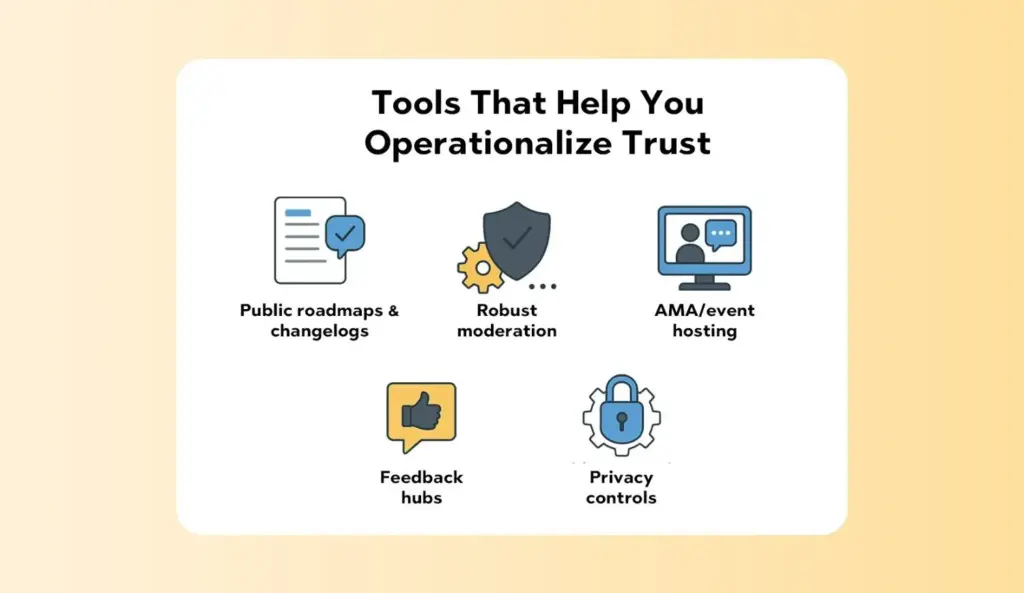
Tools That Help You Operationalize Trust
Process beats heroics. Choose tools that make trust easy:
Public roadmaps & changelogs with voting and comments.
Robust moderation with audit trails, escalation ladders, and appeals.
AMA/event hosting with recordings, timestamps, and searchable summaries.
Feedback hubs that cluster themes and auto-close loops.
Privacy controls for data export/deletion and incident response workflows.
Want an integrated approach? Thrico’scommunity-building tools are designed to embed transparency, safety, and feedback loops into your daily operations.
Final Thoughts
Trust is not a single decision; it’s an operating system. Communities that flourish do three things consistently:
Make the implicit explicit. Policies with examples, decision logs with rationale, and regular updates that show your work.
Share power with members. Feedback loops that actually close, advisory groups with teeth, and visible leadership that invites disagreement.
Treat trust like a metric. Track, review, and improve it the same way you would product performance.
Avoiding the eight mistakes above won’t just prevent disasters—it will create a culture where members feel safe to speak, excited to contribute, and proud to invite others. That’s the difference between a forum that slowly fades and a community that compounds value for years.
And if you want tooling that bakes these habits into your daily flow, check out Thrico’scommunity building tools. Make trust your default setting.
A Smart Feed is an AI-powered, personalized stream of posts that adapts to each member’s interests, behavior, and real-time context. By surfacing the most relevant updates first, a smart, personalized feed dramatically increases social community engagement—more clicks, longer sessions, and richer conversations. In this guide, we’ll unpack how an AI feed feature works, why a community feed algorithm matters, and how you can use it to grow a thriving, sticky community.
What Is a Smart Feed?
A Smart Feed is a dynamic, machine-learning–driven feed that curates content for every user. Rather than showing everything in strict chronology, it prioritizes items based on predicted relevance and member intent. That shift—away from “latest first” to “most valuable first”—is what makes it genuinely smart.
Key characteristics:
AI-powered curation: The feed evaluates posts, comments, and updates through a relevance model tuned to user actions and preferences.
Relevance-first visibility: Users see relevant updates, trending topics, and personalized insights at the top of their feed.
Adaptive and dynamic: The stream dynamically updates with every action—likes, comments, reads, skips—so the experience improves over time.
Context-aware: It can factor in time of day, device type, session length, and social signals to decide which content to show and when.
Result: Members find what matters faster, discover more creators, and feel a stronger connection to the community.
How a Smart Feed Works
A smart feed is more understandable than it seems. At a high level, it’s a loop:
Data collection: Gathers signals such as declared interests, topics followed, past clicks, dwell time, reactions, comments, shares, saves, hides, and even negative feedback.
AI relevance scoring: Uses machine learning to estimate how likely a user is to engage with a post (e.g., click, like, reply) right now.
Content ranking: Orders the candidate posts by predicted value, balancing freshness, diversity, and community priorities.
Real-time updates: Re-scores and re-ranks as the user interacts or as new posts arrive.
Continuous learning: Models update as behavior evolves—improving personalization automatically, with minimal manual tuning.
This “observe → predict → rank → learn” loop is what gives Smart Feeds its compounding power.
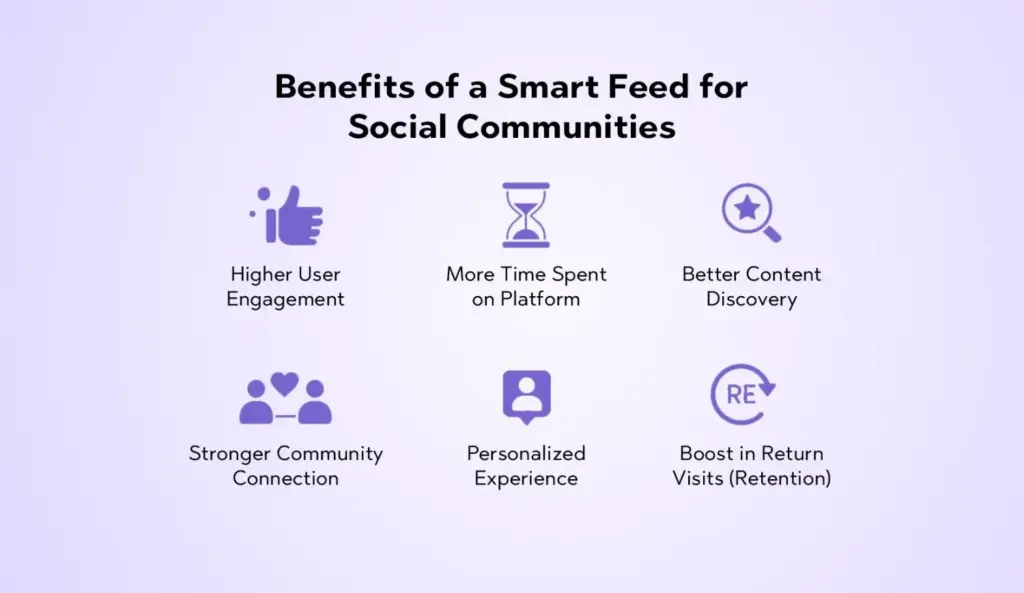
Benefits of a Smart Feed for Social Communities
1) Higher User Engagement
When users see content aligned with their interests, they naturally click, react, and comment more. A Smart Feed reduces the guesswork—surfacing posts that are both timely and meaningful. Engagement climbs across the board: likes, replies, saves, and shares.
2) More Time Spent on Platform
Relevance propels retention. If each scroll yields something personally useful, members linger. Over weeks, this compounds into significantly more time spent per session, per day, and per month—fueling stronger creator economies and healthier network effects.
3) Better Content Discovery
Chronological feeds bury gems almost immediately. Smart Feeds elevate high-quality and trending content for each user—keeping long-tail posts alive longer and helping new members discover must-follow creators, topics, and conversations.
4) Stronger Community Connection
Seeing the “right” posts at the “right” moments nurtures a connection between creators and members. It amplifies shared interests while ensuring diverse points of view still surface—strengthening the social fabric.
5) Personalized Experience
Personalization makes your platform feel tailored to each member. The personalized feed adapts in real time to learning styles, professional needs, and leisure interests—creating an experience that feels uniquely “theirs.”
6) Reduction in Irrelevant Content
Low-relevance or repetitive posts move down the feed automatically. That reduces content overload and frustration, keeping the stream clean, focused, and rewarding.
7) Boost in Return Visits (Retention)
Habit loops form when users repeatedly find value quickly. A smart community feed algorithm builds those loops by reliably delivering posts users care about—leading to more return visits and stronger daily/weekly active usage.
Need for personalized delivery: Relevance drives satisfaction, which drives growth. Personalization is no longer “nice to have.”
Shrinking attention spans: Members decide in seconds whether to stay. Smart ranking makes those seconds count.
Shift toward algorithmic discovery: Algorithms help uncover niche content and new voices—beyond what follows alone can surface.
Better user satisfaction & stickiness: When users feel understood, they’re more likely to contribute and keep coming back.
Key Features of a Smart Feed
Below are table-stakes elements for a modern AI feed feature—and the building blocks we recommend prioritizing:
Personalized content stream: Post ordering that adapts per-user based on interests, history, and real-time context.
Trending community highlights: Snapshots of what’s buzzing—topics, threads, or creators gaining momentum.
Recommended posts: Suggestions that connect users to high-value content outside their current bubble.
Topic-based suggestions: Curated lanes (e.g., “Design,” “Growth,” “DevOps”) that help members dive into specific interests.
Creator highlights: Spotlights on rising and relevant creators to widen discovery and build creator-member bonds.
Real-time updates: The feed refreshes as new posts land or as members interact—keeping it lively and current.
Engagement triggers: Gentle prompts to like, comment, or share; inline replies; quick reactions; and follow suggestions.
Want to equip your community with first-class personalization and discovery? Explore Thrico’scommunity-building tools to see how smart feeds fit into a modern growth stack.
How a Smart Feed Boosts Engagement
Shows users exactly what they care about: Smart ranking prioritizes posts aligned to interests, recent activity, and session context—making relevance the default.
Encourages users to interact more: When content resonates, users reply more often, react more freely, and join threads earlier.
Reduces content overload: Filtering and diversification prevent the “wall of noise,” encouraging deeper, focused engagement.
Makes the platform feel active and relevant: Real-time refresh and trending highlights keep the community feeling alive—especially during peak hours.
Enhances connection between creators and members: More relevant exposure leads to more meaningful interactions and loyal follow relationships.
Drives discussions around trending topics: Timely surfacing of hot conversations increases participation and cross-pollination between sub-groups.
Online community platforms: Private networks, member clubs, hobby groups, and niche forums.
Social media apps: Consumer or prosumer apps that need sticky, daily engagement.
Creators & influencers: Personalized reach to the right audience at the right moment.
Brands with active communities: Owned communities that support product education, advocacy, and loyalty.
Educational & professional networks: Cohorts, alumni groups, guilds, and peer-learning spaces.
Customer forums: Support hubs and product communities where timely, relevant answers matter.
Tips to Optimize Your Community Feed for Maximum Engagement
Use AI-driven content ranking: Start with a baseline ranking model (e.g., logistic regression or gradient boosting) and iterate toward deep learning as data grows.
Use re-ranking to apply diversity constraints, safety filters, and community policies.
5) Feedback & Learning
Continuous retraining: Periodically update models with fresh data to reduce staleness.
Human-in-the-loop: Allow moderators or community managers to pin highlights, feature creators, and correct drift.
Transparency cues: “Because you follow X” or “Popular near you” increases trust and comprehension.
Practical Playbook: Rolling Out a Smart Feed Without Overwhelm
Metrics That Prove It’s Working
Track these KPIs to validate impact:
Engagement rate: Likes + comments + shares per impression.
Dwell time: Average time per post and per session.
Reply depth: Median comments per thread, ratio of multi-turn conversations.
Retention: D1 / D7 / D30 return rates, weekly active to monthly active (WAU/MAU).
Discovery: % of impressions from recommended or trending posts; new creators followed per user.
Quality signals: Hide/mute rates, spam reports, sentiment of replies.
Tie metrics to your business goals—education completion, product adoption, or support deflection.
Ethical and Design Considerations
Smart Feeds are powerful. Use them responsibly:
User control: Offer toggles (e.g., “Latest” vs. “For You”), mutes, and topic management.
Transparency: Provide short “why” labels for recommendations.
Well-being: Avoid purely maximizing time-on-site; optimize for healthy engagement.
Fairness: Ensure diversity in exposure; don’t let large accounts dominate by default.
Privacy: Collect only necessary data; honor user preferences and applicable regulations.
Example Smart Feed Layout (UX Sketch-in-Words)
Top bar: “For You” (default) and “Latest” tabs.
Composer strip: Lightweight prompt with attachment options and draft-saving.
Priority card: A single “Must-See Today” item (e.g., AMA announcement, milestone).
Mainstream: Personalized posts with inline actions, skim-friendly previews, and “why am I seeing this?” tags.
Right rail: Trending topics, creator highlights, and quick-follow suggestions.
Footer: Infinite scroll with “You’re all caught up” moments and backfill recommendations.
This structure merges personalization with clarity and control—maximizing satisfaction and discoverability.
Implementation Roadmap
Phase 1 — Instrumentation & Data Model Define events and schemas: impressions, clicks, dwell, replies, hides, and follows.Create content embeddings and topic taxonomies.
Phase 2 — Candidate Generation Build follow-based, topic-based, and trending-based candidate pools. Add diversity sampling and safety filtering.
Phase 3 — First Ranking Model Train a baseline model to predict CTR or reply probability Launch a simple personalized feed with transparency tags.
Phase 4 — Multi-Objective Re-Ranking Add freshness, diversity, creator fairness, and safety constraints. Introduce session-aware features (time of day, recency).
Phase 5 — Feedback Loops & A/B Testing Set up continuous retraining on rolling windows. Test variants: different weights, decay functions, and exploration policies.
Phase 6 — Growth & Creator Tools Add creator analytics, recommended posting times, and highlight slots. Integrate with onboarding flows to map users to interests faster.
Conclusion
Modern communities thrive on relevance. A Smart Feed—powered by an adaptive community feed algorithm—delivers the right content to the right member at the right time, creating a virtuous cycle of discovery, conversation, and return visits. It reduces content overload, elevates creators, and accelerates engagement while giving users control and clarity. If you want a living, breathing community that compounds value daily, a Smart Feed isn’t optional—it’s foundational.
Ready to upgrade your platform? Explore Thrico’scommunity-building tools to see how smart feed capabilities fit into your engagement strategy.
Social engagement refers to how customers interact with a brand across platforms like Instagram, Facebook, LinkedIn, X (Twitter), YouTube, and community spaces. It includes likes, comments, shares, mentions, reviews, replies, DMs, saves, and even watch time or post clicks. In plain terms, social engagement shows how actively and meaningfully people respond to your content and communication—not just whether they saw it, but whether they cared enough to interact.
But there’s a deeper layer. Social engagement is also about the relationship behind the interaction: Do customers feel heard? Do they trust your answers? Do they come back to your profile when they need help or inspiration? The richer and more consistent your engagement, the more your brand becomes a reliable part of a customer’s day-to-day decisions.
Why Social Engagement Matters for Modern Businesses (Core Explanation)
Modern buyers live in the stream. They scroll, search, compare, and decide—all without ever visiting a traditional website or filling out a form. That’s why business social strategy must treat social channels as front doors to your brand, not billboards on the highway.
Customers spend more time on social platforms than on websites. When someone wants a quick answer—pricing, fit, availability, or social proof—they often ask via comments or DMs. If you’re absent or slow, the conversation (and the sale) moves on.
Engagement shapes brand perception and trust. People don’t just judge your posts; they judge how you respond. A thoughtful reply in minutes signals care, competence, and credibility.
Active engagement reveals preferences, needs, and obstacles. Every comment is data. When you aggregate questions, themes, and sentiment, you learn exactly what to fix, build, and promote.
Social is a real-time feedback and service channel. It’s where praise becomes advocacy and issues become escalations. Brands that manage this well turn friction into loyalty.
In short, the importance of social engagement isn’t theoretical: it’s measurable across awareness, lead flow, conversion, service quality, and retention.
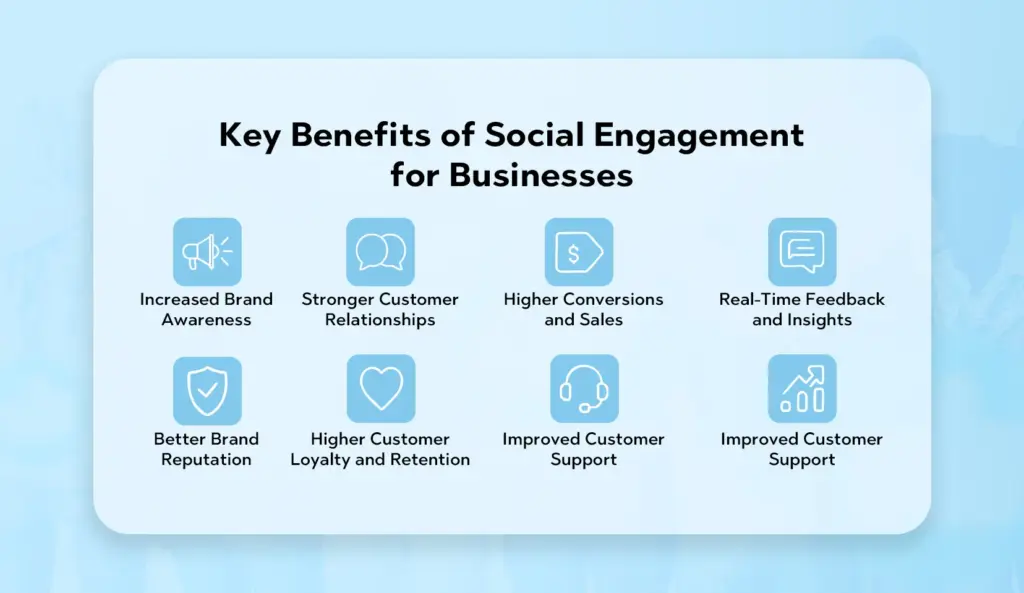
Key Benefits of Social Engagement for Businesses
Increased Brand Awareness [High engagement signals relevance to platform algorithms, earning you more organic reach. Shares and stitches carry your message into new communities. Engagement is the engine of discoverability.
Stronger Customer Relationships Two-way conversation makes your brand feel human and accessible. When customers see replies that are timely and empathetic, they feel understood—and that’s the foundation of loyalty.
Higher Conversions and Sales Social interactions often occur at the moment of intent (“Is this available in my size?” “Will this integrate with X?”). Answer well and quickly, and you’ll accelerate purchase decisions.
Real-Time Feedback and Insights Comments and DMs surface objections, feature requests, unboxing experiences, and friction points. You can route insights to product, CX, and sales to improve journeys and messaging.
Better Brand Reputation Public, professional responses show you take responsibility and value customers. Handled well, even a complaint becomes social proof of your service standards.
Higher Customer Loyalty and Retention Ongoing engagement—congrats on milestones, personalized tips, community shout-outs—keeps customers emotionally connected, reducing churn and increasing repeat purchases.
Improved Customer Support A consolidated social inbox with clear SLAs allows support teams to meet customers where they are, cutting handle times and preventing public issues from escalating.
More Engagement-Driven Organic Reach The more people interact, the more platforms amplify your content. That virtuous cycle reduces ad dependency and improves ROI on content production.
How Social Engagement Impacts Customer Behaviour
Customers trust brands that respond quickly. Fast replies create a perception of reliability and care. Speed = respect for the customer’s time.
High engagement humanizes your brand. Humor, gratitude, and real voices turn logos into people customers want to follow and buy from.
Personalized communication influences buying decisions. Referencing prior interactions, products viewed, or local context makes replies feel tailored—and tailoring sells.
Positive interactions increase repeat purchases. Recognition (replying by name, celebrating wins) and proactive help (tips, how-tos) nudge customers to return.
Takeaway: Behavior follows experience. When the experience feels responsive and personal, customers convert sooner and stay longer.
Use Cases of Social Engagement
Answering Customer Queries via Comments or DMs
“Is this available in India?”
“Does it work with Shopify?”
“Can I book a demo this week?”
Turning these into quick, helpful answers drives conversions without leaving the platform.
Handling Complaints Publicly—and Resolving Quickly Acknowledge publicly, move to DM for details, fix the issue, then (if appropriate) summarize the resolution. You’ve just turned a potential PR risk into a trust-building moment.
Running Polls, Contests, and Interactive Campaigns Polls and Q&As gather voice-of-customer data while boosting reach. Contests reward creativity and bring in user-generated content (UGC) that you can reshare.
Sharing Customer Testimonials and Stories Spotlight real customers with short videos or carousel posts. Tag them (with permission) to increase authenticity and reach.
Monitoring Brand Mentions and Conversations Respond to indirect mentions, competitor comparisons, and industry questions. Showing up in relevant threads signals expertise and earns followers.
Collaborating with Influencers and Partners Co-create content, answer questions in live sessions, and track engagement through your CRM. Influencers open doors to new audiences; your responsiveness keeps them inside.
Community-Building & Advocacy Programs Host AMAs, share behind-the-scenes, and reward top contributors. Communities reduce support burden and increase lifetime value.
Challenges in Managing Social Engagement
High Message Volume Launches, sales, and viral posts can flood your inbox. Without routing rules and automation, you’ll miss crucial opportunities.
Handling Negative Comments or Criticism It’s not if but when. Teams need calm, consistent response playbooks to de-escalate and learn from feedback.
Maintaining Response Speed Social is “always on.” Achieving sub-hour SLAs across time zones requires staffing plans or follow-the-sun coverage.
Ensuring Consistent Brand Voice Multiple people replying across platforms can lead to tone drift. You need guidelines, templates, and coaching.
Managing Multiple Platforms at Once Each platform has its own norms and UI. Consolidated inboxes, unified analytics, and clear ownership reduce chaos.
Measuring True Business Impact Engagement is a means, not the goal. Connecting social interactions to leads, pipeline, CSAT, and retention is essential—and nontrivial.
Best Practices for Strong Social Engagement
Respond Quickly to Comments and Messages Set SLAs (e.g., public replies within 1 hour, DMs within 30 minutes during business hours). Use auto-acknowledgements when volume spikes.
Share Relatable, High-Value Content Teach, don’t just tell. Tutorials, teardown threads, and customer spotlights earn saves and shares, not just likes.
Use Interactive Posts (Polls, Quizzes, Q&As) Engagement is a two-way street. Ask specific questions and act on the feedback.
Personalize Replies Reference the customer’s name, locale, or prior thread. Link to the relevant product, doc, or video. Avoid canned one-liners.
Track Brand Mentions Daily Monitor direct and indirect mentions, common misspellings, and comparison keywords. Jump into relevant conversations with value, not spam.
Use Analytics to See What People Like Look beyond vanity metrics. Track save rate, comment quality, profile clicks, session depth after social visits, and conversion lag.
Stay Consistent with Posting Consistency earns algorithmic trust and audience habit. Maintain a content cadence that customers can rely on.
Close the Loop Internally Pipe recurring questions to product and CX. Publish content that proactively answers them (FAQs, demo clips, comparison guides).
Build Community, Not Just Audience Encourage peer-to-peer help, highlight creators, and host recurring events. A thriving community compounds reach and retention. Explore Thrico’scommunity-building tools to design programs that scale engagement and advocacy.
Tools & Technologies for Social Engagement Management
Thrico Social Engagement Module — Built to operationalize social engagement with community features that help you build your community holistically..
Hootsuite — Broad scheduling and monitoring with team workflows.
Sprout Social — Robust social inbox, listening, and analytics for larger teams.
Zoho Social — Cost-effective scheduling and monitoring with CRM adjacency.
HubSpot Social Tools — Ties social activity to contacts, deals, and campaigns.
Buffer — Simple publishing and analytics for lean teams.
These platforms typically help with:
Scheduling content across platforms.
Monitoring engagement and mentions in real time.
Social inbox management with routing and collision avoidance.
Analytics and reporting that connect engagement to outcomes.
When choosing, prioritize: bi-directional CRM sync, permissions and approvals, identity resolution (linking social handles to contacts), and reporting that shows influence on acquisition, support, and retention.
Playbooks, Frameworks & KPIs
To move from “posting more” to operational excellence, use the frameworks below.
1) The CARE Framework for Replies
C — Clarify: Restate the question or issue to show you understand.
A — Answer: Provide the direct solution or next step.
R — Resource: Link to a guide, video, or help article for self-serve.
E — Encourage: Invite further questions or feedback.
Example: “Thanks, Aisha! Yes, it integrates with Shopify. Here’s the setup guide. If you’d like, DM us and we’ll walk you through it today.”
2) The ECHO Model for Content
E — Educate: How-tos, best practices, ROI examples.
C — Connect: Customer stories, behind-the-scenes, values.
H — Help: Troubleshooting tips, FAQs, product updates.
O — Open up: Polls, AMAs, live demos—co-create with your audience.
Balance posts across ECHO to keep feeds useful and human.
3) Crisis-to-Loyalty Playbook
Acknowledge publicly within minutes: “We hear you and we’re investigating.”
Move to DM for private details and resolution.
Fix the root cause and update publicly if the issue was widespread.
Close the loop with the customer: offer a make-good or follow-up. Result: A potential reputation hit becomes proof of responsiveness.
4) Influencer/Creator Collaboration Flow
Identify creators already mentioning your category.
Engage authentically (comment, share, add value).
Co-create content with a specific “job to be done” (tutorial, comparison, use case).
Track engagement quality and downstream actions (site visits, demo requests) via UTM and CRM fields.
Nurture long-term relationships, not one-off posts.
5) Funnel Alignment: Social → CRM → Revenue
Top of Funnel: Hook with relatable pain points; optimize for saves and shares.
Mid-Funnel: Answer objections; show proof (case studies, demos).
Bottom of Funnel: Provide clear CTAs—DM for a quote, book a demo, or start a trial.
Tie each stage to CRM properties and workflows so engagement becomes action, not just attention.
6) KPIs That Matter (Beyond Vanity)
Response time (public & DM)
Conversation resolution time
Save rate (indicator of lasting value)
Comment quality (questions vs. one-word replies)
Profile click-through rate
Social-sourced leads and assisted conversions
Revenue influenced by social (multi-touch)
CSAT from social support
Community health (active members, UGC volume, repeat participation)
Create a weekly scorecard and review across marketing, CX, and sales to align priorities.
Micro Case Study
A D2C brand improved its Instagram response speed by 70% after adopting an integrated social CRM and standardizing reply templates. As engagement rose—particularly saves and meaningful comments—customers reported higher satisfaction, and organic sales grew by 35% in three months. The brand also reduced inbound tickets by proactively posting short tutorial reels that addressed recurring questions.
Final Thoughts & Next Steps
The brands that win on social aren’t necessarily the ones posting the most—they’re the ones engaging the best. Social engagement turns a scrolling audience into an active community, transforms real-time questions into revenue, and converts public feedback into product and service improvements. It’s the connective tissue between brand promise and customer experience.
If you’re looking to scale engagement with structure and speed—without losing the human touch—pair your content strategy with systems that make replies faster, insights clearer, and communities stronger.
Ready to elevate your business social strategy? Explore Thrico’scommunity-building tools to design engagement programs, automate smart workflows, and measure the impact from first comment to loyal customer.
If you run an online community, you already know the golden rule: activity begets activity. The more members post, reply, and return, the healthier your community becomes. But sparking that virtuous cycle isn’t always easy—especially once the novelty fades. That’s where gamification in member engagement shines.
What is gamification? Gamification is the practice of applying game-like elements—such as points, badges, levels, streaks, and leaderboards—to non-game environments. In community platforms, it’s used to increase member activity by encouraging people to complete micro-actions (like reacting to posts), return consistently (via streaks), and level up (through progression systems).
Why is gamification effective for community/member engagement? Humans are wired to respond to progress, status, and rewards. When your platform surfaces these motivators as visible signals—progress bars, badges, rankings—members feel an ongoing nudge to participate. The result is a system that transforms passive readers into active contributors.
Quick benefits at a glance:
Motivation: Clear goals and instant feedback keep members engaged.
Habit-building: Streaks, routines, and micro-rewards build daily momentum.
Retention: Members who feel progress (and recognition) return more often.
Community health: Gamification boosts posts, replies, and overall interaction quality.
In this guide, we’ll share gamification tips and tricks, concrete community gamification strategies, examples from well-known platforms, and practical steps to track what’s working. Whether you’re launching a new space or refreshing a mature community, this playbook will help you implement gamification thoughtfully—and sustainably.
What Is Gamification in Member Communities?
1. Definition in simple terms:
Community gamification means turning everyday member actions into a rewarding, trackable, and sometimes competitive experience. It gives members a reason to take action now, and a reason to return later.
2. How it works:
You connect member actions to rewards. When someone posts, comments, reacts, shares, or attends an event, the system grants points, progress, or status. Over time, members unlock levels, badges, or perks that recognize their contributions.
3. Common gamification elements:
Points: Earned for micro-actions (posting, commenting, reacting).
Badges: Milestones for meaningful achievements (100 posts, first helpful answer, event organizer).
Levels: Tiered progression that unlocks privileges (e.g., access to advanced groups or tools).
Leaderboards: Friendly competition across weekly/monthly periods to keep the race fresh.
Streaks: Daily or weekly activity chains that encourage consistency.
Challenges/Missions: Time-bound or themed tasks (e.g., “Welcome Week,” “Help a New Member,” “Share 3 resources this month”).
Reward Store: Redeemable points for digital goodies, profile highlights, or partner perks.
This blend of visible progress, status, and rewards nudges people to become the community’s heartbeat.
Why Gamification Boosts Member Activity
1. Psychological drivers:
Dopamine & Feedback Loops: Immediate feedback (a pop-up, sound, or animation) when someone earns a badge or completes a challenge provides a mini dopamine hit, reinforcing the action.
Competition & Social Proof: Leaderboards and public badges spark friendly competition and show what “good” participation looks like.
Mastery & Achievement: Levels and progress bars make improvement visible, satisfying the human desire to advance.
2. Builds consistency and engagement:
Streaks and time-boxed challenges encourage members to return frequently. When missing a day breaks a streak, people feel a small loss—so they log back in to maintain momentum.
3. Increases platform stickiness:
Members who invest time and effort into achieving status, earning badges, or maintaining streaks become emotionally committed. That personal investment turns your platform into a daily habit.
4. Encourages contribution and participation:
Gamification rewards the helpful behaviors you want to scale: thoughtful posts, insightful comments, event participation, and mentorship. Over time, your content quality rises in tandem with participation.
Best Gamification Strategies to Increase Member Activity
1. Add Points & Badges for Micro-Actions
What to reward:
Liking/reacting to posts
Commenting or replying
Posting helpful content (guides, tutorials, case studies)
Sharing resources or events
Marking answers as “accepted” or “helpful.”
Welcoming newcomers
Why micro-rewards matter: Micro-rewards provide instant confirmation that actions are valuable. They also lower the barrier to entry for new members. Not everyone will publish a detailed case study on day one—but most will like, react, or leave a short reply. Small wins compound into bigger contributions.
Pro tip: Assign slightly higher points to behaviors you want to drive most (e.g., helpful answers over generic reactions). This avoids gaming the system with low-effort interactions.
2. Use Levels & Progress Bars
Why levels matter: Levels quantify status. Seeing “Level 3 Contributor” or a progress bar at 75% gives members a clear, motivating goal. It also creates aspirational role models in the community whose behavior others follow.
Unlockable features or perks:
Access to specialized channels or topic Hubs
Ability to host events or AMAs
Profile flair and highlighted posts
Early access to new features, courses, or templates
Pro tip: Tie levels to trust and responsibility—not just vanity. As people level up, extend moderation capabilities, mentorship roles, or beta access. That deepens their connection to the community’s success.
3. Leaderboards to Encourage Friendly Competition
Implement weekly/monthly leaderboards: Short time frames keep the race fair and winnable for newcomers. Seasonal or campaign-based boards also add variety.
Community recognition:
Spotlight top contributors in a monthly roundup.
Give “Rising Star,” “Helper of the Month,” or “Knowledge Sharer” awards.
Feature winners on the homepage or newsletter.
Pro tip: Maintain multiple leaderboard categories (e.g., most helpful answers, most welcomes, most shared resources) so different member strengths can shine.
4. Challenges & Activity Missions
Daily/weekly challenges:
“Reply to 3 posts today.”
“Share one resource this week.”
“Attend one live session this month.”
Task-based rewards: Bundle actions into missions (e.g., “Onboard Hero: complete your profile, introduce yourself, and post your first question”). Completing a mission yields a badge, bonus points, or profile flair.
Event-based missions: Tie challenges to webinars, product launches, or community festivals. Offer event-limited badges to create urgency and FOMO.
Pro tip: Rotate themes (learning, networking, building, mentoring) so challenges feel fresh and inclusive for different member types.
6. Streaks to Build Daily Habits
Streak types to try:
Posting streak: Post once per day for N days.
Learning streak: Complete a lesson, quiz, or resource daily.
Loyalty streak: Log in or engage (react/comment) daily.
Pro tip: Offer grace periods or “streak freezes” to avoid burnout. Life happens; letting a member preserve a rare 60-day streak with a one-time freeze makes your system feel humane.
Perks and coupons: Redeem points for community swag, partner discounts, or event tickets. A transparent reward store makes the value of participation concrete.
Pro tip: Keep the economy balanced. If rewards are too cheap, you’ll see inflation (and lower perceived value). If they’re too pricey, members give up.
7. Personalized Rewards
AI-based recommendations: Surface challenges and content that match each member’s interests and skill level. A design learner sees design tasks; a marketer sees campaign-based missions.
Custom badges by interest: Offer “Topic Specialist” badges (e.g., “No-Code Pro,” “Kubernetes Helper,” “Email Strategy Mentor”) based on consistent contributions in specific tags.
Pro tip: Personalization increases the signal-to-noise ratio. Members engage more when the experience feels tailor-made.
Tips & Tricks for Successful Gamification
Keep Rules Simple: If members can’t understand how to earn points or why their level changed, motivation drops. One clear rules page beats three complex ones.
Don’t Over-Reward: If everything earns points, nothing feels meaningful. Put a spotlight on high-value behaviors (helpful answers, tutorials, peer support).
Make It Fun, Not Forced: Gamification should feel like a bonus layer, not homework. Avoid nagging. Let members opt into challenges they care about.
Combine Short-Term & Long-Term Rewards: Pair quick hits (daily challenges) with deeper arcs (leveling, reputation). The mix keeps both new and veteran members engaged.
Celebrate Milestones Publicly: Announce new badge earners, leveling milestones, or challenge winners in a dedicated “Hall of Fame” thread.
Use Push Notifications Wisely: Nudge members to complete a streak or continue a challenge—but cap frequency to avoid fatigue.
Track What Features Members Use Most: Use analytics to see which badges or missions correlate with higher session duration or repeat logins, then double down on those.
Tools & Platforms That Support Gamification
1. Community platforms with built-in gamification: Many modern community platforms now include points, badges, leaderboards, and streaks out of the box, alongside analytics. When evaluating platforms, look for customizable rules, granular permissions, and automation (e.g., “grant badge when X occurs”).
2. Custom gamification systems: If you need special mechanics—like domain-specific challenges, complex reward stores, or AI-driven personalization—consider layering a custom rules engine on top of your existing stack via APIs.
3. Mobile-first gamification features: Push notifications, streak saves, and on-the-go challenges perform especially well on mobile, where members naturally check in multiple times per day.
4. Want to see community-building features in action? Explore Thrico’s community building tools to see how points, badges, leaderboards, and workflows can slot into your engagement strategy.
Common Mistakes to Avoid
Overcomplicated Game Mechanics: If members need a tutorial to understand your system, it’s too complex. Trim rules until they’re intuitive.
Reward Fatigue: Endless badges reduce meaning. Use tiers (Bronze/Silver/Gold) or seasonal badges instead of dozens of similar ones.
Ignoring User Feedback: Members will tell you which rewards feel valuable and which don’t. Run periodic surveys and adjust.
One-Size-Fits-All Rewards: Not everyone cares about swag or discounts. Offer experience-based rewards (mentorship sessions, early access) alongside tangible perks.
Lack of Moderation or Transparency: Ensure leaderboards can’t be exploited by spam. Publish anti-cheat rules and consequences.
How to Measure the Success of Gamification
Don’t fly blind. Tie your gamification plan to measurable outcomes and review them monthly.
1. Core metrics to track:
Daily Active Members (DAU): Are more members returning each day?
Post Frequency: Are posts, replies, and reactions trending upward?
Session Duration: Are members staying longer per visit after you introduced gamification?
Repeat Logins: What % of users return at least 2–3 times per week?
Challenge Participation Rate: How many members start and complete challenges? Which challenge types convert best?
Community Growth & Retention: Are new signups activating (e.g., first post within 7 days)? What’s 30/60/90-day retention post-gamification?
2. Attribution tips:
Roll out changes in phases or via A/B tests when possible.
Tag your analytics events clearly (e.g., badge_earned, mission_completed, streak_day_n).
Watch for quality signals: accepted answers, helpfulness votes, reports, or saved posts—not just raw volume.
Real Examples of Gamification That Work
Reddit Karma: Users earn karma for upvoted posts and comments. It’s simple, visible, and acts as a proxy for trust.
Duolingo Streaks: Daily learning streaks and leagues create a powerful habit loop. Streak freezes offer compassion without breaking motivation.
Discord Roles: Server-specific roles highlight status and grant permissions, turning participation into social capital.
LinkedIn Profile Strength Bar: A visible progress bar nudges users to complete profiles, improving both discoverability and platform value.
Adding inspiration for your own system:
Topic Master Badges: Award badges when members hit thresholds in specific tags (e.g., 25 verified answers in “Data Analytics”).
Community Mentor Track: Recognize members who routinely welcome newcomers or host office hours with “Mentor” status and special flair.
Seasonal Events: Run quarterly missions with limited-edition badges and a seasonal leaderboard. Resetting periodically keeps competition fresh.
Impact-Based Rewards: When a member’s tutorial reaches 1,000 views or their answer is marked helpful 10 times, grant a unique “Community Impact” badge with profile highlights for a week.
Conclusion
Thoughtfully implemented, gamification is one of the fastest, most reliable ways to increase member activity and deepen engagement. By rewarding micro-actions, showcasing progress, and creating friendly competition, you tap into core human motivators—achievement, status, consistency, and belonging.
The long-term impact is more than higher numbers. It’s cultural: a community where contributions are recognized, expertise is visible, and newcomers are welcomed into a living, breathing ecosystem. Start small—add points and a handful of badges, test a simple weekly challenge, and introduce a leaderboard. Then iterate based on data and member feedback. Over time, you’ll build community gamification strategies that are both sustainable and uniquely yours.
Ready to explore tooling? Take a look at Thrico’s community building tools to see how gamification and engagement workflows can come together in one place.
Implementation Checklist
Use this quick checklist to move from idea to execution:
Define outcomes: What behaviors do you want more of? (e.g., helpful answers, event attendance)
Map actions to rewards: Assign point values and badge criteria to each target behavior.
Design progression: Choose level thresholds and what each unlocks.
Plan challenges: Outline one weekly challenge and one monthly mission to start.
Add streaks with compassion: Include a one-time streak freeze or grace day.
Create a reward store (optional): Offer a mix of status, digital, and partner perks.
Moderation & anti-abuse: Rate-limit low-effort actions and flag suspicious activity.
Communicate simply: Publish one clear rules page and a monthly recognition post.
Iterate: Survey your members every quarter; prune, rebalance, and refresh.
Final Note
Gamification isn’t about turning your community into a game—it’s about making meaningful participation feel rewarding and visible. With the right balance of simplicity, recognition, and data-driven iteration, you can transform lurkers into leaders and build a community that sustains itself with energy, generosity, and momentum.
If you’ve ever watched a thriving online community stall after a wave of bots, spam, or toxic replies, you know this truth: no engagement strategy can outrun poor security and weak moderation. As more of our professional networking, learning, and collaboration shifts online, online community security isn’t a “nice to have”—it’s the foundation that keeps your space welcoming, resilient, and worth returning to.
Growing risks in online communities
Today’s communities face an evolving mix of threats: credential stuffing attacks that try recycled passwords; AI-generated spam that slips past brittle filters; coordinated brigading that floods threads; harassment and hate speech that silence voices; and misinformation that corrodes trust. At scale, even small communities attract opportunists who test boundaries—and your safeguards.
Why moderation is essential for trust & engagement
Modern members evaluate communities on two axes: value (is the content helpful?) and safety (will I be respected and protected?). When moderation tools work, you get both. Clear rules, fast response times, transparent enforcement, and a blend of automation and human review create a climate where people feel comfortable contributing. That translates directly into higher retention and richer discussions.
Focus areas in this guide
We’ll cover the pillars that matter most:
Spam and abuse prevention: Automated and manual techniques to keep content quality high.
User safety: Guidelines, escalation pathways, and de-escalation skills that protect members.
Policy enforcement: Practical frameworks to set expectations and apply consequences fairly.
Data protection: Login security, encryption, and privacy-first practices that safeguard member information.
The aim is simple: equip you with community moderation tools and processes that create digital community safety by default.
What Is Community Security & Moderation?
Definitions: platform safety + content control
Security protects the infrastructure and accounts: authentication, permissions, data privacy, and anti-bot defenses.
Moderation governs content and conduct: how posts are reviewed, flagged, removed, or escalated; how policies are communicated and enforced.
Together, they determine whether good conversations can flourish without being drowned out by bad actors.
Types of risks to anticipate
Spam: Low-effort promos, link farms, mass DM blasts, and AI-spun posts.
Abuse & harassment: Insults, dogpiling, hate speech, doxxing, and threats—public or private.
Fake accounts & bots: Sockpuppets that upvote, astroturf, or manipulate sentiment; automated scripts that post at scale.
Misinformation: Inaccurate or deceptive content that can harm members or derail topics.
Scams & fraud: Phishing links, crypto/financial schemes, and impersonation.
Content risks: NSFW content where it doesn’t belong; malware-laced files.
Roles: admins, moderators, and automated systems
Admins set policy, choose tooling, and oversee incident response.
Moderators apply rules, review edge cases, and handle member-facing communication.
Automated systems (AI filters, keyword alerts, behavior scoring) scale your reach, route the right items to humans, and reduce response times.
How Security Protects Online Communities
1) Prevents fraud and harmful content
Effective filters and workflows reduce the volume of spam, scams, and dangerous posts that ever reach the feed. That saves moderators’ time for the nuanced stuff.
2) Ensures a positive member experience
Safety features—like block/mute, rate limits, and reporting—signal that you value members’ wellbeing. Newcomers sense it quickly.
3) Builds trust and credibility
Consistent enforcement is a trust engine: when members know the rules, see them applied fairly, and can appeal decisions, they lean in rather than lurk.
4) Protects user data and privacy
Security isn’t only about visible behavior. Strong authentication, encryption, and data minimization protect the information members share with you—profiles, messages, and more.
Key Moderation Strategies That Work
1. Automated Moderation Tools
AI filters & keyword alerts: Modern systems can analyze text, images, and even behavior patterns. Use them to score risk, quarantine suspicious posts, and auto-hide obvious spam. Maintain transparent override controls so human moderators can restore falsely flagged content.
Spam & bot detection:
Velocity & frequency checks: Flag accounts that post or message too quickly.
Link & domain scoring: Penalize shady referrers, shorteners, and repeat spam destinations.
Device fingerprinting & IP reputation: Detect multi-account farms and known abusers.
Account age & reputation: Weigh posts from brand new accounts differently from long-standing members.
Automation should be assistive, not absolute. Tune thresholds, keep a human in the loop for appeals, and review false positives/negatives weekly.
2. Community Guidelines & Policies
1. Clear rules for behavior: Write rules that ordinary humans can understand. Use examples: “No personal attacks (e.g., ‘you’re an idiot’)” communicates better than vague language. Scope them to your mission: a learning community might restrict off-topic debates more tightly than a social group.
2. Transparency in enforcement: Publish how reports are triaged, the range of actions (warning → temp mute → ban), and how to appeal. Share periodic moderation summaries (“we resolved X reports this month”) to build confidence.
3. Human Moderators for Sensitive Content
1. Review escalations: AI can triage; humans should decide on nuanced cases—context, satire, reclaimed slurs, or culturally specific references that machines misread.
2. Context-based decisions: A rule is only as good as its application. Train moderators to consult context (thread history, prior behavior) and to document reasoning in the internal log for accountability and learning.
4. Verified Accounts & Role-Based Access
1. Reduce fake profiles: Offer optional verification for public figures or top contributors to reduce impersonation. For larger communities, consider phone/email verification gates for new accounts.
2. Controlled permissions: Use role-based access control (RBAC): give moderators scoped powers, limit mass-delete to senior staff, and lock high-risk actions behind confirmations or MFA.
5. Flagging System for Community Reporting
1. Empower members to report abuse: A one-click Report button, category menus (harassment, spam, misinformation), and optional notes help you gather evidence.
2. Faster response to issues: Route high-severity categories to humans immediately; low-severity cases can be batch-processed with automation. Always close the loop with the reporter (“Thanks—here’s what we did”).
Security Best Practices for Online Platforms
Multi-factor authentication (MFA): Require it for admins/mods; strongly encourage it for members. Support authenticator apps and passkeys.
Activity monitoring dashboards: Track logins by geography/device, spikes in DM volume, and sudden changes in posting frequency. Alert on anomalies.
Encryption & secure login protocols: Enforce HTTPS everywhere, store passwords using strong hashing with salt, and encrypt sensitive data at rest.
Regular security audits: Quarterly permission reviews, dependency updates, and penetration testing. Document findings and fixes.
Rate limiting & cooldowns: Slow down potential abuse (e.g., new accounts can’t post more than N links per hour).
Attachment scanning & sandboxing: Virus-scan uploads and restrict executable files.
Privacy by design: Minimize data collection, provide clear consent flows, and honor deletion requests promptly.
Backups & recovery drills: Practice incident response: if you must lock down posting for 30 minutes, what’s the plan?
How to Handle Conflicts & Negative Behavior
1. Warning system
Start with specific, actionable warnings: cite the rule, quote the issue, and suggest a fix (“Please remove the personal insult and keep debate on ideas”). Use templates to ensure consistency.
2. Temporary or permanent bans
Temp mutes/suspensions give space to cool off.
Permanent bans are for sustained or severe harm (credible threats, targeted harassment, coordinated spam).
Keep an audit trail explaining the decision and make ban evasion difficult (IP/device heuristics, re-verification).
3. Encourage constructive interaction
Promote norms: “Assume good intent,” “Disagree with ideas, not people,” and “Use evidence.” Reward members who de-escalate, cite sources, or offer helpful guidance.
4. De-escalation communication
Train moderators to:
Acknowledge feelings (“I hear your frustration”)
Restate rules neutrally
Offer forward motion (“Here’s a thread where this topic is on-topic”)
Avoid sarcasm or public shaming—use private channels when possible
Tools & Technologies That Improve Community Security
AI-powered content scanning: Classify toxicity, hate, self-harm, sexual content, and spam likelihood in real time.
Automated spam detection: Honeypots, link throttling, and posting thresholds that evolve with abuse patterns.
Age filters & user access controls: Gate mature content; apply stricter review for minors’ spaces.
Moderation dashboards: Unified inbox for reports, queue prioritization, audit logs, and analytics on resolution times and false positives.
RBAC & workflow automation: Assign queues by expertise (e.g., misinformation team), auto-assign reports by language or timezone.
Member safety features: Block/mute, private profiles, DM requests, content warnings, and easy screenshot/URL evidence capture.
Want an integrated stack that brings these ideas together? Explore Thrico’scommunity building tools to see how moderation workflows, roles/permissions, and AI-assisted scanning can plug directly into your engagement strategy.
Measuring Moderation Success (KPIs)
If you can’t measure it, you can’t improve it. Track these indicators to understand whether your spam and abuse prevention is working:
Reduced spam rate: % of posts/comments flagged or removed as spam over time. Aim for downward trends without over-filtering legitimate content.
Complaint resolution time: Median/95th percentile time from report to decision. Faster, consistent handling builds trust.
Member satisfaction score: Pulse surveys after resolved reports; NPS-style prompts embedded in help centers.
Drop in harmful/flagged content: Monitor toxicity and harassment indicators per 1,000 posts.
Retention improvement after safety measures: Compare 30/60/90-day retention and new member activation before/after key changes (e.g., introducing MFA or verified roles).
False positive/negative rates: How often are good posts hidden (false positives) or bad posts missed (false negatives)? Tune models and rules accordingly.
Appeal outcomes: If too many moderation decisions are overturned, training or policy clarity may need work.
Legal & Compliance Considerations
1. Data privacy regulations
Depending on your audience, you may be subject to frameworks such as GDPR (EU), CCPA/CPRA (California), DPDPA (India), or other regional privacy laws. Core principles recur: lawfulness, transparency, data minimization, purpose limitation, and user rights (access, correction, deletion). Offer a clear privacy policy and a straightforward data request process.
2. Protection of minors
If minors are present, adopt heightened safeguards: verifiable parental consent where required, limited data collection, stricter visibility controls, and proactive grooming/harassment detection. Avoid features that enable unsolicited contact without consent.
3. Transparency reporting
At scale, publish periodic transparency reports: number and type of content removals, government or legal requests, and policy updates. This demonstrates accountability and helps stakeholders understand your stance.
Note: This guide provides general information, not legal advice. Consult counsel for requirements in your jurisdiction.
Real Examples of Strong Moderation
Discord moderation bots: Community-run servers often use layered bots for auto-mod (link limits, word filters), role assignment, and escalation to human mods. Roles and channel permissions enable fine-grained control.
Reddit subreddit rules: Many subreddits maintain pinned posts with clear, example-heavy rules and use automoderator workflows to filter low-quality submissions before a human ever sees them.
Facebook reporting & blocking features: Ubiquitous tools let users report posts, block harassers, and control who can message or tag them—illustrating how user-side controls complement platform moderation.
These patterns—automation + human judgment + member controls—scale to communities of every size.
Conclusion
A safe community isn’t just quieter; it’s more vibrant. People ask bolder questions, share unfinished work, and give generous feedback when they know harassment, spam, and scams will be handled quickly and fairly. That confidence fuels long-term engagement, stronger relationships, and better content.
Winning playbooks combine proactive automation (AI filters, risk scoring, verification), clear and fair policies, and skilled human moderators who can interpret context and communicate with empathy. Start with your highest-leverage risks, ship a minimal but comprehensive ruleset, and iterate with data.
If you’re ready to operationalize the ideas in this guide, explore Thrico’scommunity building tools to see how security, moderation, and engagement features can work together in one streamlined system.
Bonus: A Practical Implementation Checklist
Map risks: List your top five threats (e.g., spam links, harassment in DMs) and the member segments most affected.
Define rules: Draft a one-page policy with examples; run it past a diverse set of members.
Set permissions: Implement RBAC; require MFA for admins/mods.
Automate what you can: Turn on AI filters, keyword/URL lists, and rate limits with humane defaults.
Train moderators: Provide de-escalation scripts, context checklists, and an appeals process.
Launch safety features: Block/mute, DM requests, verified roles for top contributors.
Monitor & iterate: Track KPIs—spam rate, resolution time, member satisfaction—and tune weekly.
Communicate: Publish monthly moderation summaries and remind members how to stay safe.
Review compliance: Schedule quarterly audits for privacy/security and refresh documentation.
Ready to turn these best practices into a working system? Thrico’scommunity building tools help you combine AI-driven moderation, role-based access, reporting workflows, and analytics—so your community stays safe and engaged.
Communities thrive on participation. Whether you’re building a member forum, a customer hub, an online learning space, or a creator-led group, the central challenge is the same: how do you keep people coming back, contributing, and caring? One of the most effective answers today is gamification in community engagement—the strategic use of game mechanics to nudge, reward, and celebrate the actions that make your community stronger.
But gamification isn’t about turning your community into an actual game. It’s about selectively using proven motivators—points, badges, leaderboards, challenges, streaks, levels, and rewards—to shape behavior in ways that feel natural and fun. When done right, the role of gamification is to make participation feel meaningful, visible, and satisfying. When done poorly, it can create noise, vanity metrics, or even unhealthy competition.
This guide dives deep into the community engagement gamification playbook: what it is, why it matters, which gamification features for communities work best, how to implement them, and the pitfalls to avoid. You’ll also find practical examples, best practices, and a comprehensive FAQ to help you build a thoughtful, sustainable engagement system—ideally supported by community building tools like those offered at Thrico.
What Is Gamification?
At its core, gamification is about applying game mechanics in non-game platforms to encourage specific behaviors. In community settings, that means using mechanisms like points, levels, badges, and progress indicators to make everyday interactions feel rewarding.
Applying game mechanics in non-game platforms: You’re not building a game; you’re weaving game elements into posts, comments, events, learning paths, and feedback loops.
Motivates users to complete actions: Members are more likely to post, react, share, and help when they know those actions matter—and are recognized.
Increases activity and user retention: Over time, small motivational nudges add up to higher session frequency, longer time-on-site, and stronger identity within the community.
Gamification reframes routine behaviors as achievements on a journey. That shift—from “just posting” to “progressing and earning”—is where the magic happens.
Why Gamification Matters for Community Engagement
1. Makes participation fun
Even small playful elements—custom badges, celebratory animations, progress meters—can make routine actions feel rewarding. Fun shouldn’t be underestimated; delight changes habits.
2. Encourages users to contribute more
People enjoy seeing their impact. Points and visible milestones help members understand what “good participation” looks like and encourage them to do more of it.
3. Creates healthy competition
Leaderboards and seasonal challenges (e.g., weekly or monthly) can spark friendly rivalries—especially when combined with team formats or themed events.
4. Builds long-term loyalty
Progression systems (levels, titles, unlockable perks) give members a reason to stay active across weeks and months. When you invest in your profile, you’re more likely to return.
5. Enhances user satisfaction
Recognition is a powerful driver of satisfaction. Earning a badge for helpful answers or hitting a contribution streak feels good and builds positive associations with your brand.
Key Gamification Elements that Boost Engagement
Not all gamification is equal. These gamification features for communities consistently produce the strongest results when implemented thoughtfully:
1. Points & Rewards
What they are: Numeric values earned for actions like posting, commenting, sharing resources, attending events, answering questions, or inviting friends.
Why they matter: Points create a clear currency of effort. They also enable flexible incentives: members can spend points on perks, or you can use thresholds to unlock levels.
Best practice: Reward high-quality actions more than high-quantity spam. For example, a helpful answer verified by the community should be worth more than a simple emoji reaction.
2. Badges & Achievements
What they are: Visual markers representing milestones (e.g., “First Post,” “Top Contributor,” “Community Mentor,” “100 Helpful Answers,” “Event Champion”).
Why they matter: Badges boost profile value, status, and pride. They also help new members recognize who’s trusted or specialized.
Best practice: Combine role-based badges (moderator, expert) with achievement badges to highlight both responsibility and accomplishment.
3. Leaderboards
What they are: Ranked lists showing top contributors over a set period—daily, weekly, monthly, or seasonal.
Why they matter: Visibility breeds motivation. Public recognition motivates friendly competition and raises the bar for quality.
Best practice: Reset frequently (e.g., weekly or monthly) to give newcomers a chance to shine and prevent incumbents from dominating indefinitely.
4. Levels & Progression
What they are: Tiered stages (e.g., Bronze → Silver → Gold → Platinum) that members reach by accumulating points or completing milestones.
Why they matter: Levels signal growth and mastery. They can also unlock privileges (e.g., access to exclusive channels, beta features, or event discounts).
Best practice: Keep the first few levels easy to reach (to hook behavior), then increase difficulty to sustain long-term engagement.
5. Daily/Weekly Challenges
What they are: Time-boxed tasks like “Post your best tip this week,” “Answer 3 questions today,” “Join Friday’s AMA,” or “Complete a 5-day comment streak.”
Why they matter: Regular cadences shape habits. Short-term goals help members return and participate consistently.
Best practice: Align challenges with community goals (knowledge sharing, feedback collection, product discovery) and vary the themes to reduce repetition.
6. Virtual Gifts & Kudos
What they are: Peer-to-peer tokens of appreciation (kudos, hearts, virtual gifts) that highlight high-quality posts or helpful behavior.
Why they matter: Recognition from peers is deeply motivating and builds social bonds. A kudos economy can be more meaningful than points alone.
Best practice: Allow members to gift limited kudos per week to maintain their value and reduce inflation.
7. Streaks & Completion Bars
What they are: Visual indicators of consistent activity (“You’ve posted 7 days in a row!”) and progress meters that show how close a member is to finishing a task or leveling up.
Why they matter: Once a streak starts, people work hard not to break it. Progress bars convert abstract goals into tangible momentum.
Best practice: Offer gentle recovery options (e.g., “use a pass to save your streak”) to reduce frustration from unavoidable misses
How Gamification Improves Community Engagement
1. Encourages user-generated content (UGC)
Clear incentives tell members exactly what’s valued—tutorials, case studies, thoughtful comments, helpful answers—and reward them accordingly. Over time, this yields a self-sustaining UGC flywheel.
2. Improves retention through continuous motivation
Levels, streaks, and seasonal challenges create recurring reasons to return. Members stick around to protect streaks, finish challenges, or reach the next milestone.
3. Builds competitiveness and excitement
Friendly competition via leaderboards and team challenges energizes the community. Recognition ceremonies (e.g., monthly shoutouts) add fanfare and deepen social ties.
4. Increases participation in discussions, polls, and feedback
Design challenges around current community goals—product feedback week, learning sprint, or expert Q&A season—to crowdsource insights while making participation fun.
5. Strengthens the overall community experience
Gamification creates a shared language of progress and appreciation. When members see their contributions celebrated and their growth visualized, they feel seen, valued, and connected.
Examples of Gamification in Communities
Reddit karma system: Upvotes translate to karma, signaling contribution quality and reputation.
Duolingo streaks: Daily practice streaks, XP, and leaderboards keep learners consistent and engaged.
Thrico: Community platforms can embed points, badges, challenges, and leaderboards to accelerate member activity—powered by community building tools like those available at Thrico Features.
LinkedIn profile strength meter: A visible progress indicator nudges users to complete profiles.
Fitness apps with badges: Milestone badges and streaks turn consistent workouts into a rewarding journey.
Online learning communities with points & certificates: Structured pathways, assessments, and certifications reinforce progress and expertise.
These examples demonstrate a range of mechanics that can be adapted for any community’s goals.
Best Practices for Adding Gamification
1. Keep mechanics simple
Complexity dilutes motivation. Start with a small set of mechanics (e.g., points + badges + weekly leaderboard) and iterate as you learn.
2. Avoid over-gamification
If everything earns points, nothing feels special. Preserve meaning by focusing on the actions that matter most to your community’s mission.
3. Reward quality, not quantity
Tie higher rewards to vetted helpfulness (e.g., accepted answers, moderator endorsements, community votes) to prevent low-value spam.
4. Combine rewards with real value
Link progress to privileges and perks—exclusive channels, early product access, discounts, or coaching sessions—so achievements feel consequential.
5. Use analytics to track engagement
Monitor participation rates, session frequency, content quality, and member progression. Adjust weights, thresholds, and challenges based on data, not hunches.
For an integrated approach, look for community-building tools that make it easy to configure points, badges, levels, and challenges in one place. Explore what’s possible with Thrico’s features.
Common Mistakes to Avoid
1. Giving too many meaningless badges
If badges are too easy or too frequent, they lose prestige. Curate a tiered, thoughtfully named set that tells a story of growth.
2. Creating unfair competition
Leaderboards that never reset or that favor early adopters can discourage newcomers. Use time-bound boards and rotating categories to keep things fair.
3. Not updating challenges regularly
Stale challenges lead to disengagement. Refresh themes, rotate formats (solo vs. team), and align with seasonal community priorities.
4. Lack of reward diversity
Not everyone is motivated by the same rewards. Mix status-based recognition, practical perks, and social appreciation.
5. Ignoring user feedback
Members will tell you what feels meaningful and what feels like noise. Listen, iterate, and show your work (“We rebalanced points based on your feedback.”).
Building a Gamification Strategy: A Step-by-Step Playbook
Define your north-star outcomes. Do you want more quality answers, richer tutorials, higher event attendance, or better onboarding completion? Pick 2–3 metrics that matter.
Map community actions to outcomes. List the behaviors that lead to your outcomes: posting solutions, mentoring newcomers, sharing case studies, and submitting product feedback.
Assign point values based on impact. A helpful answer verified by peers might be worth 10× a simple like. Encourage what moves the needle.
Design a clear progression path. Define levels (e.g., Explorer → Guide → Mentor → Champion), the thresholds for each, and the perks unlocked at every step.
Create a badge taxonomy. Mix foundational badges (first post, first reply), mastery badges (100 verified answers), and seasonal or campaign badges (Hackathon Hero).
Launch time-boxed challenges. Start with weekly or monthly challenges tied to your current goals—e.g., “Welcome Week,” “How-To November,” “Feedback Sprint.”
Add social recognition. Instituting kudos, shoutouts, and “Member of the Month” recognition magnifies the impact of points and badges.
Pilot with a cohort. Test with a small group, gather feedback, and adjust rewards and thresholds to feel fair and motivating.
Measure and iterate. Track participation, quality signals, and retention. Tune your system quarterly to keep it fresh and effective.
Automate with the right tools. Adopt a platform with configurable points, badges, leaderboards, and analytics. See what you can do with Thrico’s community-building tools.
Designing Rewards That Actually Motivate
A reward is only as powerful as the story it tells. Consider a layered approach:
Status rewards: Visible titles, profile frames, limited-edition badges.
Utility rewards: Discounts, credits, templates, priority support, and coaching.
Social rewards: Public shoutouts, spotlights, case study features, team captain roles.
Pair each reward with a clear narrative—why the member earned it and what it says about their contribution. For example, a “Community Mentor” badge isn’t just a graphic; it’s recognition of consistent, high-quality support for others.
Balancing Intrinsic and Extrinsic Motivation
Gamification leans on extrinsic motivators (points, badges, rewards), but long-term engagement depends on intrinsic motivators—purpose, mastery, autonomy, and belonging. Your design should:
Highlight purpose: Tie challenges to the community’s mission so contributions feel meaningful.
Celebrate mastery: Use levels and skill-based badges to recognize expertise and growth.
Promote autonomy: Let members choose from multiple challenge tracks (e.g., teaching, creating, organizing).
Strengthen belonging: Encourage peer recognition (kudos) and team-based goals to create shared wins.
When extrinsic and intrinsic elements reinforce each other, you get durable engagement—not just short-lived spikes.
Accessibility and Inclusivity in Gamification
Engagement should be for everyone. Consider:
Multiple paths to earn: Reward different kinds of contributions (writing, moderating, mentoring, organizing events, creating resources).
Fairness and anti-abuse: Use rate limits, moderation signals, and reputation checks to prevent gaming the system.
Clear language and visuals: Ensure badges and prompts are understandable, with alt text for images and descriptive labels for progress indicators.
Time-zone sensitivity: Run challenges long enough to include global members; announce start/end times with precise dates and time zones.
On-ramps for newcomers: Offer beginner quests to help new members learn the ropes quickly.
Inclusivity isn’t just ethical; it also expands your contributor base and builds a resilient culture.
Measurement: Knowing What Works
To ensure your community engagement gamification efforts are creating real value, track metrics across four dimensions:
Activation New member participation rate Time to first post/comment Onboarding quest completion
Engagement Weekly active contributors (not just readers) Average posts/comments per active member Challenge participation rates
Quality Ratio of accepted/endorsed answers Peer kudos per post Moderator review outcomes
Retention & Growth 4-week and 12-week contributor retention Streak continuity statistics Referral and invite conversions
Use these insights to rebalance points, re-theme challenges, and re-prioritize rewards. A data-informed loop is the difference between a one-off campaign and a sustainable engagement engine.
Gamification isn’t a gimmick; it’s a structured way to reward what matters. The role of gamification in thriving communities is to translate your values into visible signals—so members know what to do, why it matters, and how their efforts add up. With points that prioritize quality, badges that recognize real milestones, leaderboards that reset to keep things fair, levels that unlock meaningful perks, challenges that create exciting rhythms, and streaks that build habits, you can create an environment where contribution feels natural—and delightful.
If you’re ready to design or upgrade your system, consider powering your approach with community building tools that streamline configuration, analytics, and iteration. You can explore what’s possible with Thrico’s features.
Every thriving community—whether it’s a customer hub, a learning network, a creator space, or a private member forum—stands on the same foundation: meaningful participation. People don’t return to communities because they’ve been told to; they return because they feel heard, helpful, and connected. The right community engagement tools make those feelings repeatable and scalable.
This guide digs into the best community engagement features, focusing on discussions, feedback tools, and community polls and voting features. You’ll learn how each piece works, how they complement one another, and how to deploy them in a way that boosts participation without overwhelming your members or your team. Along the way, we’ll highlight configuration tips, UX patterns, moderation basics, analytics ideas, and common pitfalls to avoid.
If you’re comparing platforms or planning an upgrade, you can implement everything in this article with modern community-building tools like those available with Thrico. Let’s get practical.
What Are Community Engagement Features?
Community engagement features are purpose-built tools that invite members to interact with each other and your brand. They transform a static content feed into a participatory experience. In practice, this means:
Tools that encourage user interaction: posting, replying, reacting, voting, asking questions, sharing use cases, suggesting improvements, and celebrating wins.
Spaces to share opinions, ideas, and questions: threads, Q&A blocks, polls, surveys, suggestion boxes, and structured feedback workflows.
Systems that improve platform activity, retention, and trust: notifications, recognition (badges, levels), moderation controls, and transparency features (e.g., public roadmaps for accepted suggestions).
A strong engagement stack turns a one-way broadcast channel into a flywheel: members contribute, their contributions are acknowledged, and that acknowledgment invites more contribution. That’s the loop you’re building.
Why Community Engagement Matters
1. Boosts user participation
When you offer easy ways to converse and vote, more members cross the threshold from reading to contributing. Low-friction mechanics like emoji reactions and single-click polls are powerful on-ramps.
2. Creates loyal communities
Participation changes identity: people who have posted, answered, or helped others begin to see themselves as members, not visitors. That shift is the seed of loyalty.
3. Helps platforms gather insights
Every reply, vote, and suggestion is a signal. With the right analytics, you can spot emerging topics, pain points, feature requests, and power users—without sending another email survey.
4. Increases content visibility and brand trust
Active discussions lift discoverability inside your community and across channels. Transparent feedback loops—“you said X, we built Y”—build credibility that marketing alone can’t buy.
Best Community Engagement Features
Below is a practical look at the core features you should prioritize, complete with configuration tips, UX guidance, and common pitfalls. Use this as a blueprint when implementing with your platform or while evaluating vendors like Thrico.
1. Discussion Forums
What it is: Topic-based threads where members start conversations, share knowledge, and collaborate asynchronously.
Why it works: Forums create structured knowledge. Unlike a chat stream, threads are easy to find later and encourage thoughtful, evergreen contributions.
Must-have capabilities
Topic categories and tags: Categories act as neighborhoods; tags make cross-topic discovery easier.
User replies & nested comments: Nesting keeps context clear, especially in technical or educational threads.
Rich text & attachments: Formatting, code blocks, images, and files turn a post into a useful mini-guide.
Moderation tools: Flagging, shadow bans, merge/split threads, moving posts to relevant categories, and templated moderator replies.
Search & surfacing: Smart search, “related threads,” and auto-suggest while typing a new post to avoid duplicates.
Permissions & roles: Private areas for beta testers or mentors; read-only categories for announcements.
2. Configuration tips
Start with a simple category taxonomy (3–6 top-level categories). Expand only when volume and topics demand it.
Publish posting guidelines pinned at the top: how to ask for help, how to title a thread, what to include.
Seed each category with anchor threads (FAQs, starter kits, best practices) to demonstrate quality.
Pitfalls
Too many categories too early.
Allowing unresolved threads to languish—use “accepted answer” or “solution” markers.
Over-moderating tone; under-moderating spam. Aim for clear, consistent standards.
3. Real-Time Comments
What it is: Live, inline commenting on posts, articles, videos, events, or updates—often with rapid page-less updates.
Why it works: Instant feedback creates momentum. Members feel like they’re in the room together—even when they’re asynchronous across time zones.
Must-have capabilities
Live commenting: Comments appear without reload; users see “someone is typing” indicators.
Reaction emojis: Quick, low-effort sentiment. Great for celebrating wins and acknowledging contributions.
Tagging & mentions: Pull the right person into the conversation; reduce orphaned questions.
Threaded replies: Avoids chaotic stacks; keeps discussions tidy on long posts.
Configuration tips
Encourage comment prompts at the end of posts (“What would you add?” “Where did you get stuck?”).
Add rate limits and spam heuristics to protect quality without blocking legitimate bursts of activity.
Use lightweight badges like “First Comment” or “Top Comment” to nudge shy members.
Pitfalls
Comment fatigue under announcements; switch to Q&A mode for high-volume events.
Leaving questions unanswered—establish a moderator SLA (e.g., triage within 24 hours).
4. Feedback Tools
What it is: Intuitive systems for capturing opinions, suggestions, and evaluations—ranging from simple reactions to structured proposals.
Why it works: Feedback tools convert vague sentiment into actionable input without demanding long surveys.
Must-have capabilities
Like/dislike or upvote/downvote buttons: Clear signals with minimal friction.
Rating systems: 1–5 stars or 0–10 scales for resources, events, or product features.
Suggestion boxes/idea boards: Members submit ideas, upvote others, and track status (e.g., “Under Review,” “In Progress,” “Shipped”).
Feedback templates: Prompt users for use cases, impact, and alternatives to improve the quality of suggestions.
Configuration tips
Tie feedback statuses to public updates. Even a simple “we’re exploring this” maintains trust.
Reward quality, not volume: highlight well-articulated proposals with badges or staff picks.
Bundle feedback with context: allow attachments, screenshots, or short videos.
Pitfalls
Black-hole feedback—members never see outcomes.
Low-signal voting (bandwagoning). Consider weighted votes from contributors with a track record.
5. Polls & Voting
What it is: Lightweight, time-bound questions with visible results that help you prioritize and learn preferences.
Why it works: People love being asked—and love seeing the outcome. Polls deliver fast insights and spark conversation.
Must-have capabilities
Single-choice & multi-choice polls: Use single choice for prioritization; multi-choice for feature interest.
Quick voting options: One click to answer, optional comments for context.
Instant or scheduled results: Choose whether to reveal in real time or only after voting closes to prevent bias.
Anonymous mode: Encourage honesty on sensitive questions.
Recurring pulse polls: Track sentiment over time (e.g., monthly NPS-style check-ins).
Configuration tips
Always include an “Other” + comment field; it surfaces ideas you didn’t anticipate.
Wrap polls in discussion prompts (“Why did you pick this?”) to collect qualitative insights.
Pair polls with follow-up actions: office hours, roadmap updates, or documentation sprints.
Pitfalls
Polling for everything; decision fatigue is real.
Leading questions. Keep wording neutral and options balanced.
6. Q&A Sections
What it is: Structured spaces where members ask questions and the best answers float to the top.
Why it works: Q&A captures tacit knowledge and reduces repetitive support tickets.
Must-have capabilities
Accepted answers & upvotes: Surface the most helpful content quickly.
Duplicate detection: Suggest existing threads as members type.
Expert tagging: Empower recognized contributors (e.g., mentors) to validate answers.
Snippet library: Convert great answers into reusable knowledge base entries.
Configuration tips
Introduce topic experts with profile badges; rotate “Office Hours” or “Ask Me Anything” to seed high-quality answers.
Close the loop by linking Q&A to product updates or documentation improvements.
Pitfalls
Letting old answers go stale. Periodically review and refresh high-traffic Q&A items.
Rewarding speed over accuracy. Weight acceptance and upvotes more than first-response time.
7. User Profiles & Badges
What it is: A light layer of gamification where reputation and milestones become visible.
Why it works: Recognition fuels participation. Profiles and badges make contributions legible.
Must-have capabilities
Reputation system: Points or levels for verified contributions (solutions, accepted feedback, event hosting).
Role badges & achievements: “Moderator,” “Mentor,” “Beta Cohort,” plus “100 Helpful Replies,” “Top Pollster,” etc.
Profile completeness meter: Nudges members to add skills and interests, which improves recommendations.
Configuration tips
Tie badges to real privileges (posting in advanced categories, early feature access).
Make the first few levels easy to reach; increase thresholds gradually.
Pitfalls
Badge inflation—too many, too easy.
Rewarding quantity alone; always balance with quality signals.
8. Content Sharing Options
What it is: Tools that make it easy to distribute content inside the community and, when appropriate, to external channels.
Why it works: Sharing increases reach and brings in fresh perspectives.
Must-have capabilitiesInternal resharing: “Share to channel/group,” “Recommend to a member,” or “Pin to category.”
External share controls: For public communities, allow link sharing to social platforms; for private ones, support invite-only share with expiring links.
Embeds & previews: Clean, accessible link cards and inline media.
Configuration tips
Offer a weekly digest that curates top discussions, accepted answers, and active polls.
Pitfalls
Encourage members to summarize why they’re resharing (“This helped me solve X.”).
Spammy resharing; add cooldowns and quality filters (e.g., only threads with accepted answers or staff picks).
9. Notification System
What it is: Alerts that bring members back at the right time for the right reason.
Why it works: Timely notifications reduce missed replies, increase participation in polls, and sustain conversation momentum.
Must-have capabilities
Mentions, replies, likes: The basics, delivered via in-app, email, or mobile push.
Follow & subscribe options: Members choose which threads, categories, or authors to follow.
Smart quiet hours: Respect time zones and preferences.
Configuration tips
Set sane defaults: enable replies and mentions; batch likes into digests.
Offer a one-click “unsubscribe or tune settings” in every notification.
Pitfalls
Over-notifying; members tune out or churn.
Under-notifying; threads stall and questions go unanswered.
Use Cases of Engagement Features
These patterns are versatile. Here’s how different communities benefit when they combine discussion forum features, feedback tools for communities, and community polls and voting features.
1. E-learning communities
Discussion forums for course topics and project critiques.
Q&A sections to clarify assignments and share solutions.
Pulse polls to gauge confidence levels each week and adapt instruction.
Badges for peer mentors and consistent contributors.
2. Brand support forums
Q&A with accepted answers reduces ticket load.
Idea boards prioritize fixes and feature requests transparently.
Notifications ensure both staff and users follow up on unresolved issues.
Digests surface resolved threads and product updates.
3. Creator communities
Live comments & AMAs energize content drops.
Polls decide topics for the next tutorial or livestream.
Badges & levels unlock backstage channels for superfans.
Feedback templates collect testimonials and use cases.
4. Gaming communities
Forums for guild recruitment, strategy sharing, and patch notes.
Event polls schedule tournaments.
Kudos & reactions celebrate wins and community art.
Moderation keeps competition healthy.
5. SaaS platforms
Discussion spaces for implementation patterns and integrations.
Roadmap voting turns customer feedback into prioritization data.
Q&A reduces repeated support questions.
Profiles & expertise tags highlight champions and partner experts.
For an integrated toolkit that covers these use cases, explore Thrico’s features.
Benefits of Using Discussions, Feedback & Polls Together
1. Increases platform activity
Discussions spark replies; polls rekindle engagement on quiet days; feedback boards give contributors a destination for ideas. Together, they create reliable participation cycles.
2. Helps understand user opinions
Polls quantify preferences; feedback boards capture context; discussions explain the why. The combination gives you both numbers and narratives.
3. Encourages meaningful conversations
Poll results kick off debates. Feedback ideas evolve through threaded critique. Accepted answers set quality bars. Members don’t just speak—they build on each other.
4. Builds a loyal user base
Visibility of impact fuels belonging: “My vote influenced this roadmap.” “My answer helped 30 people.” Recognition and outcomes create long-term attachment.
Implementation Playbook: From Zero to Engaged Community
Define your engagement thesis. What behaviors matter most? Example: “We want more accepted answers, more peer mentorship, and faster feedback loops.”
Choose the minimal feature set. Start with forums + Q&A + polls + notifications. Layer in feedback boards and badges once your basics hum.
Design a clean information architecture. Limit categories, standardize naming, and create shortcuts: “Start a question,” “Share an idea,” “Vote on priorities.”
Seed high-quality content. Publish exemplary threads, starter polls, and model feedback posts. Invite internal experts to answer quickly for the first two months.
Establish moderation norms. Clear guidelines, escalation paths, and friendly templates (“Thanks for posting! Here’s how to add logs/screenshots.”).
Instrument analytics. Track topic participation, solution rates, time to first reply, poll response rates, and conversion from reader → contributor.
Launch time-boxed programs. Themed weeks, AMAs, voting windows, and learning sprints create urgency and predictable beats.
Close feedback loops publicly. Highlight shipped ideas, summarize poll insights, and celebrate accepted answers in a weekly digest.
Recognize contributors. Profiles, badges, shoutouts, and privileges (e.g., access to beta groups) turn activity into identity.
Iterate quarterly. Retire low-value mechanics, re-weight points, refresh categories, and introduce new interactive formats.
You can implement this end-to-end with flexible community engagement tools like those offered by Thrico.
UX Patterns That Elevate Engagement (and Reduce Friction)
The “compose anywhere” pattern: A global “New Post” button that opens a composer with context (category, template) preselected.
Inline question prompts: At the end of articles or videos, show “Ask a question” with your Q&A composer inline.
Smart defaults: Auto-follow threads you start or comment on; enable mention notifications by default; batch reactions into a daily digest.
Gentle gamification: A subtle progress bar toward your next badge, plus a nudge—“One accepted answer away from Community Helper.”
Contextual polls: Embed quick polls inside relevant threads rather than isolating them in a separate area.
Resolution workflows: “Mark as solved,” “Request more info,” and “Convert to knowledge base” buttons that keep threads moving.
Accessibility by design: Keyboard navigation, alt text fields, clear contrast, and text alternatives for emoji-heavy UIs.
Mobile-first interactions: Tap-friendly reactions, long-press quick-reply, and simplified poll responses.
Governance, Safety, and Moderation: Building Trust at Scale
Engagement without safety collapses. Protect members and keep conversations constructive with a blend of policy, people, and product.
Clear community guidelines: Tone expectations, prohibited content, and consequences. Pin them and reference them in moderator messages.
Role-based moderation: Tiered permissions for staff, trusted members, and external experts.
Proactive tooling: Keyword alerts, rate limiting, link reputation checks, and first-post review for new accounts.
Fair enforcement: Use templated explanations and an appeal channel. Err on the side of teaching first, punishing second.
Privacy controls: Anonymous polls, private categories, and granular notification settings.
Transparency: Monthly “trust & safety” notes summarize actions taken and policy tweaks.
Platforms like Thrico include moderation primitives you can tailor to your community’s culture and risk profile.
Measurement: The Metrics That Matter
To know whether your best community engagement features are working, track signals across four layers:
1. Reach & Activation
New members who make a first post/comment within 7 days
Poll participation rate on first visit
Profile completion percentage
2. Engagement Quality
Ratio of replies to original posts
Accepted answers rate (Q&A)
Average feedback post quality (staff-scored or community-scored)
3. Conversation Health
Time to first reply and time to accepted answer
Moderator interventions per 100 posts (lower is better after launch)
% of threads that receive at least one reaction or reply
4. Outcomes & Retention
28-day and 90-day returning contributors
Ideas moved to “In Progress” and “Shipped”.
Churn vs. active rate among members who received recognition
Build a monthly engagement review where you correlate campaigns (AMAs, polls, releases) to these metrics and decide what to tweak next.
Common Mistakes to Avoid
No moderation control: Without clear rules and tools, discussions degrade. Put guardrails in place from day one.
Complex user flow: Too many steps to post or vote kills momentum. Aim for one-click starts.
Overcrowded UI: Resist the urge to display every widget. Prioritize clarity; hide advanced controls behind “More” menus.
Lack of notifications: A community without reminders is a ghost town. Provide thoughtful defaults and easy tuning.
Ignoring user feedback: If ideas disappear into silence, members will, too. Always acknowledge and update.
Ritual posts: “Wins of the Week,” “What I Learned,” “Wishlist Wednesday.”
End-of-month summaries: Close loops on polls and feedback; preview next month’s theme.
With the right platform (see Thrico’s features), you can template these rituals and automate reminders.
Accessibility, Inclusion, and Global Reach
Healthy engagement includes everyone. Bake inclusion into your features:
Accessible design: Keyboard-navigable components, proper ARIA roles, alt text prompts, and readable contrast.
Language awareness: Glossaries for jargon; clear labels for voting options; avoid idioms in polls.
Time-zone fairness: Keep polls open for several days; rotate live events; provide recordings and written recaps.
Multiple contribution paths: Some people write; others vote, react, or share screenshots. Value all forms.
Psychological safety: Provide anonymous modes for sensitive topics and visible escalation paths for harassment reports.
Long-Term Governance: Keeping Quality High as You Scale
Evolve categories as volume grows; archive dead areas to reduce noise.
Rotate moderators to avoid burnout and broaden perspectives.
Refresh badges and levels annually to keep them meaningful.
Retrospectives each quarter on moderation incidents, policy updates, and tooling gaps
Sunset features that don’t earn their keep; replace them with focused experiments.
Final Thoughts and Next Steps
You don’t need every feature under the sun. Start with discussion forums, real-time comments, feedback tools, polls, and notifications—then iterate. Anchor your system in clarity (simple UX), trust (moderation and transparency), and recognition (profiles and badges). Use analytics to double down on what works and sunset what doesn’t.
Ready to assemble these best community engagement features without stitching together a dozen tools? Explore how Thrico’s community-building tools give you discussions, feedback, polls, Q&A, notifications, and recognition features in a cohesive, scalable package—so you can focus on cultivating the conversations that make your community indispensable.